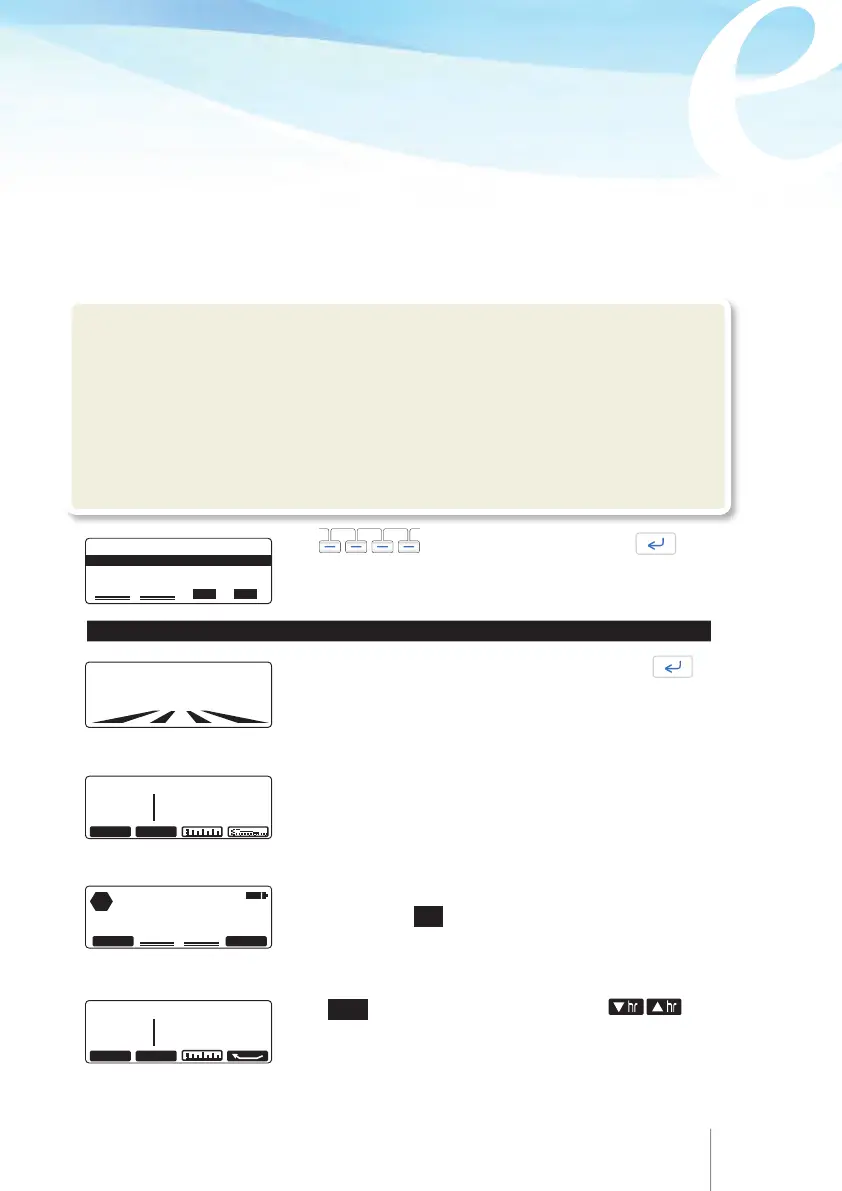
Enter the
VOLUME TO BE INFUSED
value and press .
MAX/24H volume indication at the top of the screen indicate
the maximum volume that a patient can possibly get within
24 hours, according to the programmed values of each
parameter.
6.3 Changing the bag for the same patient
(New bag)
This function allows repeating the same protocol and changing only the volume to be
infused parameter. The rest of the protocol parameters will remain the same. It also
allows reviewing infusion protocol, infused volume, patient bolus demanded / patient
bolus delivered. Moreover, it allows resetting the counters which count infused volume,
number of demanded patient bolus and number of delivered patient bolus if needed.
The user can access this feature after turning the pump ON and during course of infusion.
After turning the pump ON the user can either enter the new bag code or enter the new
patient – program code and select New bag from selection menu.
!Warning
•
We recommend the default codes of the pump to be changed (through the configuration
menu) in order to secure the access to different actions related to each code.
•
The supervisor of the infusion should decide to whom each code and its related actions
should be distributed. Incorrect pump programming could result in death or serious injury
to the patient.
Use to select “New bag”. Press .
The below sequence is the same when using programming code and new bag code.
MAX/24H 1010m1
VOLUME TO BE INFUSED
0160 m1
NEW PATIENT -PROGRAM
NEW BAG
RESUME AFTER POWER OFF
52 53
The history data of infusion are displayed. Review infused
volume, Patient bolus demand and given and Patient bolus
infused volume. For infusion with Continuous mode only
infused volume is displayed. Review bolus graph and pain
level graph.
Press “CLEAR” to reset counters, if necessary. A message
will appear, press
YES
to proceed with the reset of counters.
Infused volume, patient bolus demanded, patient bolus
given and volume infused due to patient bolus will be set to
zero. Graphs, bolus list and pain list will remain.
SINCE: 11 APR 2014 11: 22
INFUSED BOLUS
97.0
ml DEMAND : 7
GIVEN : 5
hr / hr CLEAR
CLEAR PARTIAL COUNTER?
STOP
NO
YES
/H: 6H 7H/ 11 APR
INFUSED BOLUS
37.6
ml DEMAND : 2
GIVEN : 2
hr
hr
Press hr/hr to review protocol per hour. Use Use
soft
keys to scroll up and down to review hour by hour the infused
volume, patient bolus demand and patient bolus delivered
down to the beginning of the infusion or down to the last time
the counter has been cleared.



 To Next Page