5.3 Programming through protocol library
If the pump has been configured with Protocol Libraries through the Rythmic™ Evolution
Therapy Manager PC application, then the programming procedure below should be
followed. Rythmic™ Evolution Therapy Manager is part of the Rythmic™ Manager Pack
reference KP5.04.250.x.
Please, refer to Rythmic™ Manager Pack DFU for instructions about how to upload
protocol library into the Rythmic™ Evolution pumps.
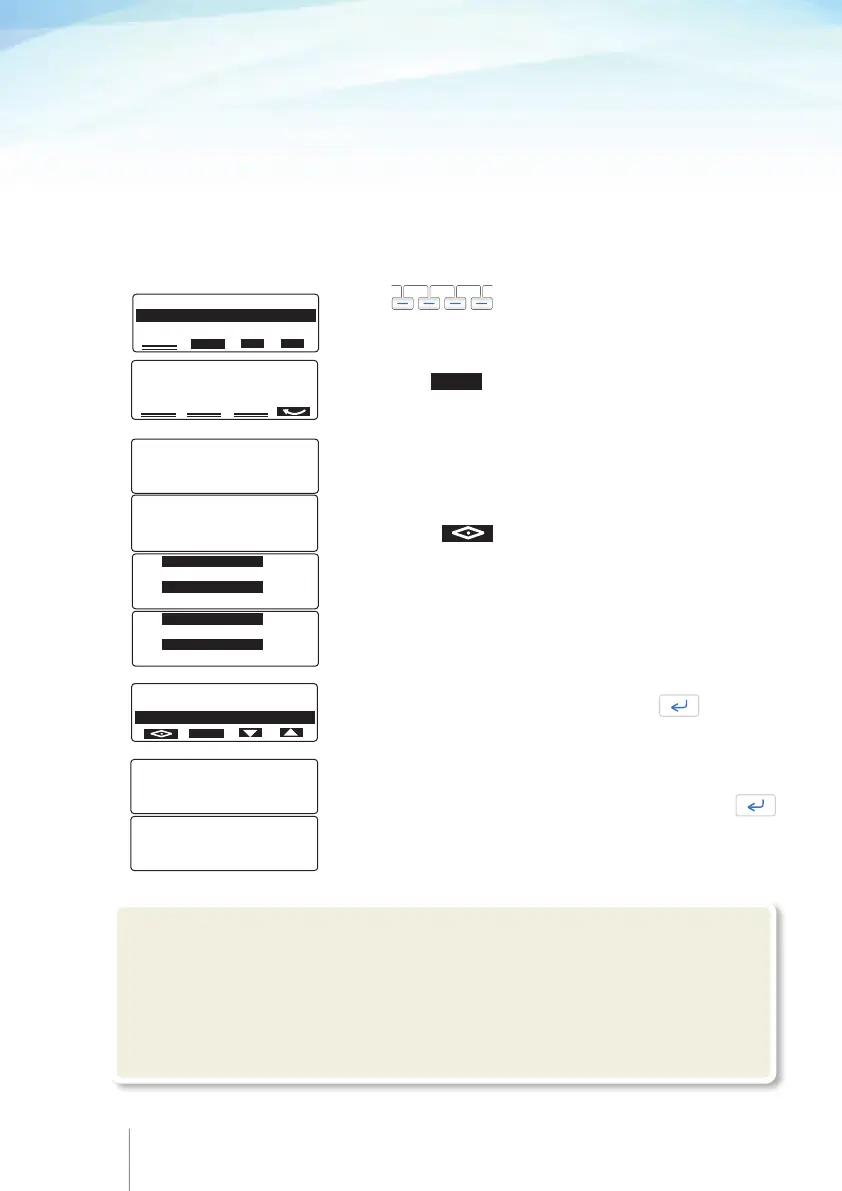
After “New patient-program” has been selected, protocols of the library appear in list.
ROPIVACAINE 2mg / ml
IV MORPHINE
(i)
LIBRARY NAME:
ANALGESIA LIB
VER : 345 . 6 - 29 / 09 / 11
I . D. : 12345 10
VOL TB INF 160.0 ml
CONCENTRA 2.0 mg / ml
BASAL RATE 10.0 mg / hr
5.0 ml / hr
VOL TB INF 160.0 ml
BASAL RATE 5.0 ml / hr
BOLUS 5.0 ml
LOCKOUT 25 min
BOLUS 10.0 mg
5.0 ml
LOCKOUT 2 min
DOSE LIMIT 120
mg /1hr
60 ml /1hr
MIN BOLUS MAX
0.0 ml 60.0 ml
MIN LOCKOUT MAX
0 min 999 min
MIN BASAL RATE MAX
0.0 ml / hr 100.0 ml / hr
MIN LOAD DOSE MAX
0.0 ml 0.0 ml
ROPIVACAINE 2 mg / ml
IV MORPHINE
(i)
Pressing the key will display library information.
Choose the appropriate protocol and press .
Use the to scroll down the menu and choose
the appropriate protocol. The last used protocol will be
highlighted.
Pressing the key to preview the highlighted
protocol and also the limits for each parameter.
Protocol’s parameters are shown in summary. Press
to scroll down the protocol.
48 49
(i)
!Warning
Always validate infusion protocol values by checking all parameters, prior to start the
infusion. If the Protocol values are not correct, please press "PROGRAM" when you
are on the "PUMP ON HOLD" screen, to enter the programming procedure and modify the
infusion parameters.



 To Next Page