6.5
Changing the battery and continue the same infusion
Turn the pump OFF and change the battery, as explained in Chapter 2, paragraph 2.3.
“Power Supply” section 2.3.1 "For pumps with 9v alkaline battery". Turn the pump ON and
repeat the procedure as explained in Chapter 6, paragraph 6.4 "Resuming the same infusion
with the same patient after power off of the pump" in order to resume the infusion after OFF.
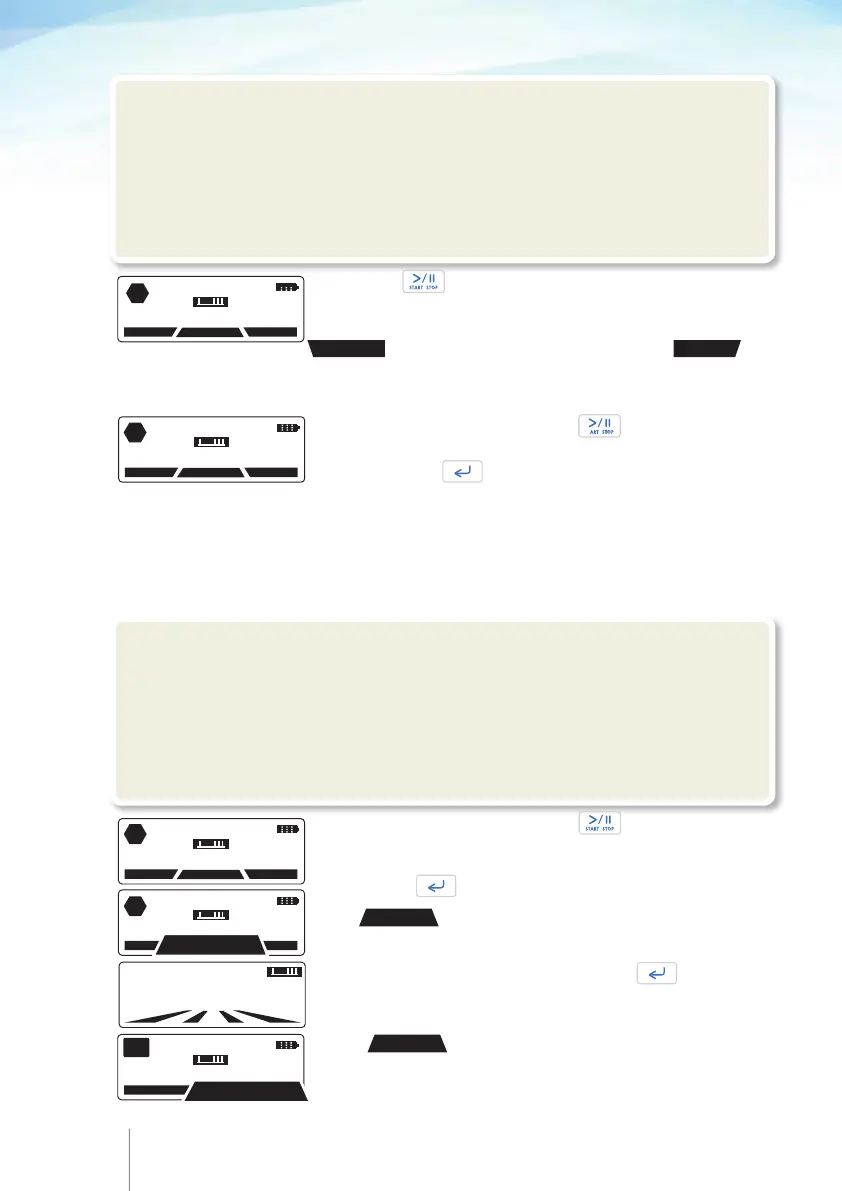
Put the pump on hold by pressing twice and enter the
code to stop infusion, if code protected stop of infusion is
enabled. Press .
!Warning
•
We recommend the default codes of the pump to be changed (through the configuration
menu) in order to secure the access to different actions related to each code.
•
The supervisor of the infusion should decide to whom each code and its related actions
should be distributed. Incorrect pump programming could result in death or serious injury to
the patient.
6.6 Changing the Protocol
Select
PROGRAM
.
11 APR 2014 11:45
PUMP ON HOLD
CLINIC. BO
PROTOCOL
PROGRAM
Titr
56 57
!Warning
•
Periodically inspect the fluid path for air. If air is seen, stop infusion. Air infusion could result
in under or non-delivery of medication. Air embolism could result in death or serious injury to the
patient.
•
Always validate infusion protocol values by checking all parameters, prior to start the
infusion. Wrong infusion protocol could result in death or serious injury to the patient.
Put the pump on hold by pressing twice and enter the
code to stop infusion, if code protected stop of infusion is
enabled, please refer to Chapter 9 paragraph 9.2 “Configuration
Menu”. Press .
11 APR 2014 11:45
PUMP ON HOLD
HISTORY
PROTOCOL
PROGRAM
STOP
5 NOV 2012 12:45
PUMP ON HOLD
HISTORY
PROTOCOL
PROGRAM
STOP
Press twice to resume the infusion.
The programmed parameters and their perspective values
of the running protocol can be reviewed at once using the
PROTOCOL
key. History can be reviewed using
the
HISTORY
.
11 APR 2014 11:45
PUMP ON HOLD
HISTORY
PROTOCOL
PROGRAM
STOP
Press
PROGRAM
.
11 APR 2014 11:45
PUMP ON HOLD
HISTORY
PROTOCOL
PROGRAM
STOP
CODE:
0000
Enter your “programming” code and press .



 To Next Page