44 45
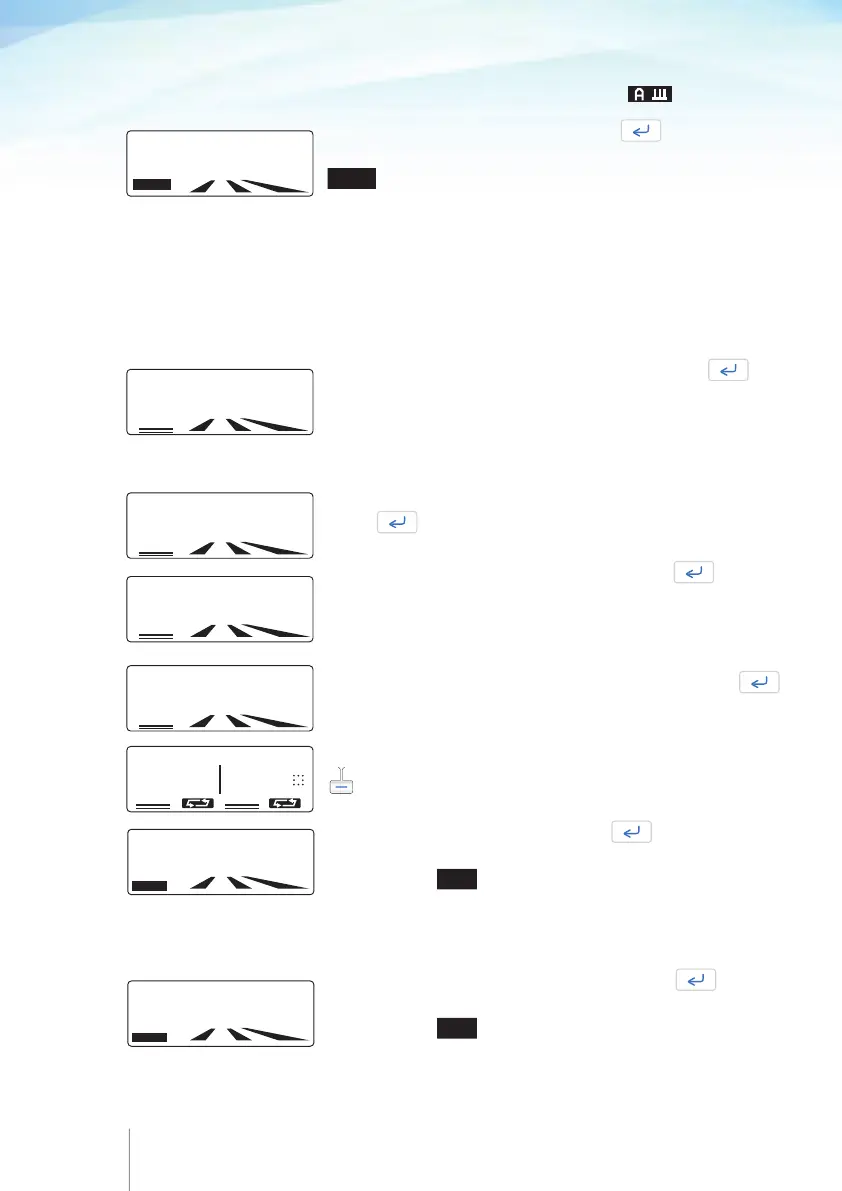
Enter the
AUTOMATIC BOLUS
dose
value and press .
If this parameter is not required, the value 000.0 should be entered.
Note: If the Automatic Bolus dose value is 000.0 ml (or mg or μg)
then the Auto Bolus Frequency is disabled and will not appear
on screen.
Enter the LOCKOUT INTERVAL value in minutes and press
If this parameter is not required, the value 000 should be entered.
Enter the patient
BOLUS
dose value and press .
If this parameter is not required, the value 000 should be entered.
Note: If the patient Bolus value is 000.0 ml (or mg or μg) then
the Lockout interval, bolus limit or dose limit functions are disable
and will not appear on screen.
Enter the
AUTO BOLUS FREQUENCY
value in minutes and
press
.
If this parameter is not required, the value 000 should be entered.
LOCKOUT INTERNAL
015 min
AUTO BOLUS FREQUENCY
0h30 min
AUTOMATIC BOLUS
05.0 min
SELECT LIMIT
DOSE BOLUS
LIMIT
/ HOURS
BOLUS
05.0 m1
BASAL RATE:
000.0 ml/hr
UNITS
5.2.7 Programming procedure Automatic Bolus mode
Enter the
BASAL RATE
value and press .
You can change the programming units in this screen by using the
UNITS soft key, please refer to Chapter 5 paragraph 5.2.3
“Select programming units”.
If infusion was previously set in mg or μg, the drug concen-
tration will be asked first.
If this parameter is not required, the value 000.0 should be entered.
Note: If the basal rate value is higher than 49,9 ml/h then the
Automatic Bolus dose, Auto Bolus Frequency, Bolus dose and
Lockout interval functions are disabled and will not appear on
screen.
Select one of the two limits by pressing the appropriate
key.
Enter the DOSE LIMIT value and press .
DOSE LIMIT
observation window can be changed in this screen
by pressing the
TIME
soft key.
MAX BOLUS in the dose limit screen displays the maximum
possible number of patient bolus that the patient can get
within the preset period of time.
or
Enter the patient BOLUS LIMIT value and press .
BOLUS LIMIT
observation window can be changed in this screen
by pressing the
TIME
soft key.
Note: If dose limit or bolus limit is not required, the value 0000
should be entered.
10 MAX BOLUS
DOSE
LIMIT
0195 m1/4hr
TIME
BOLUS
LIMIT
010 BOL /4hr
TIME
.



 To Next Page