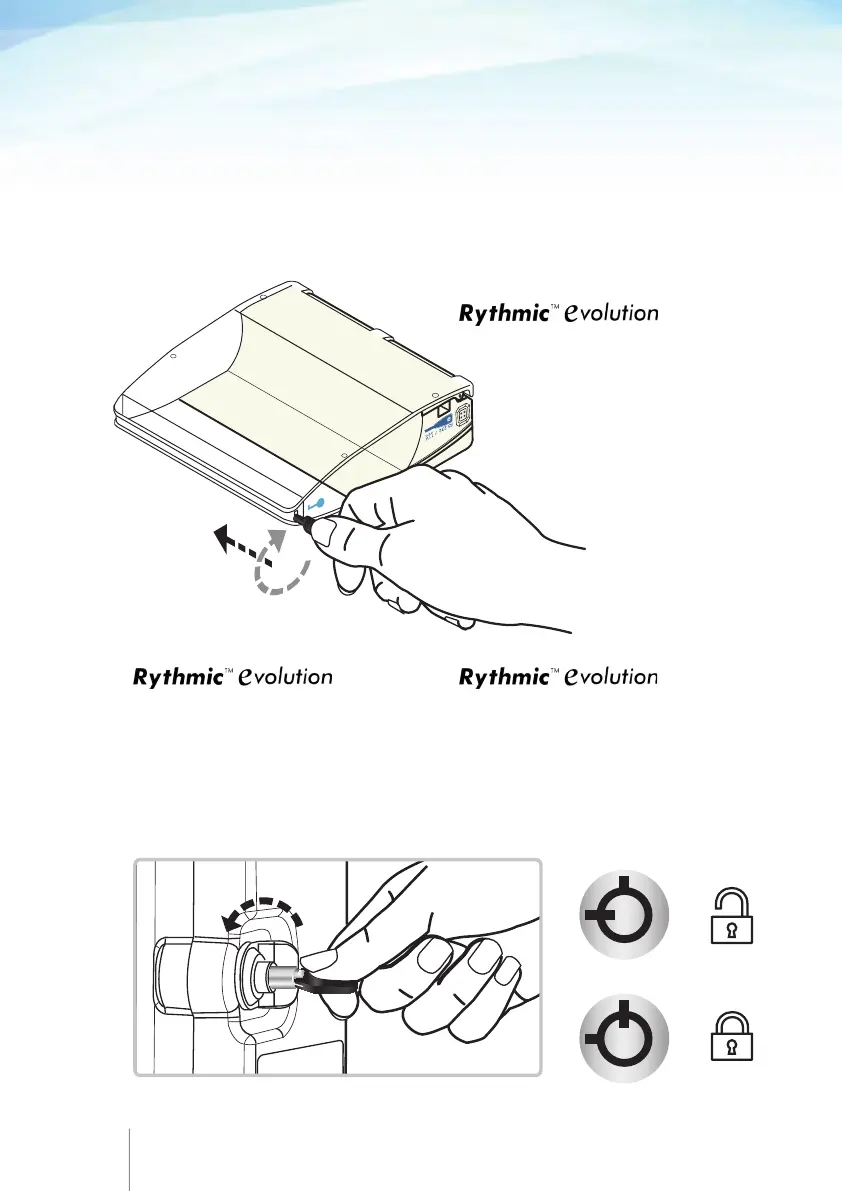
2.1 Opening the transparent covers
To open the transparent covers please follow the steps below:
Step 1: Verify that the pump is switched OFF.
Step 2: Remove the pump from the carrying bag or the pole clamp
and then follow the procedure as shown for each model accordingly.
2. Preparation of infusion
14 15
Insert the key and turn gently clockwise
in the orientation shown to open the
transparent cover.
Press the knob and pull the cover
using the finger grip to open the cover.
If the pump is locked insert the key
and gently turn it anti clockwise in the
direction shown to unlock the push
button.
Organiser 500/501 Organiser 100/101
Lift the lever to open the cover.
If the pump is locked, insert the key
and turn gently anticlockwise in the
orientation shown to unlock the lever
and lift to open the transparent cover.



 To Next Page