68 69
Keyboard Continuously Pressed
Audible YES
Visual YES
Acoustic tone:
Continuous
Cause
A key on the keyboard
or the bolus switch
were continuously
pressed.
Warning message
KEYBOARD
CONTINOUNSLY
PRESSED
8.2 User Interface Alarms
Whenever user inteface alarms are produced, the infusion stops and an alarm identi-
fication message is displayed. Most of the user interface alarms have audible and visual
signals. In case of audible alarms, press key to silence the acoustic tone for
one hour, but maintain the alarm message on the display. The buzzer is deactivated
temporarily, should another audible alarm condition occur, the buzzer will sound again.
Occlusion
Audible YES
Visual YES
Acoustic tone:
Continuous
Cause
High pressure,
which may be a
result of a closed
clamp, a damaged
filter, a downstream
obstruction or a kink
in the fluid path.
Action
Press to put the pump
“ON HOLD”. Remove the
cause for occlusion. Check the
administration line for kinks or
closed clamp. After the remove
of obstruction, infusion will
resume automatically.
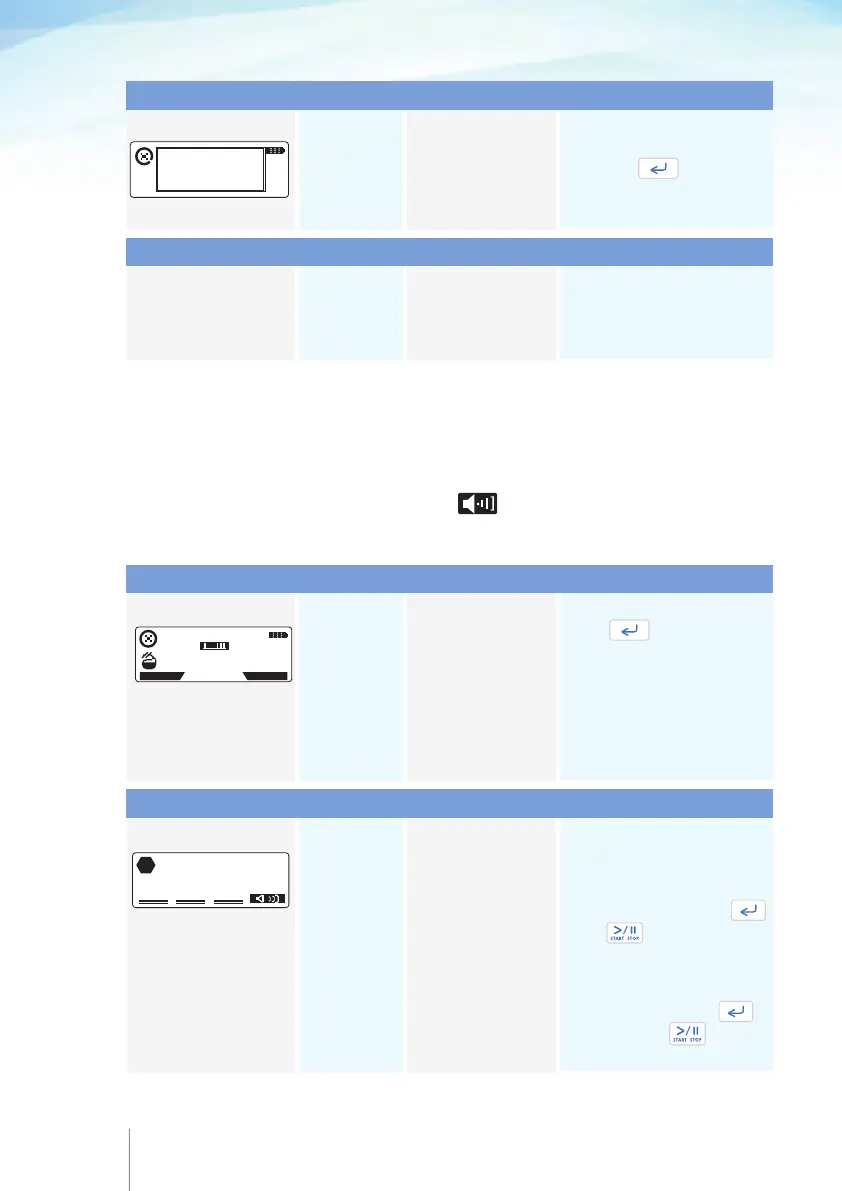
Alarm message
11 APR 2014 11:45
DOWN STREAM
OCCLUSION
HISTORY
PROTOCOL
Depleted battery
Audible YES
Visual YES
Acoustic tone:
Continuous
Cause
Battery power is
too low to operate
the pump.
Action
Turn the pump OFF and change
the disposable 9v alkaline battery.
Turn the pump ON and enter your
resuming code and press .
Press twice to resume
the infusion. In case of a
rechargeable battery, connect
the power adaptor to the mains
and to the pump. Press
and then press twice to
resume infusion.
Alarm message
BATTERY DEPLETED
STOP
Type of signal
Value out of range
Audible NO
Visual NO
Cause
A value was set
out of range during
programming.
Action
Pump proposes the nearest
acceptable value. Confirm the
proposed or change it.
Warning message Type of signal
Type of signal
Type of signal
Action
Release the key or bolus switch
and press to silence
the alarm and to remove the
message from the screen.



 To Next Page