50 51
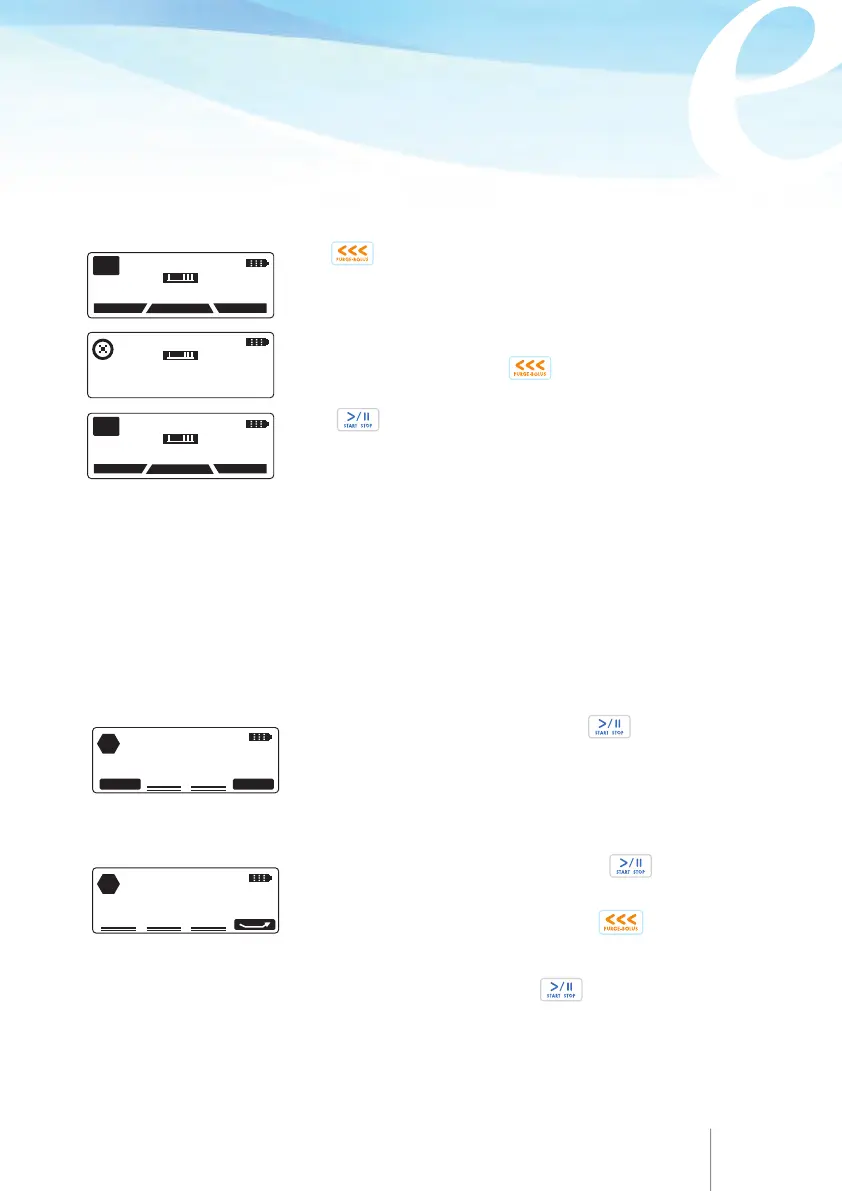
Priming of the administration set through the pump,
using the below
procedure.
The same process is followed for both sets with bag and sets with spike and external
medication container.
Ensure that the set is unclamped.
Press for a few seconds until priming begins. Press
again to stop priming.
Press twice to start the infusion.
11 APR 2014 11:45
PUMP ON HOLD
HISTORY
PROTOCOL
PROGRAM
PGM
11 APR 2014 11:45
PUMP ON HOLD
HISTORY
PROTOCOL
PROGRAM
PGM
11 APR 2014 11:45
PUMP PRIMING
PRIMED VOLUME: 1.2ml
Priming stops automatically at 3 ml priming volume. If the line
is not fully primed, press once .
Warning
Configurable option for safety priming process
Through configuration menu, please refer to Chapter 9, paragraph 9.2 "Configuration
menu", there are three choices.
The maximum primed volume is 9 ml.
The volume infused during the priming function is not subtracted from the volume
to be infused.
No Warning:
No relevant screen will appear, when the is pressed twice
in order to start the infusion. The infusion will start without reminding the user to
prime the administration set line.
Mandatory
This screen will always appear, when the is
pressed twice in order to start the infusion.
The user will always have to press the before the
infusion is initiated.
HAVE YOU
PRIMED THE SET?
STOP
NO
YES
YOU MUST PRIME BEFORE
START. USE
<<<
KEY
STOP
This screen always appear, when the is pressed
twice in order to start the infusion. The user selects to
do the priming through the pump if the set has not been
manually primed.



 To Next Page