– 1.12 –
CONNECTING THE CABLES
* When connecting the cables, turn off first the power to the device and that to the
host computer which the power cable is to be connected.
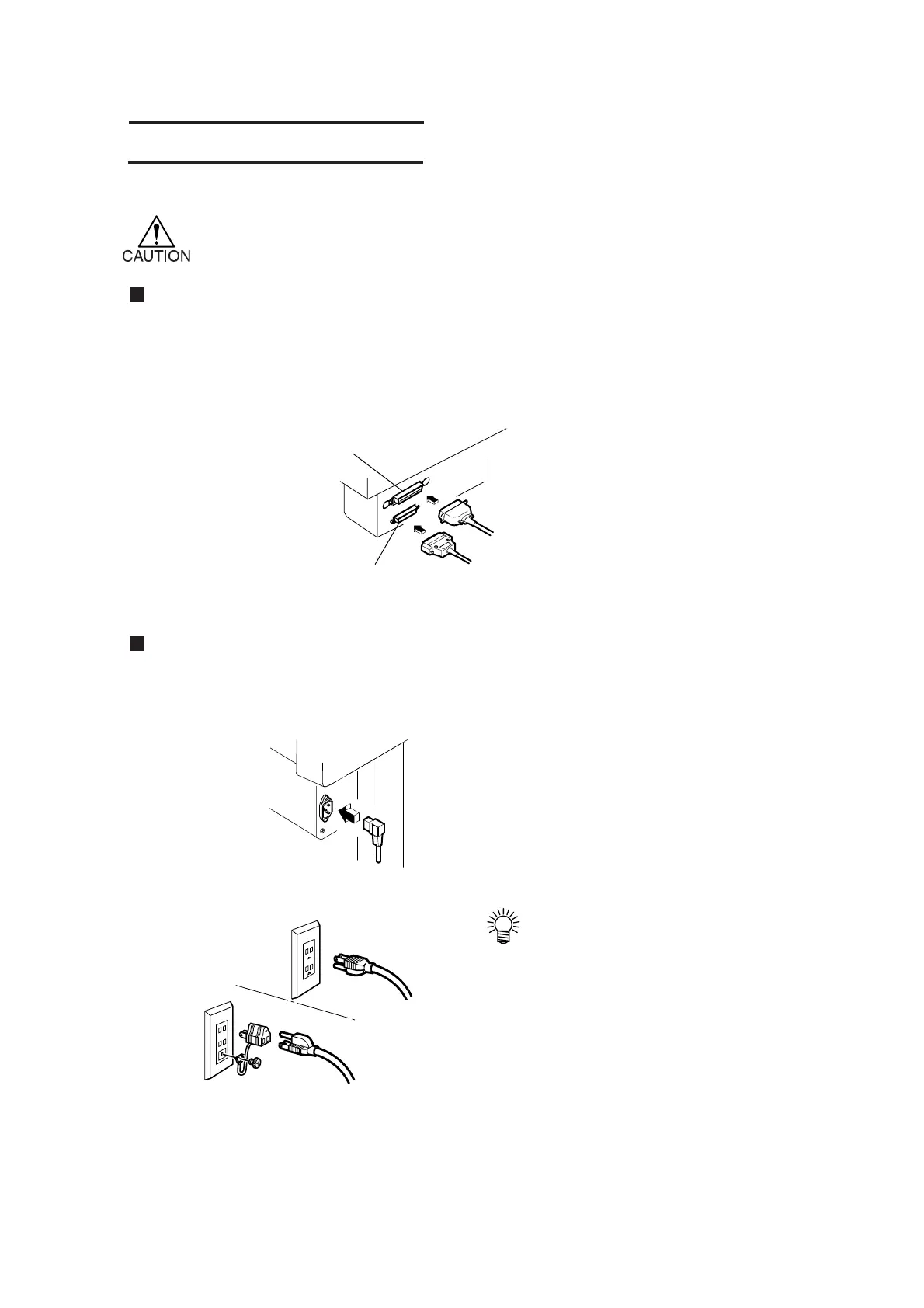
Connecting the interface cables
The device comes with two different kinds of interfaces.
Select either one that matches the host computer.
• RS-232C compatible interface
• 8 bit parallel interface (Centronics compatible)
Connecting the power cables
After the completion of interface cable connection, connect the power cable.
Connect the power cable to the receptacle of the following power specification.
• Voltage AC220/240V ±10%
• Frequency 50/60Hz ± 1%
• Capacity: 100W or more (equivalent to 2 A)
• If you use 2P receptacle, connect a
grounding adapter supplied with
the unit to the power cable plug.
Ground the green wire (ground
wire) of the adapter.
If the ground wire cannot be
grounded, consult your nearest
electrical service shop.
RS-232C interface connector
8 bit parallel interface connector











 To Next Page