– 2.12 –
TOOL CONDITIONS SETTING
Three different tool conditions are to be set such as cutting conditions, plotting conditions and
pouncing conditions.
Specify “SPEED,” “PRESSURE” and “OFFSET” settings that suit the tool to be used.
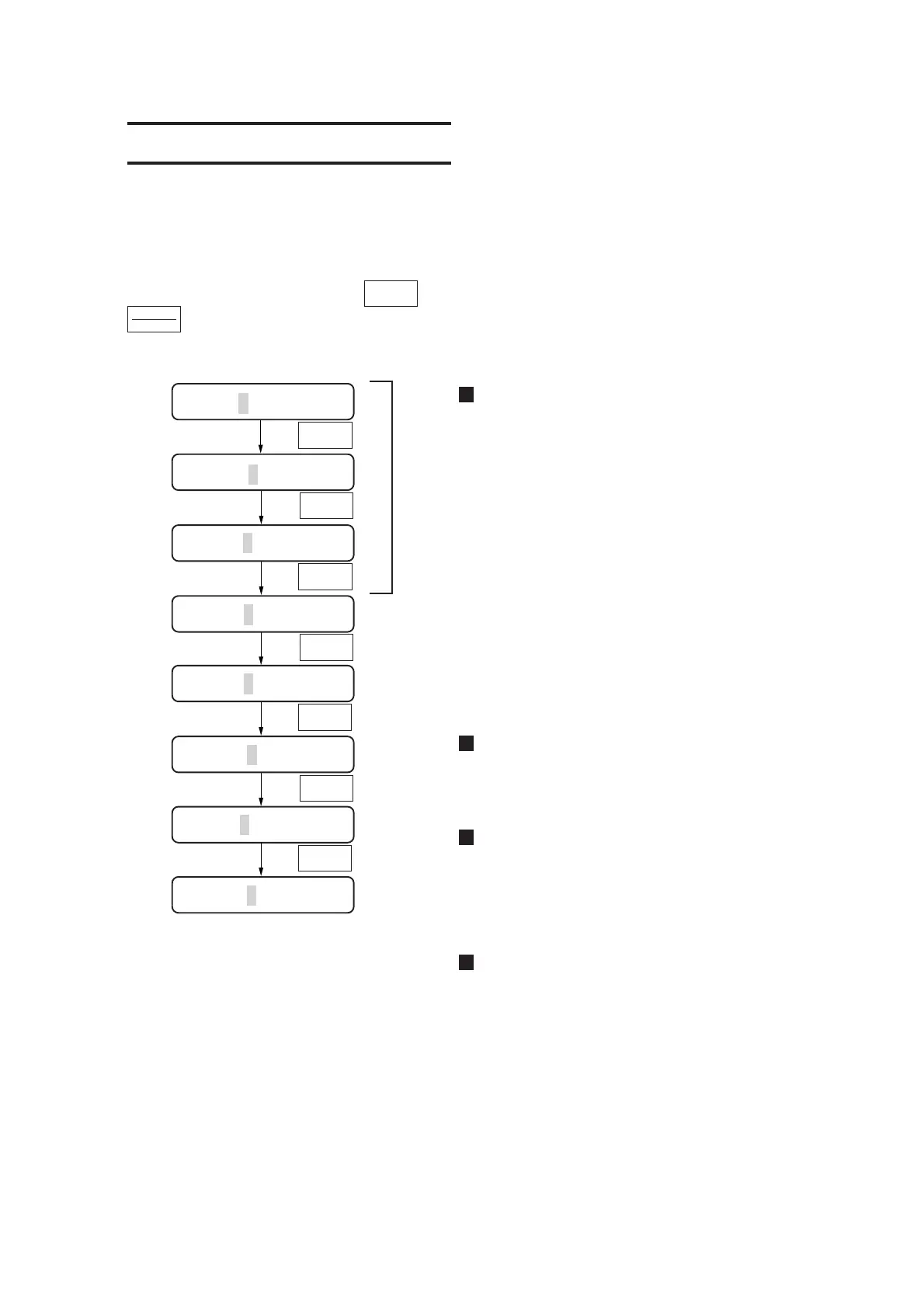
To set tool conditions, press the key under the local mode, select tool condition with
key and input settings.
Cutting conditions
Enter tool conditions for the operation using a
cutter. Three kinds of cutting conditions
(CUT1, CUT2 and CUT3) can be entered at a
time. This means these conditions can be
entered separately according to the cutter to be
used. Once cutting conditions are specified, the
cutter will perform a dummy cutting (to adjust
the blade direction) (see page 3.30).
Plotting conditions
Enter conditions for the operation using a pen.
Pouncing conditions
Enter conditions for the operation using the
pouncing function (see page 3.24).
OFFSET condition indicates the interval
between pins (P).
Cutting conditions (HALF CUT
conditions)
In the case where the HALF cutting (broken
line cutting) is set to the ON state, enter the
HALF cutting conditions (see page 3.11). Once
the HALF cutting conditions are specified, the
cutter will perform a dummy cutting (to adjust
the blade direction) (see page 3.28).
TOOL
SELECT
SPEED | PRESSURE | OFFSET
TOOL
SELECT
TOOL
SELECT
TOOL
SELECT
TOOL
SELECT
ENTER
HOLD
TOOL
SELECT
CUT1 20 050 0.30
CUT2 20 080 0.30
CUT3 5 150 0.30
CUT4 20 060 0.30
CUT5 20 070 0.30
TOOL
SELECT
TOOL
SELECT
PEN 40 060
PIN 40 080 002P
HALF 20 040 0.30











 To Next Page