– 3.21 –
Division cut [DIVISION CUT]
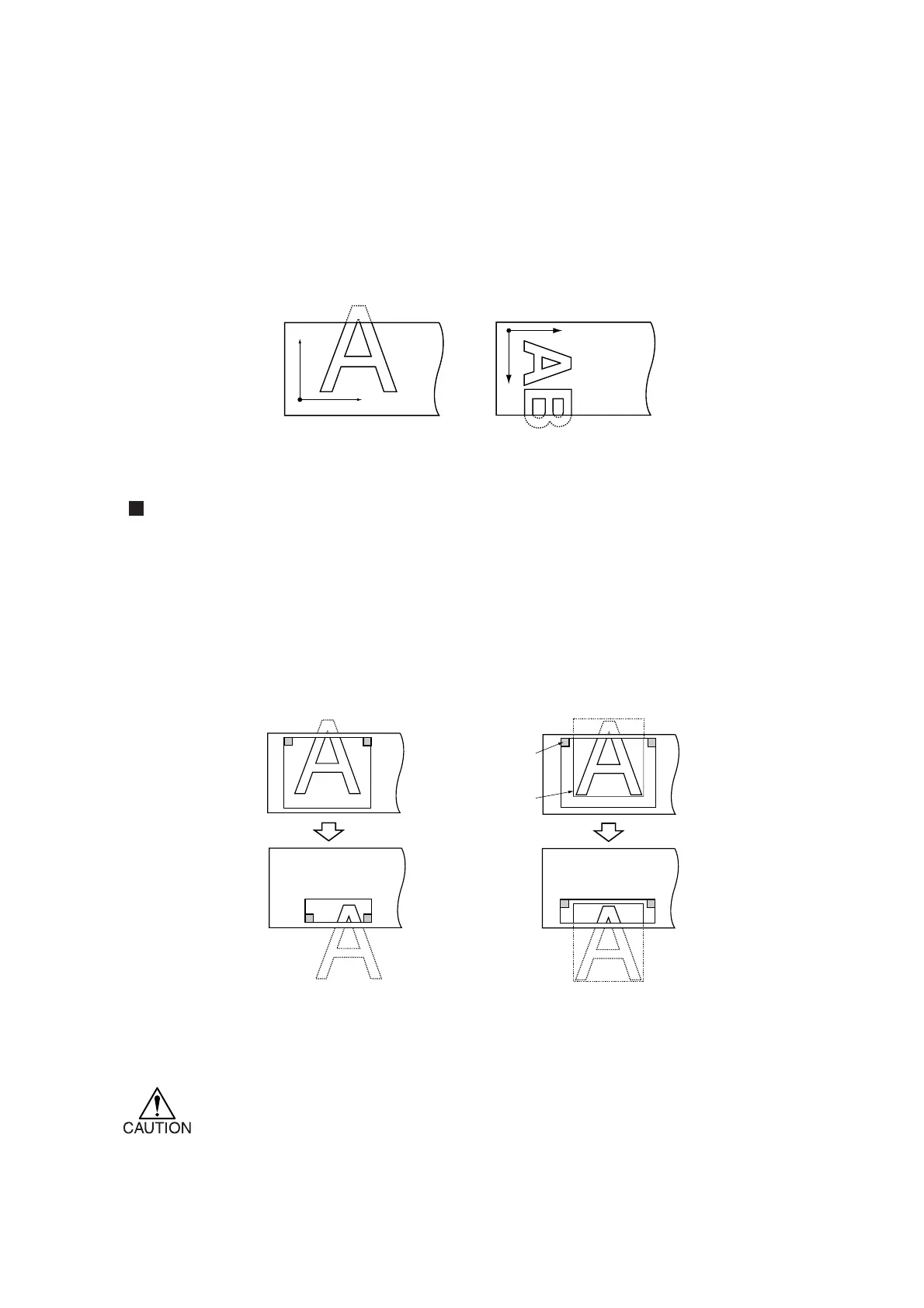
In the case where the data on cutting exceeds the sheet width, the device is able to cut the data with
divided appropriately. While the device is engaged in division cut, it will ignore other data sent
from the host computer. In the case where the rotating function is set to the ON state, the result will
be as illustrated below.
Setting value (Make a choice and input it)
DIVISION CUT : ON, OFF
FRAME CUT : ON, OFF
MARK CUT : ON, OFF
In the case of the frame cutting or adhesion allowance marking, the device will perform cutting
based on the size of data on cutting. If the host computer designates the frame cutting and sends
data to the device, the frame will align with the adhesion allowance marks to facilitate adhesion.
* The sheet has an adhesion allowance of 1 cm. It is, therefore, necessary that the
effective cutting area shall be wider than 1 cm at all times.
A
B
A
B
Rotating function: OFF Rotating function: ON
Adhesion
allowance mark
Frame
Frame cutting is not specified on
the host computer side.
Frame cutting is specified on
the host computer side.











 To Next Page