– 3.9 –
Paper cut
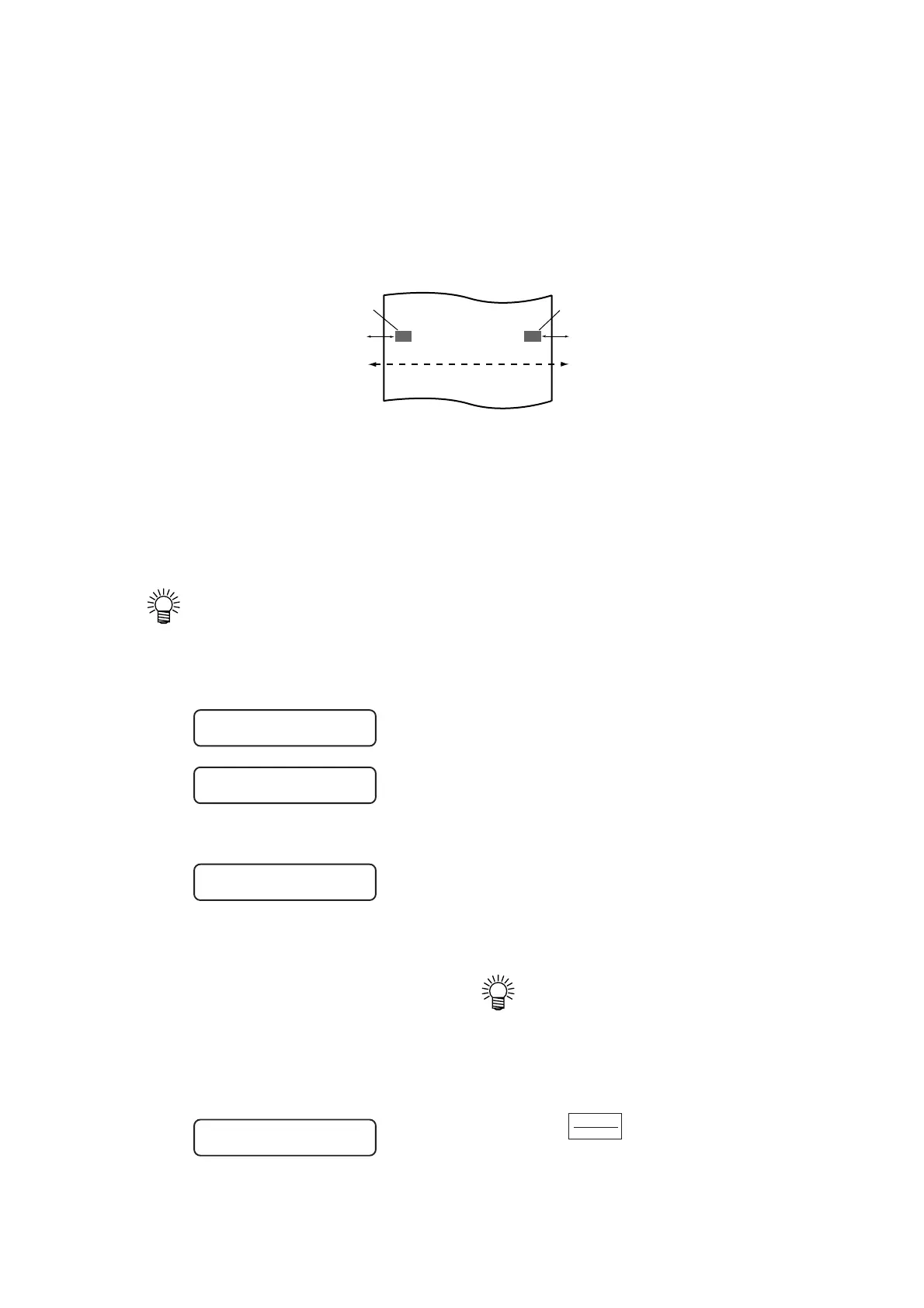
The sheet is cut off at the current location of the tool.
To perform the paper cutting, set the tool condition to “HALF.”
The device will conduct paper cutting with the pressure specified in the tool conditions.
For the paper cutting, the sheet will be cut up to the location 15 mm outside each of the pinch
rollers.
Digitization operation
Coordinates of the plotted figure as from the origin are displayed on the host computer.
When the device receives a digitization command (DP) from the host computer, the digitization
operation is enabled.
To conduct digitization, install a sheet with patterns to be used to specify points on the device.
• The digitization operation is only enabled in the case where the application software
that incorporates a digitization function. Refer to the instruction manual for the
application software for how to use the digitization function.
1) Set the device in the remote mode. The
device receives the digitization com-
mand from the host computer.
The display on the LCD will change as
illustrated on the left.
2) Move the pen with a jog key until the
pen tip reaches a given point of the pat-
tern.
Coordinates as from the origin will be
displayed.
• If you specify the step unit to a
smaller value using the jog step
function, you may specify the
desired point with increased
accuracy.
3) Press the key.
The information on the point on which the pen
tip rests will be sent to the host computer.
15mm
15mm
Pinch roller (left)
Pinch roller (right)
Paper cut width
ENTER
HOLD
PEN
**
REMOTE
**
**
DIGITIZE
**
PEN
**
REMOTE
**
100. 1 250. 5











 To Next Page