– 2.13 –
• SPEED : Cutting (plotting) speed.
• PRESSURE : Pressure with which the tool hold the sheet of media.
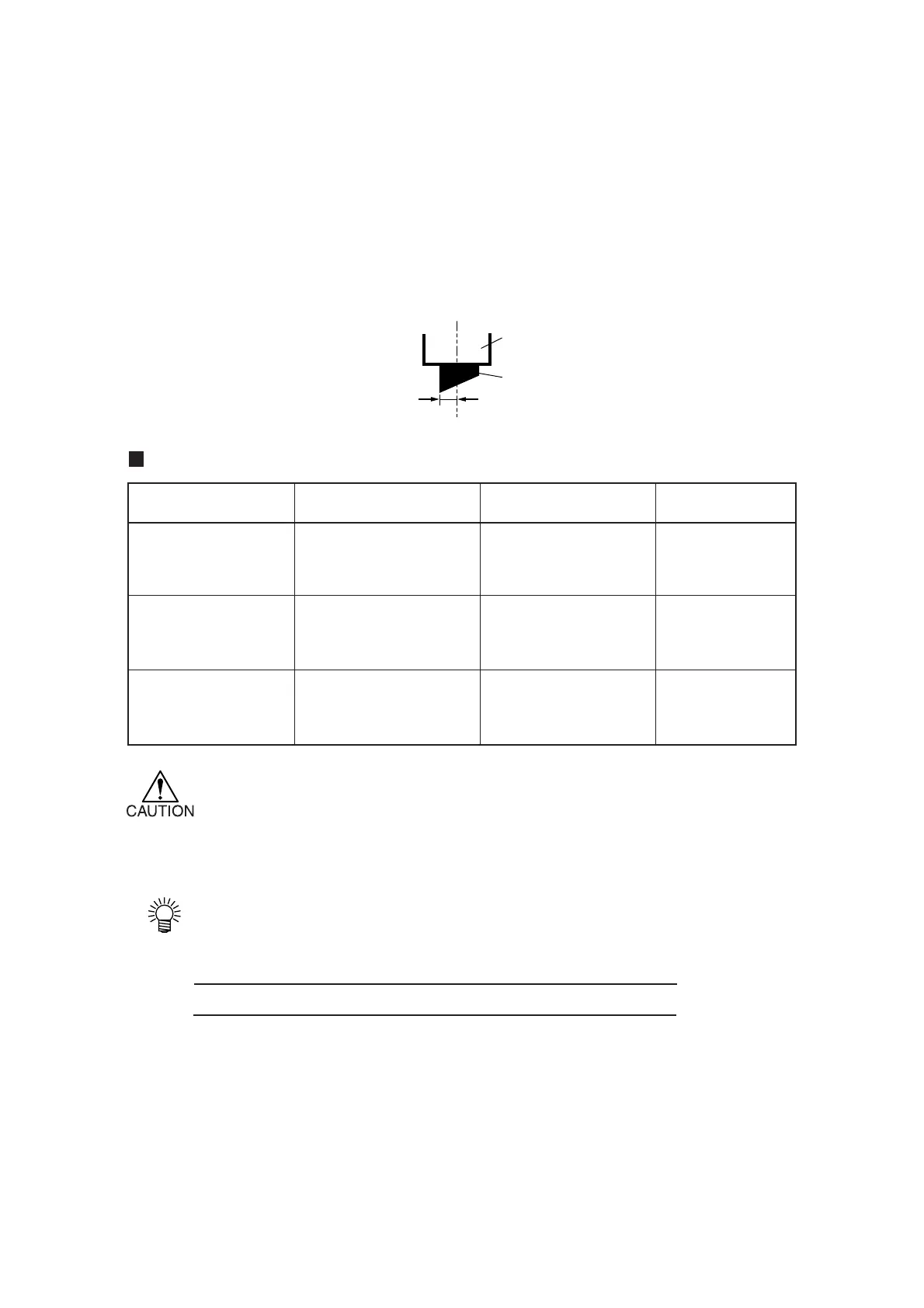
• OFFSET : The amount of the cutter blade tip from the holder.
If the offset amount is increased, square-shaped characters will be cut/plotted.
If it is decreased, round-edged characters will be finished.
Change the offset value depending of the sheet thickness or the type of blade.
For the cutter supplied with the unit, set the offset to 0.30 mm.
Setting value
Tool conditions SPEED PRESSURE OFFSET
1 to 10 cm/s (1 cm/s step) 10 to 20 g (2 g step) 0.00 to 2.50 mm
Half cut conditions 15, 20, 25, 30, 35, 40, 20 to 100 g (5 g step) (0.05 mm step)
50, 60, 70, 80 cm/s 100 to 300 g (10 g step)
1 to 10 cm/s (1 cm/s step) 10 to 20 g (2 g step)
Plotting conditions 15, 20, 25, 30, 35, 40, 20 to 100 g (5 g step)
50, 60, 70, 80 cm/s 100 to 300 g (10 g step)
1 to 10 cm/s (1 cm/s step) 10 to 20 g (2 g step) 1 to 100 mm
Pouncing conditions 15, 20, 25, 30, 35, 40, 20 to 100 g (5 g step)
50, 60, 70, 80 cm/s 100 to 300 g (10 g step)
*In the case where the pressure is smaller than 20 g, set the speed using a 10 cm/sec
as a guide. If the speed is higher than the appropriate value, the tool can rise to
produce blurred characters or a portion that remains uncut.
• Reference values of conditions for plotting
Before actually cutting a sheet of media, conduct test plotting to check the quality
of finished characters and marks.
Type of pen SPEED PRESSURE
Water-ink ball-point pen (0.3 mm) 40 cm/s 60 g
Oil-based ink ball-point pen 40 cm/s 150 g
Cutter holder
Offset
Blade tip











 To Next Page