2. Product presentation
MiR250 User Guide (en) 11/2020 - v.1.3 ©Copyright 2020: Mobile Industrial Robots A/S. 23
To open the rear compartment, see Accessing the internal parts on page38.
NOTICE
The unique nameplate of your robot is to be mounted on the rear
compartment cover—see Mounting the nameplate on page58. Make sure you
do not swap the cover with covers from other robots.
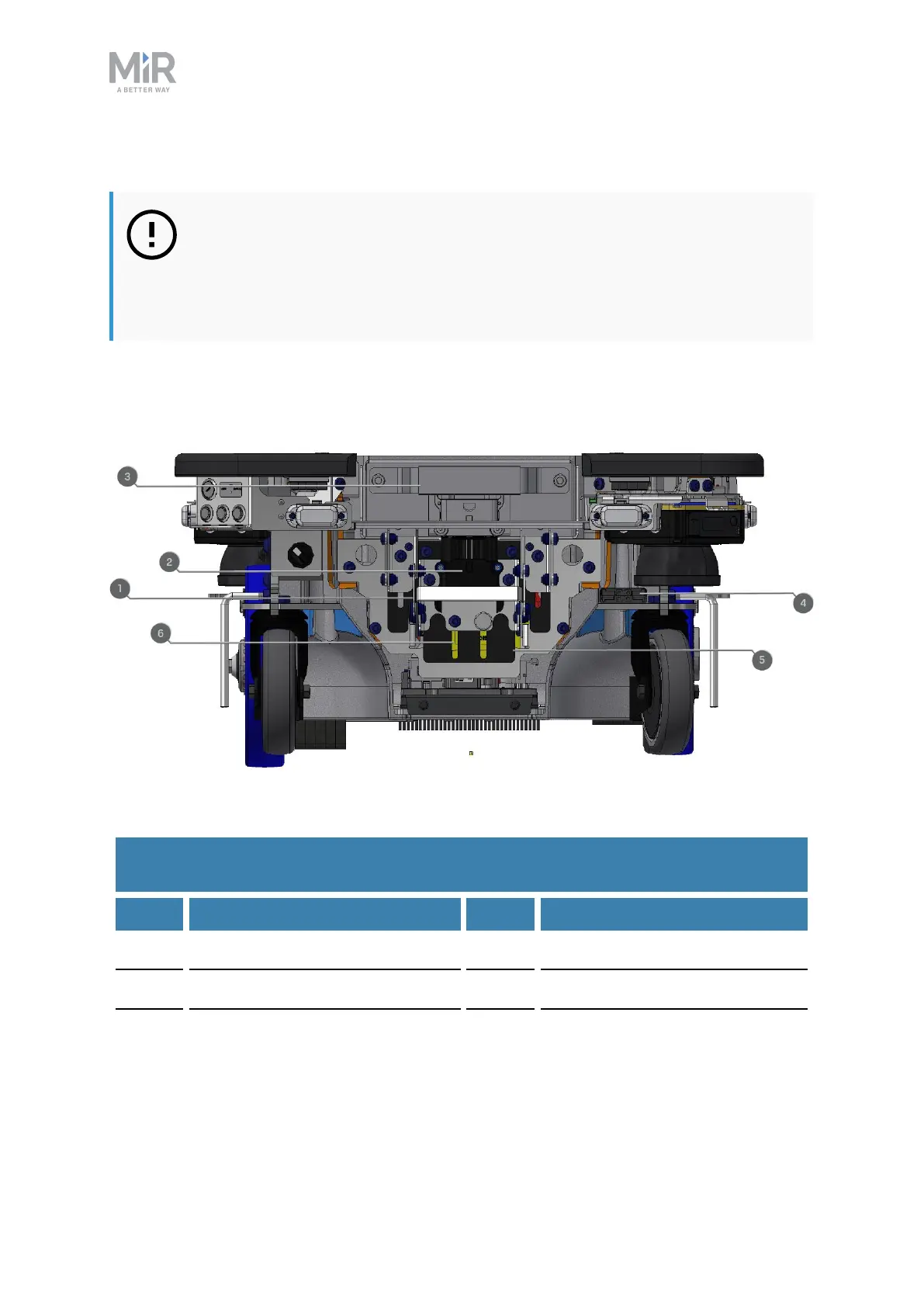
Rear compartment components
The rear compartment components are listed in Table 2.3.
Table 2.2. Internal parts of the rear compartment.
Pos. Description Pos. Description
1 Battery disconnect lever 2 Battery connector
3 Battery 4 Cable charging interface
5 Power board for motor
controller, robot computer, and
safety PLC
6 Safety PLC
Table 2.3.
Identification of internal parts in Figure 2.7



 To Next Page