EasyManua.ls Logo

Mirae Mx200 - Page 491

Default Icon
681 pages
Print Icon
To Next Page IconTo Next Page
To Previous Page IconTo Previous Page
Loading...
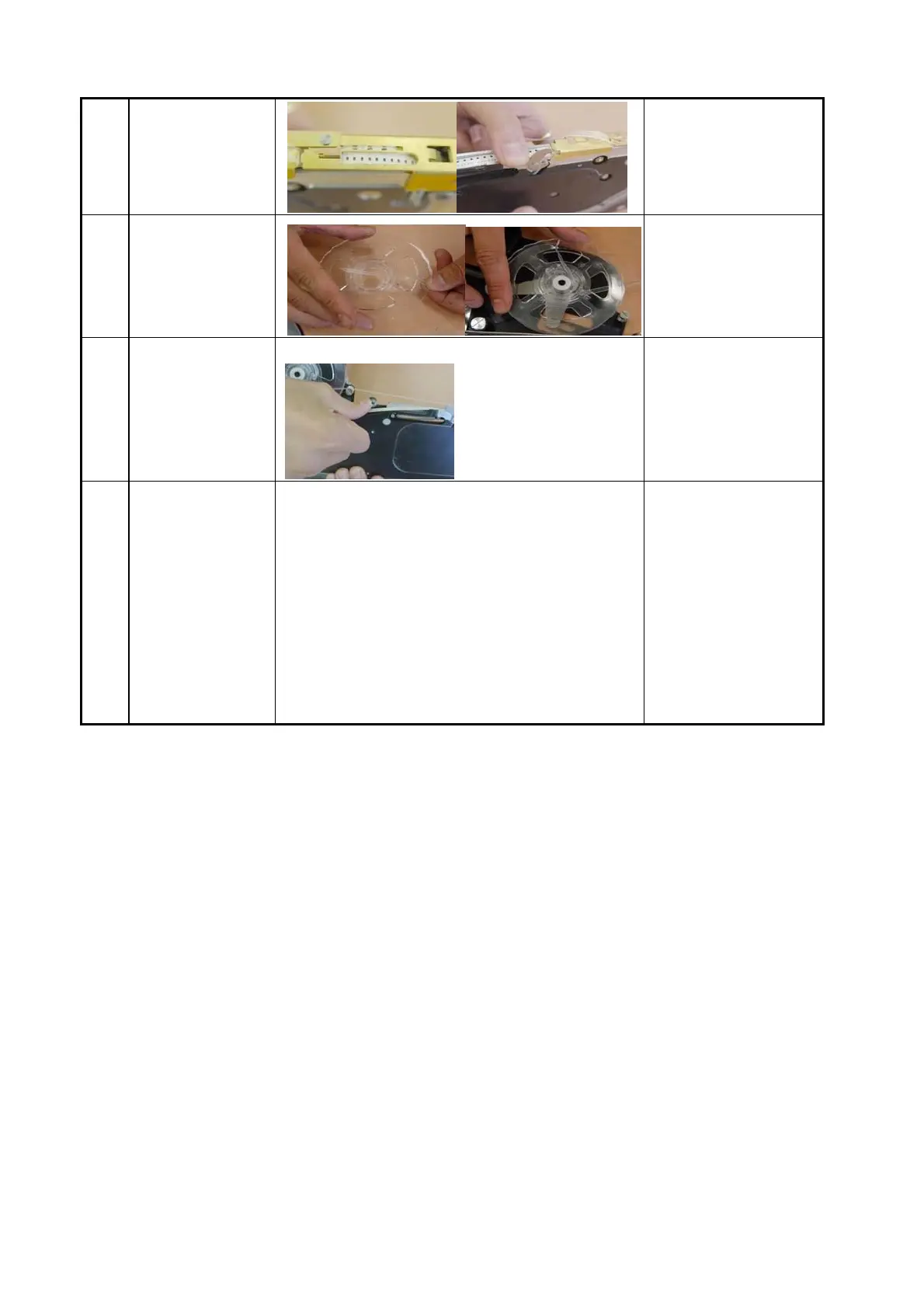
6
Close the reel
cover so that the
reel hole is caught
by the feeding gear.
7
Mount the detached
vinyl to the vinyl
off gear.
The vinyl come off
of the vinyl off gear
must be shorter than
30mm. (Vinyl may be
caught.)
8
Move the reel
forward manually.
The chip must be
under the reel cover.
A chip may be
damaged by the reel
cover.
9
Set the speed of the
feeder
1) Normal Mode
The default mode. LED blinks once per
second.
2) Fast Mode
Feeding speed increases by 20%. Error
may increase for a specific chip. 3) Safety
Mode
Slow feeding. Consult with CS engineer
before using the safety mode.
In order to change
the mode, press the
feeding button 3
times in a second.
(Additional safety
mode setting is
required.)
Setting feeder to the feeder base

Table of Contents

Related product manuals