4-8 Mx-Series Operation Manual
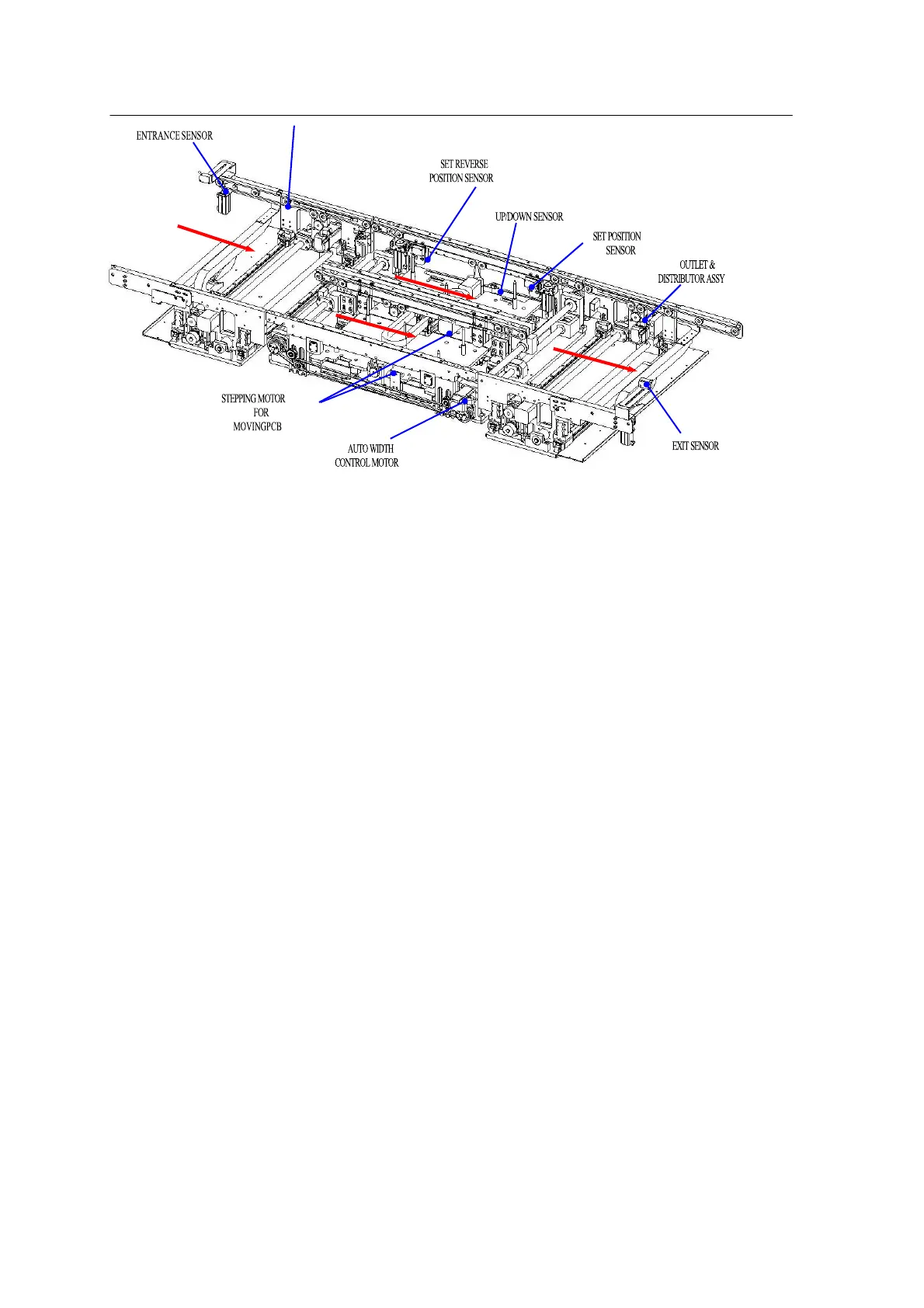
<Figure 4-4 3-stage structure of dual conveyer>
• Functions
The inlet conveyer receives a PCB (Printed Circuit Board) and transfers it to
the placement position on the work conveyor.
When the PCB enters the WORK area, the main stopper stops the PCB and
fixes it with the fixation plate and Push Up Device so the head can place the
component.
When component placement is completed, the PCB is transferred to the
next process through the outlet conveyer.
• Features
- Manual/automatic PCB/conveyer width adjustment is supported.
Manual: Manual conveyer width adjustment using a handle
Automatic: Automatic width control depending on the input value.
- PCB mobility protection during placement: When placing a component,
PCB is fixed by the fixation plate and the Push Up Device to prevent the
PCB from bending down or up and to maintain accuracy of placement. In
addition, the work environment is provided irrespective of PCB thickness (*
This is applicable only within the PCB thickness Spec.)
• Soft stop: The soft stop function that controls deceleration of the conveyer
prevents the placed component from being moved or misaligned by impact
when the transferred PWB stops at the work area.



 To Next Page