Operation and Maintenance
208
Mitel 470 as of R4.1
syd-0585/1.2 – R4.1 – 08.2016
6. 3. 4. 4 Changing the RAM module
The RAM module is fitted to the call manager card and available as a spare part.
To replace a defective RAM module, proceed as follows:
Warning
Be sure to observe the "Safety regulations", page 94.
1. Carry out preparations (see "Preparations", page 202).
2. Unscrew the screw on the Call Manager card and remove the card by pulling the
fastening screw.
3. Remove the defective RAM module by pressing the two lateral metal clamps out-
ward at the same time and gently lifting the RAM module.
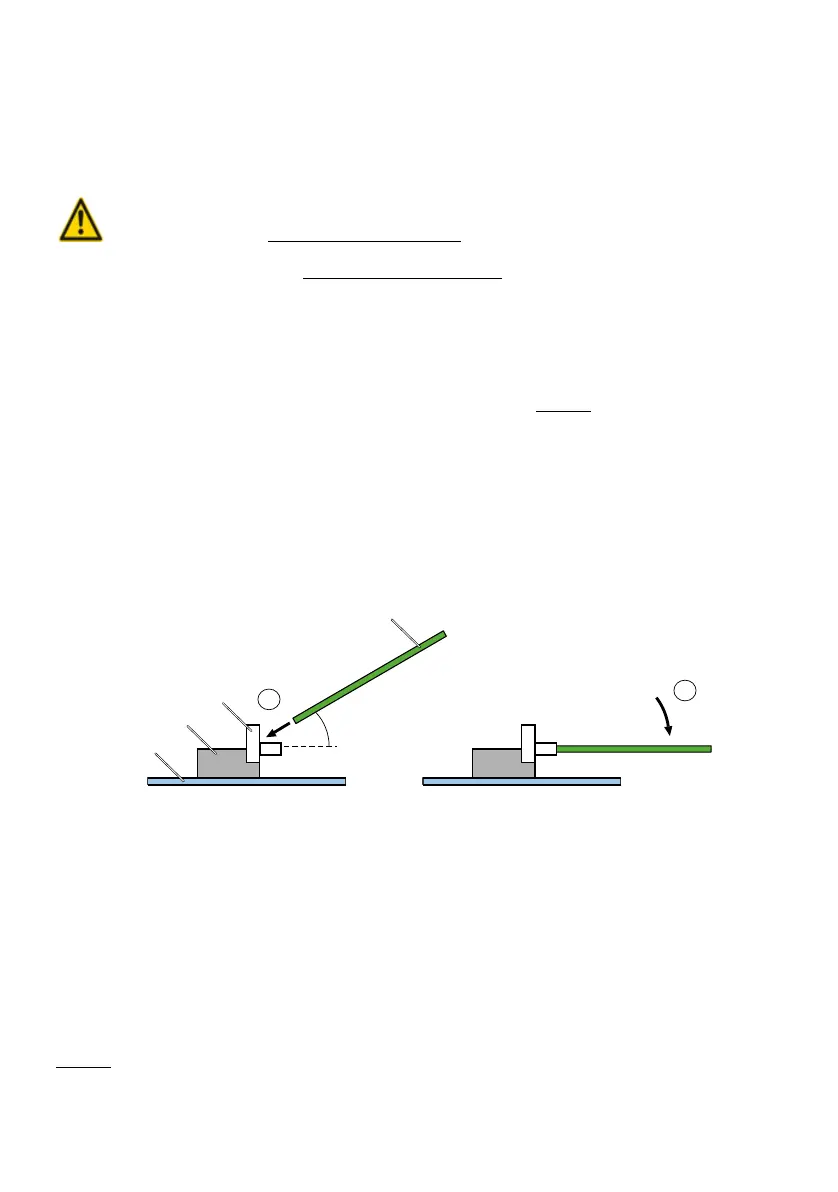
4. Place the RAM module at a slight angle into the slot (see Fig. 84
).
5. Carefully press the RAM module downwards until the two lateral metal clamps en-
gage.
6. Carefully push back the call manager card into the shaft and gently press the card
as far as it goes into the connection on the backplane.
7. Secure the Call Manager card back into its slot with the screw.
8. Restart the call manager by pressing the On/Off button on the call manager card.
Fig. 84 Changing the RAM module
6. 3. 5 System cards
The category system cards comprises the EIM card and the Flash card.
6. 3. 5. 1 Replacing the EIM card
The EIM card is located in a chip-card holder that is secured directly on the call man-
ager card. The position of the chip-card holder on the call manager card is shown in
Fig. 83
.
2
1
approx.
30°
Mainboard
Slot
Metal clamps
RAM module



 To Next Page