Operation and Maintenance
219
Mitel 470 as of R4.1
syd-0585/1.2 – R4.1 – 08.2016
Tab. 94 Display pattern in the boot mode
To access the boot mode press the enter key during the LED test red, which is exe-
cuted during the start-up phase 0. After a wait time of approx. 10 seconds, Pattern 10
is displayed. A short while later, "BOOT MODE ENTERED" is displayed.
The boot mode remains active until the Emergency Upload is completed or the system
is restarted manually.
6. 4. 3. 3 Error display with status LED
Errors that occur during the start-up phase1 are indicated with the status LED.
Tab. 95 Error displays during system setup 1:
6. 4. 3. 4 Boot menu
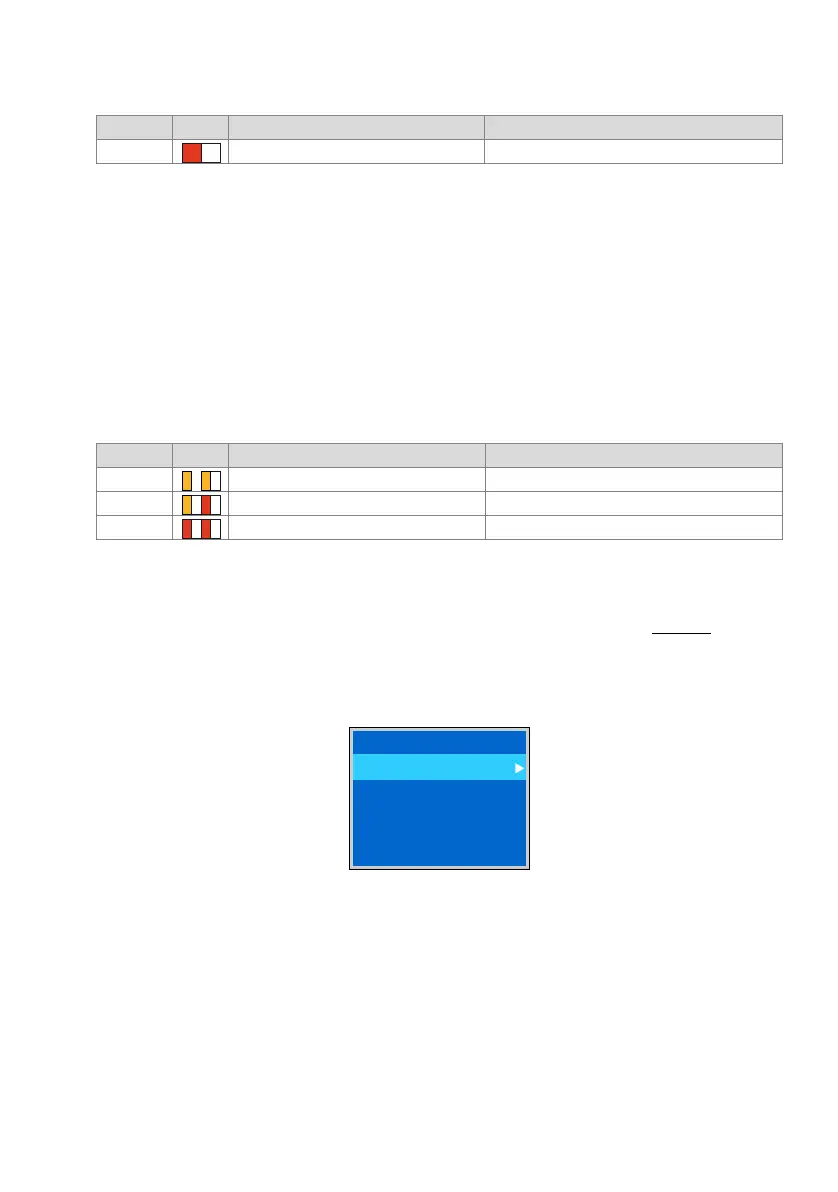
The boot menu is shown during the start-up phase 2 (LED pattern5 in Tab. 93) for ap-
prox. 3 seconds. The boot menu allows the user to reset the IP address data or to carry
out a first start. The boot mode is exited automatically and the startup then continues
normally if no input is made within 3 seconds.
Fig. 88 Boot menu Mitel 470
Pattern LED Duration Meaning
10 As long as the boot mode is active Boot mode active
Pattern LED Duration Meaning
7 As long as the error remains RAM test faulty
8 As long as the error remains Boot software missing
9 As long as the error remains CRC test boot software faulty
#PPUNFOV
4FU*1EFGBVMUT
'JSTUTUBSU



 To Next Page