Annex
263
Mitel 470 as of R4.1
syd-0585/1.2 – R4.1 – 08.2016
7. 5 Operation of digital system phones
7. 5. 1 Digit key assignment of system phones
Digit key assignment depends on the system phones series and the language set for
the communication server.
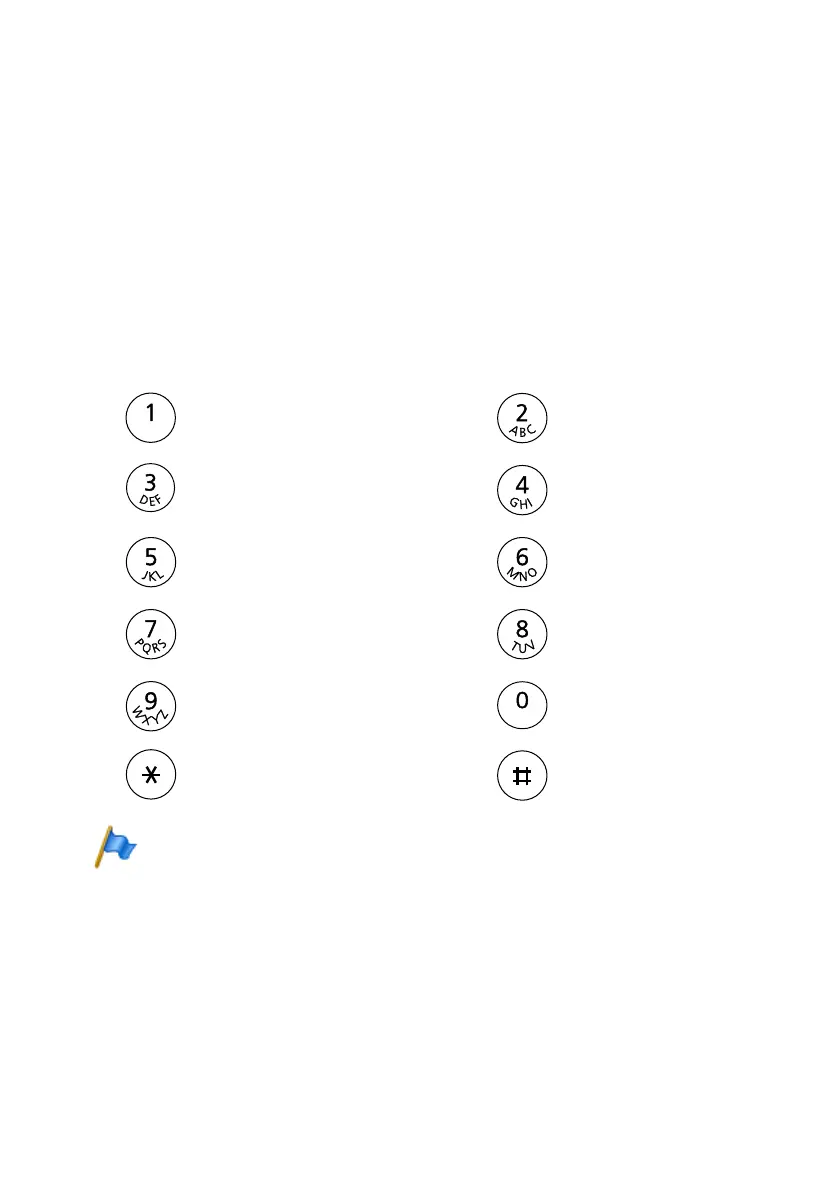
The following Latin script assignment for the digit keys applies to the system phones /
MiVoice 5360 / 5360 IP, MiVoice 5361 / 5361 IP, MiVoice 5370 / 5370 IP, Office 35,
Office 45/45pro, Office 135/135pro and all models of Office 160 for all communication
server languages with the exception of Greek:
Tab. 124 Latin-script digit key assignment
Notes:
– The MiVoice 5360 and Office 25 phones do not have a graphics-compatible display and
therefore cannot display all the characters featured (see also the corresponding user guide).
– On the Office 160 cordless system phone the space character is stored under digit 0 and the
special characters are stored under the #-key instead of the *-key.
- . ? 1 ! , : ; ’ " ¿ ¡
- . ? 1 ! , : ; ’ " ¿ ¡
A B C 2 Ä Æ Å Ç
a b c 2 ä æ å à ç
D E F 3 É
d e f 3 é è ê
G H I 4
g h i 4 ì
J K L 5
j k l 5
M N O 6 Ñ Ö Ø
m n o 6 ñ ö ø ò
P Q R S 7
p q r s 7 ß
T U V 8 Ü
t u v 8 ü ù
W X Y Z 9
w x y z 9
+ 0
+ 0
* / ( ) < = > % £ $ ¤ ¥ ¤ @ & §
* / ( ) < = > % £ $ ¤ ¥ ¤ @ & §
Space #
Space #



 To Next Page