Using the phone system 29Final
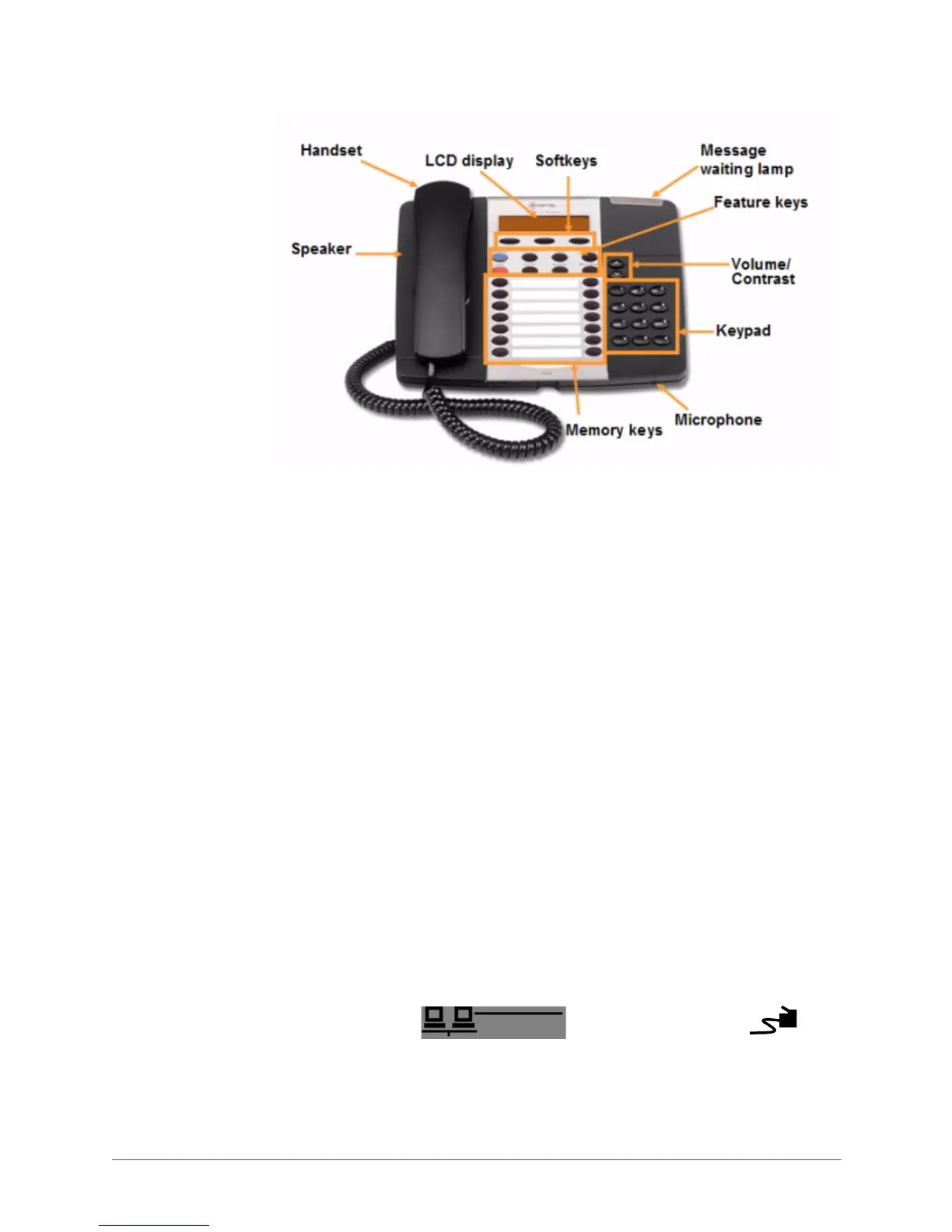
Figure 3: Mitel 5020/5220 IP Phone
Initial set-up for phone service
To set up your new phone service, follow these steps:
1 Activate your phone. See “Activating a phone” on page 29.
2 Perform a Quick Set-up through the web interface. See “Quick set-up” on
page 95.
Activating a phone
To activate a Mitel phone you need (1) an extension number, (2) a phone, and
(3) a PIN. Your administrator can provide you with an extension number and
initial PIN.
To activate your phone, follow these steps:
1 Disconnect your computer from the network.
2 Connect the Ethernet cable to your LAN and to the phone port marked by
the symbol for 5020 phones and the
symbol for the 5220 and 5224 IP phones.
3 Connect the computer to the phone at the port marked PC.



 To Next Page