94 Personalizing phone usage via the web
Final
Using other
phones
This phone system supports usage of other phones using the SIP protocol.
Not all features are supported on other phones. Consult the other phone’s
documentation.
Personalizing phone usage via the web
Using Internet Explorer 6 or later or Mozilla Firefox 1.5.0.4 or later, individual
phone users can personalize their phone systems using the web
administration interface. With the exception of the Login page, all of the web
pages share the same layout. On each web page, you will see a header,
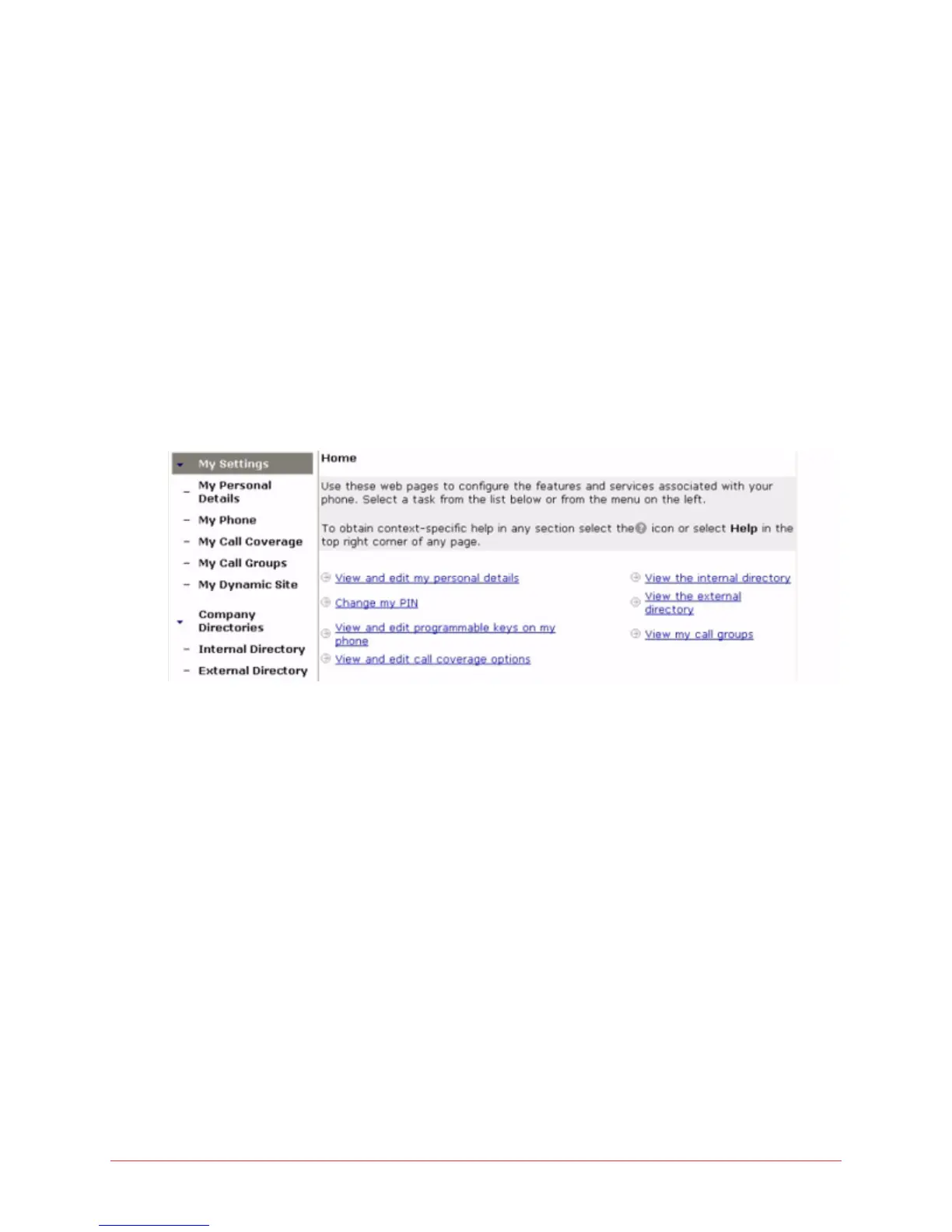
footer, a left pane, and a right pane. The left pane shows the choices for
navigating the pages. The right pane shows the details.
Figure 6: “User Home page” on page 94 illustrates the user window:
Figure 7: User Home page
You should always use the appropriate left hand menu link or button or link on
your screen to navigate through the web interface. You should never use the
"Back" button on your browser since the information and actions from a
previous page may no longer be valid.
Web login To log in to the web administration interface, you need four things: (1) your
extension, (2) your PIN, (3) the Login URL, and (4) a web browser (Internet
Explorer 6.0 or later or Firefox 1.5.0.4 or later) which connects to the Internet.
These are all available from your administrator.
To log in to the web administration interface, follow these steps:
1 Type the Login URL in a web browser.
2 Type your User ID (your extension) in the Login screen. Check the
Remember my User ID check box to avoid entering this information each



 To Next Page