MITEL 6900, 6970, 6800, AND 6700 SIP TERMINALS FOR MIVOICE MX-ONE
39 26/1531-ANF 901 14 Uen S 2019-10-18
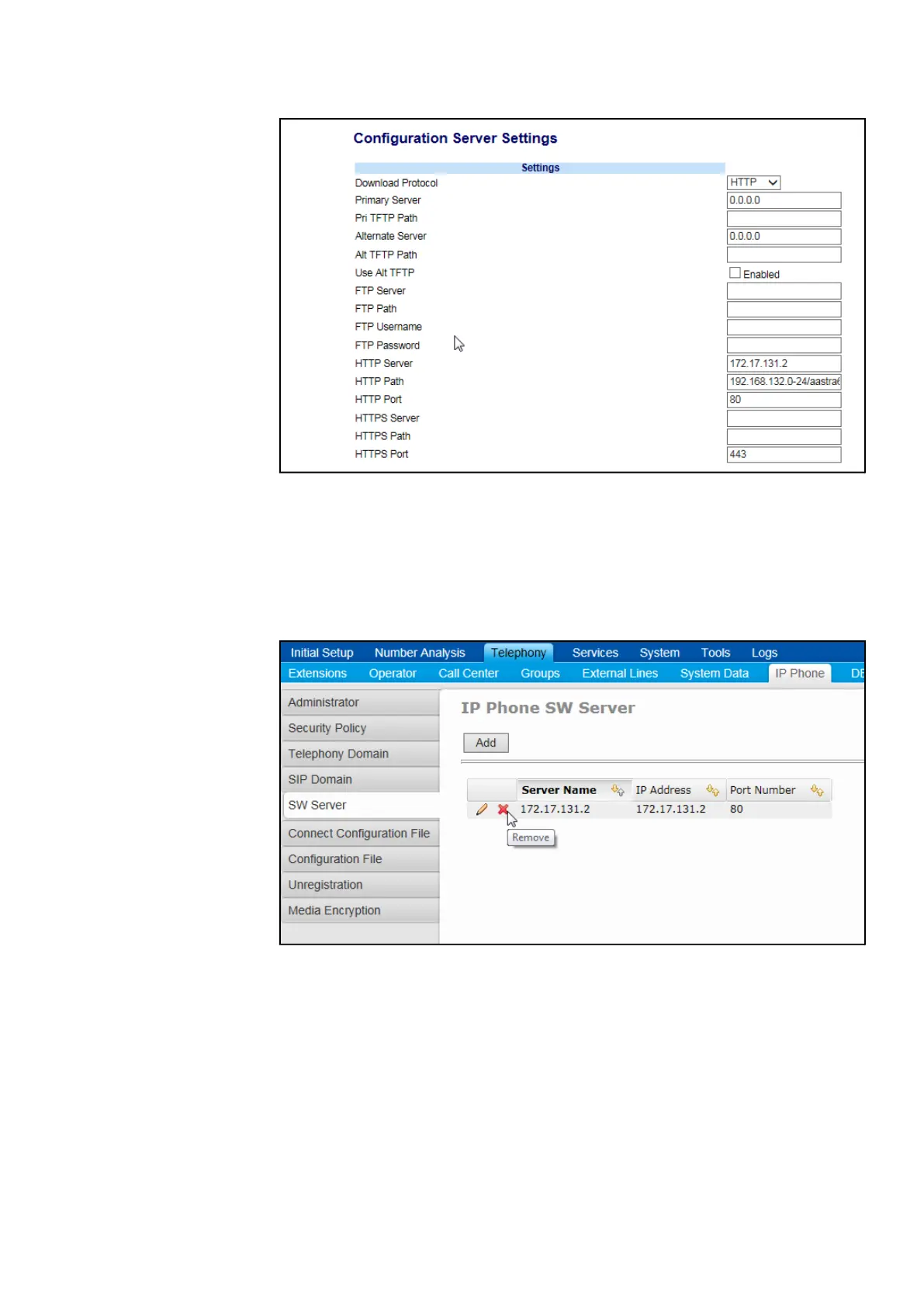
Figure 19: Configuration Server Settings
8. Restart the phone.
9. Open MX-ONE Provisioning Manager, and click Telephony tab. Add a SW
server for your configuration files.
10. Restart a unit SIPLP, to activate changes, use command restart -u SIPLP-lim
x.
Figure 20: SW Server
11. Specify a IP Phone server and a domain folder, if used.
In MX-ONE Provisioning Manager the default IP Phone Server and Domain
Folder has to be setup to point to the correct configuration file (the same as used
by the phone). This is done in the Subsystem task by selecting the IP Phone
Server in the dropdown list and selecting one of the available folders in the
Domain Folder dropdown list.The admin may also manually type in any IP Server
address, at which the MX-ONE Provisioning Manager should read the model
specific configuration files. This possibility is there in case there is no association
between an MX-ONE Service Node Manager and an IPP Server that MX-ONE



 To Next Page