1
2
Advanced Scan Functions
Advanced Scan Features 2-41
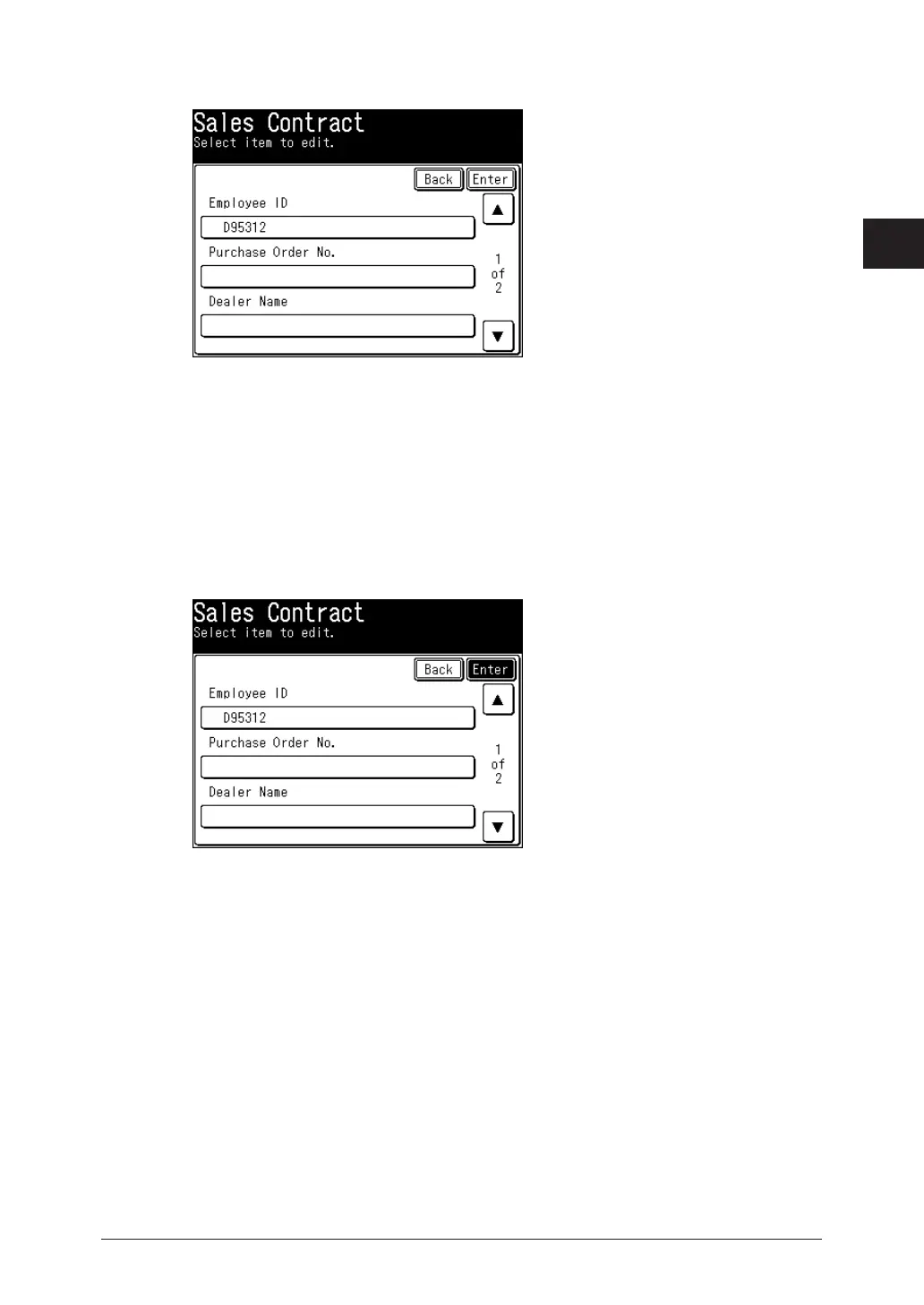
Set ScanTag.
4
If the selected • ScanTag setting has been defined as requiring user authentication and you
have not logged in, the login screen will appear. For details on logging in, refer to Chapter 1,
“Logging In / Logging Out” in the Administrator’s Guide.
If the tag entry was set to “List Input”, the defined text strings will appear askeys. Select a •
value from the list. (If the text string is defined as editable, the character entry screen will
appear. Change the value (if needed) and then press [Enter].)
If the tag entry was set to character entry, enter the appropriate text• string manually, and
then press [Enter].
Confirm the entered values and press [Enter]
5
If you want to correct a value, go back to the previous screen by pressing [Back].
Press
6
<Start>.







 To Next Page