Section 75 00-02-0878
2013-03-07 - 9 -
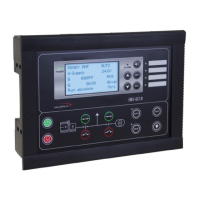
Display
The display indicates readings and alarms. Below are some examples of the display
views.
Display View Description and Notes
View Menu
The software version can be found in the Service Menu
Status of Generator P, Generator Q, Generator S, and
Run Hours
Status of Service Timer 1, Service Timer 2, and Run
Hours
Alarm Acknowledge
Press ENTER button to enter the list of active alarms
The alarm list shows the active alarms. Press ENTER
button to acknowledge alarm
Parameter Settings
Press the ENTER button to enter the Parameter
Settings
Select menu group, press ENTER button to edit


 To Next Page