Section 75 00-02-0878
2013-03-07 - 12 -
Running Modes
The unit has four different running modes and one block mode. The different running
modes are four to three via the display or the PC utility software.
Auto
In auto mode, the unit will operate automatically, and the operator cannot
initiate any sequences manually.
The test sequence will start when the test mode is selected.
Manual
Manual means that the unit will not initiate any sequences automatically,
as is the case with the auto mode. It will only initiate sequences, if
external signals are given.
Block
When the block mode is selected, the unit is not able to initiate any
sequences, for example, the start sequence.
NOTE: Block mode must be selected when maintenance work is
carried out on the Genset.
NOTE: The Genset will shut down if block mode is selected while
the Genset is running
NOTE: If the auto button is pressed twice, the controller will be in
the semi-auto mode. This mode is not supported, and is the same
as the manual mode. Press either the auto or manual button once
to resume normal operation
Alarm and Logs
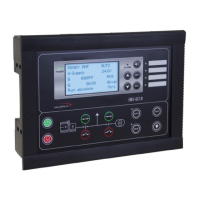
When an alarm occurs, the alarm is displayed and saved in the Alarm Log.
Press the ESC button to hide the alarm from the display.
Press the ENTER button to acknowledge the alarm.
NOTE: When you acknowledge an alarm, and the alarm condition
is no longer present, the alarm will no longer be displayed in the
Alarm Log
.
Press the HORN button for 2 seconds to view the list of alarms stored in the alarm
log.
Press the UP and Down Buttons to view the list.
NOTE: The display will show one alarm at a time.
The alarm log contains both acknowledged and unacknowledged alarms provided that
they are still active (i.e. the alarm condition is still present).


 To Next Page