132 Replacing the cleaning wiper
[6]
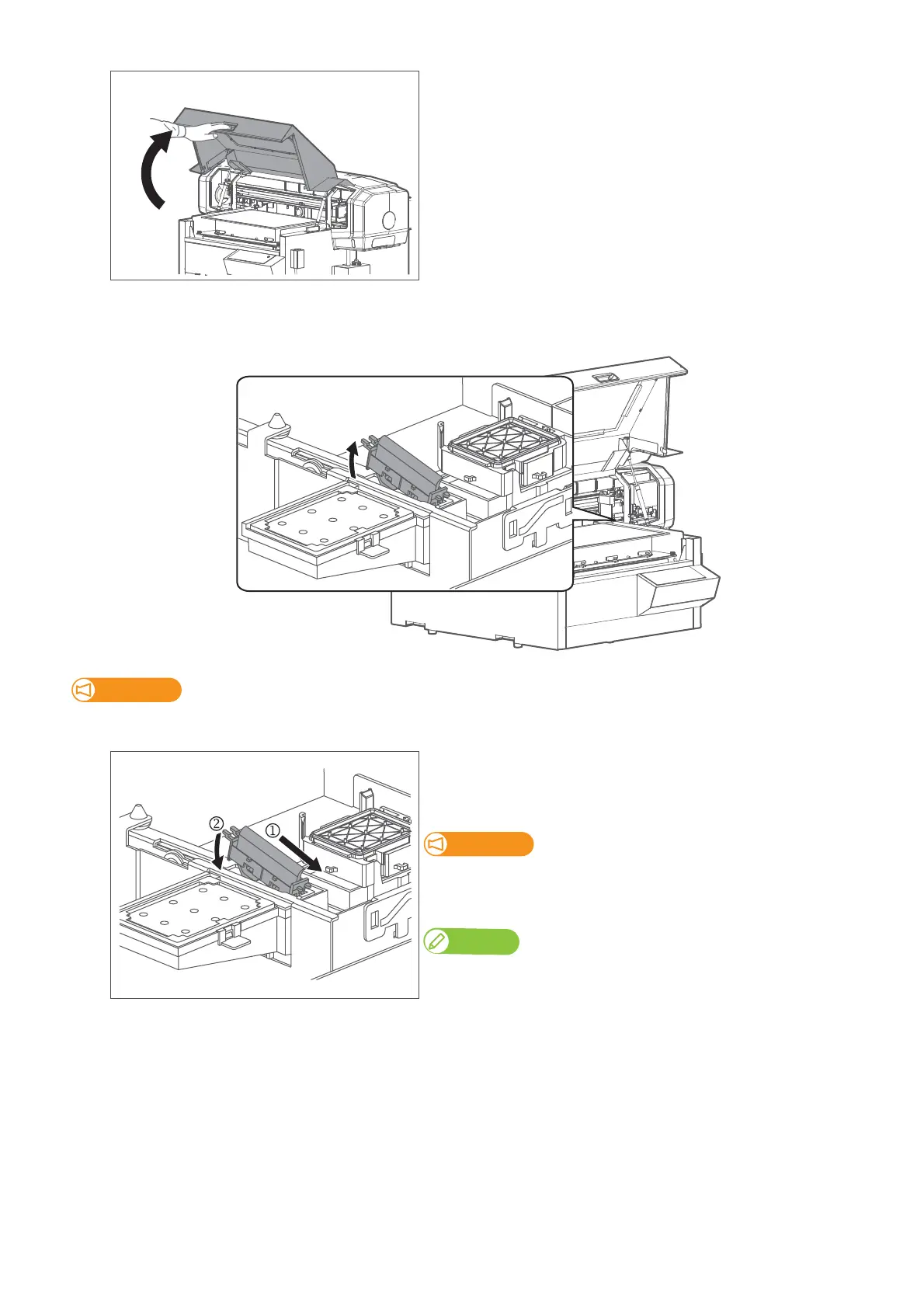
Hold the handle on the front cover to gently open it.
[7]
Remove the cleaning wiper.
• Lift the cleaning wiper hook and release the hook. Then, remove the cleaning wiper.
Important!
When removing the cleaning wiper, be cautious of ink drops.
[8]
Follow the steps below to install new cleaning wiper.
• Slide the front side of the new cleaning wiper into its slot.
• Press the wiper hook down until it clicks into place.
Do NOT touch the cleaning wiper rubber with your bare hand.
If finger oil gets on the rubber, it will damage the print head.
Note
Used cleaning wiper should be put in a plastic bag, etc, and dispose of it in compliance
with local ordinance and instructions of local authorities.














 To Next Page