Replacing the cleaning wiper 131
The cleaning wiper is an essential part to make printing consistent. Please replace it periodically.
Replacing period:
• Approx. every six months
Replacing the cleaning wiper
Skin or eye contact with UV curable ink may cause skin inflammation or allergic reaction.
When using this product, wear personal protective equipment (supplied gloves or solvent-resistant
gloves, goggles or protective eyewear, protective mask, protective clothing) to avoid skin contact
with ink.
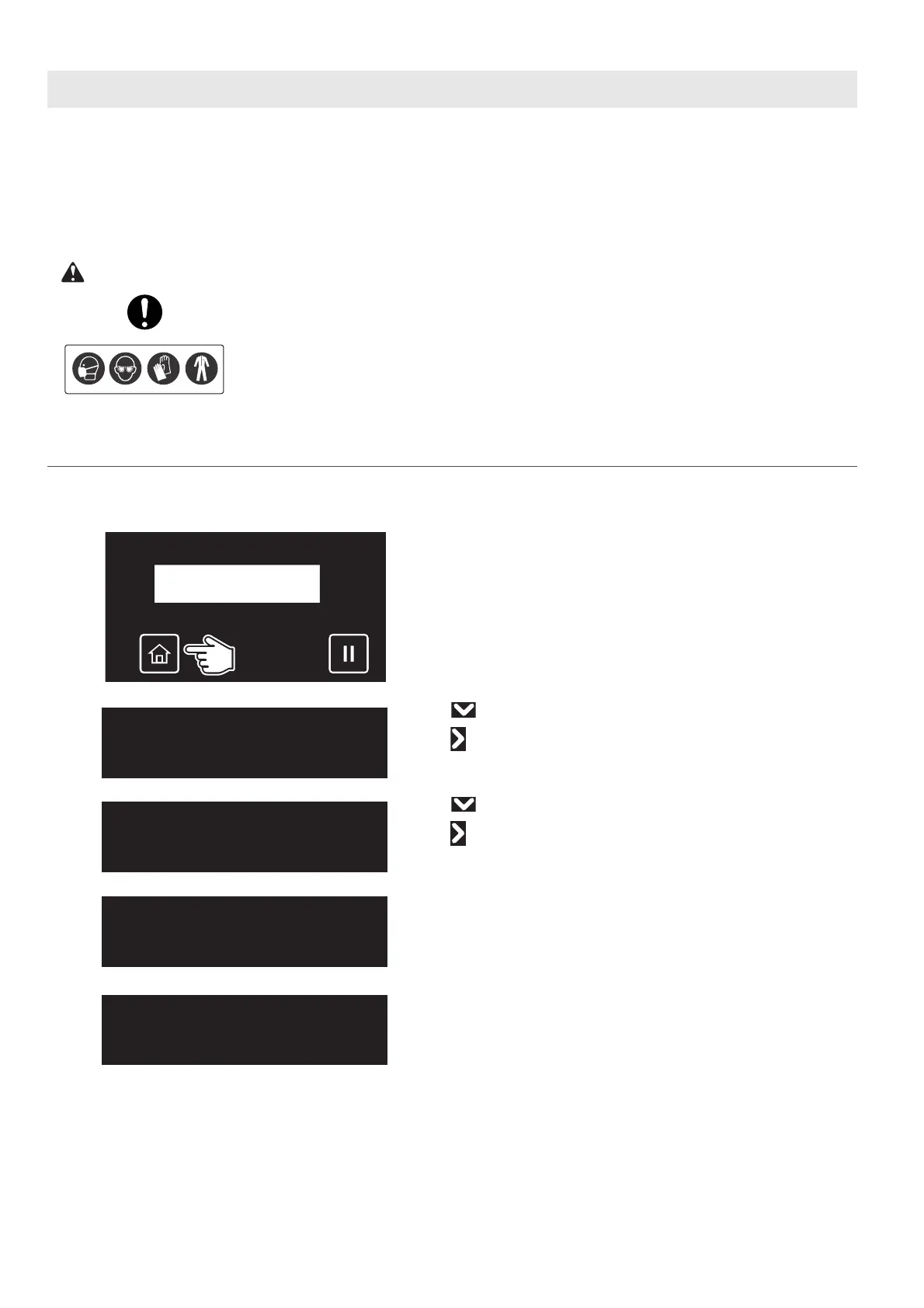
Replacing steps
[1]
Check that the media and jig are removed from the printer.
[2]
Tap [Home].
[3]
• Use to choose the menu shown left.
•Tap .
[4]
• Use to choose the menu shown left.
•Tap .
[5]
Tap [Enter].
• The carriage will move to the left side of the printer.
• The cleaning wiper will move upward.
The message on the left will appear.
Maintenance3
CRMaintenance
CRMaintenance
Start ー> Enter
CRMaintenance
End ー> Enter














 To Next Page