Test Print 1: Nozzle Check 87
4 Menu2: Test Print
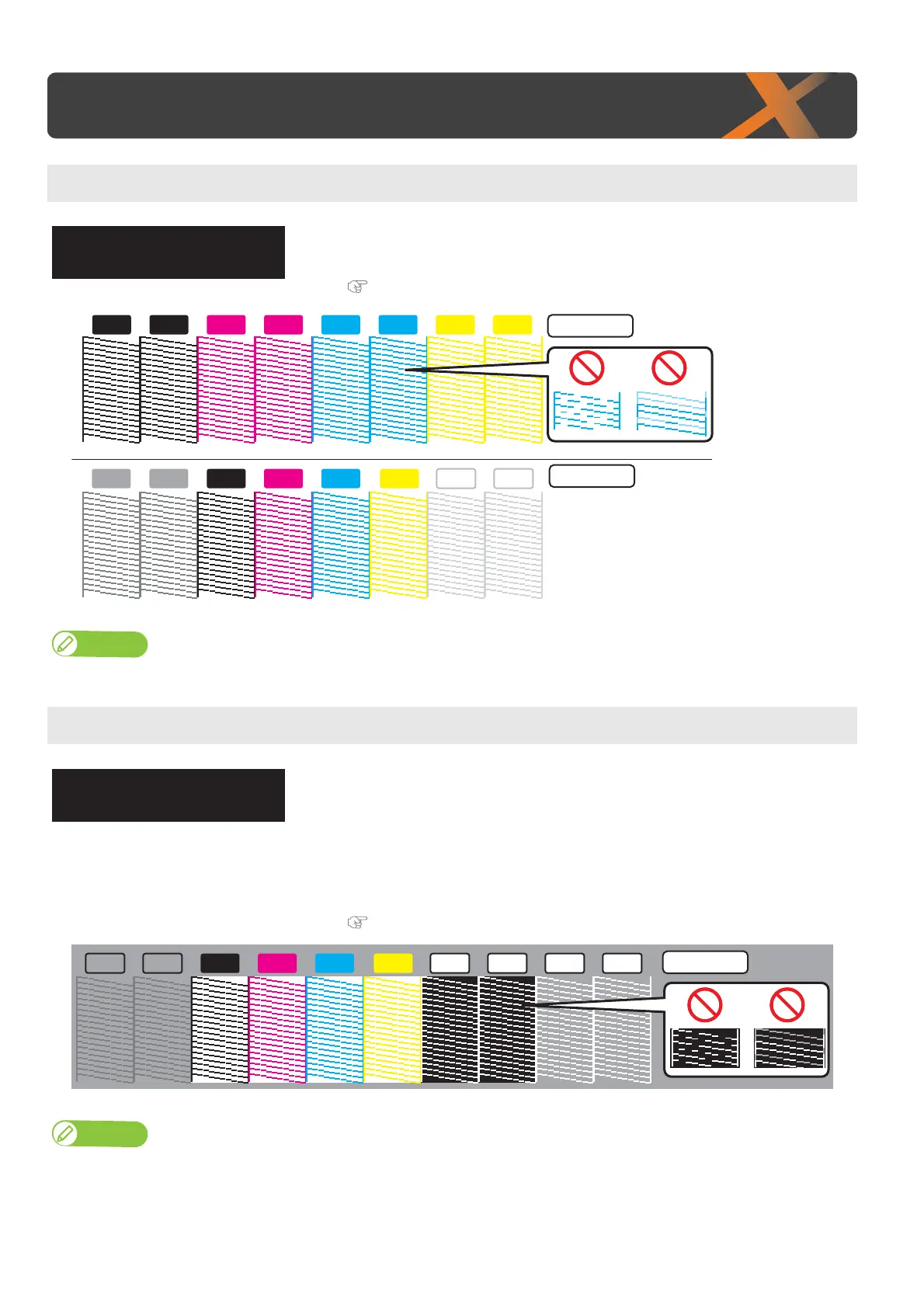
Test Print 1: Nozzle Check
It is used to check whether there are any clogged heads, or missing or blurred
prints.
(Required media size: width 260 mm × length 35 mm.)
"Run a nozzle check print" P. 39
Note
The printer information (date and time of printing, printer’s serial number, firmware version) is printed on the nozzle check pattern.
Test Print 2: Nozzle Check B
This is nozzle check for white ink.
The background for some of the nozzle check pattern is printed in color so that
the nozzle condition is easy to see.
• Part of the background for the white nozzles is black.
• The background of the KCMY nozzles are white.
• For varnish (and part of white) nozzles, the background is not printed.
(Required media size: width 260 mm × length 35 mm.)
"Run a nozzle check print" P. 39
Note
• “Nozzle Check B” will only appear in the menu if 6-color is set.
• The printer information (date and time of printing, printer’s serial number, firmware version) is printed on the nozzle check pattern.
TestPrint1
NozzleCheck
KKM
M
M C
C
C
YY
VA VA
K
WH WHY
4 Color
6 Color
TestPrint2
NozzleCheckB
M CVA VA
K
WH WHY
6 Color
WH WH














 To Next Page