Loading media 31
Loading media
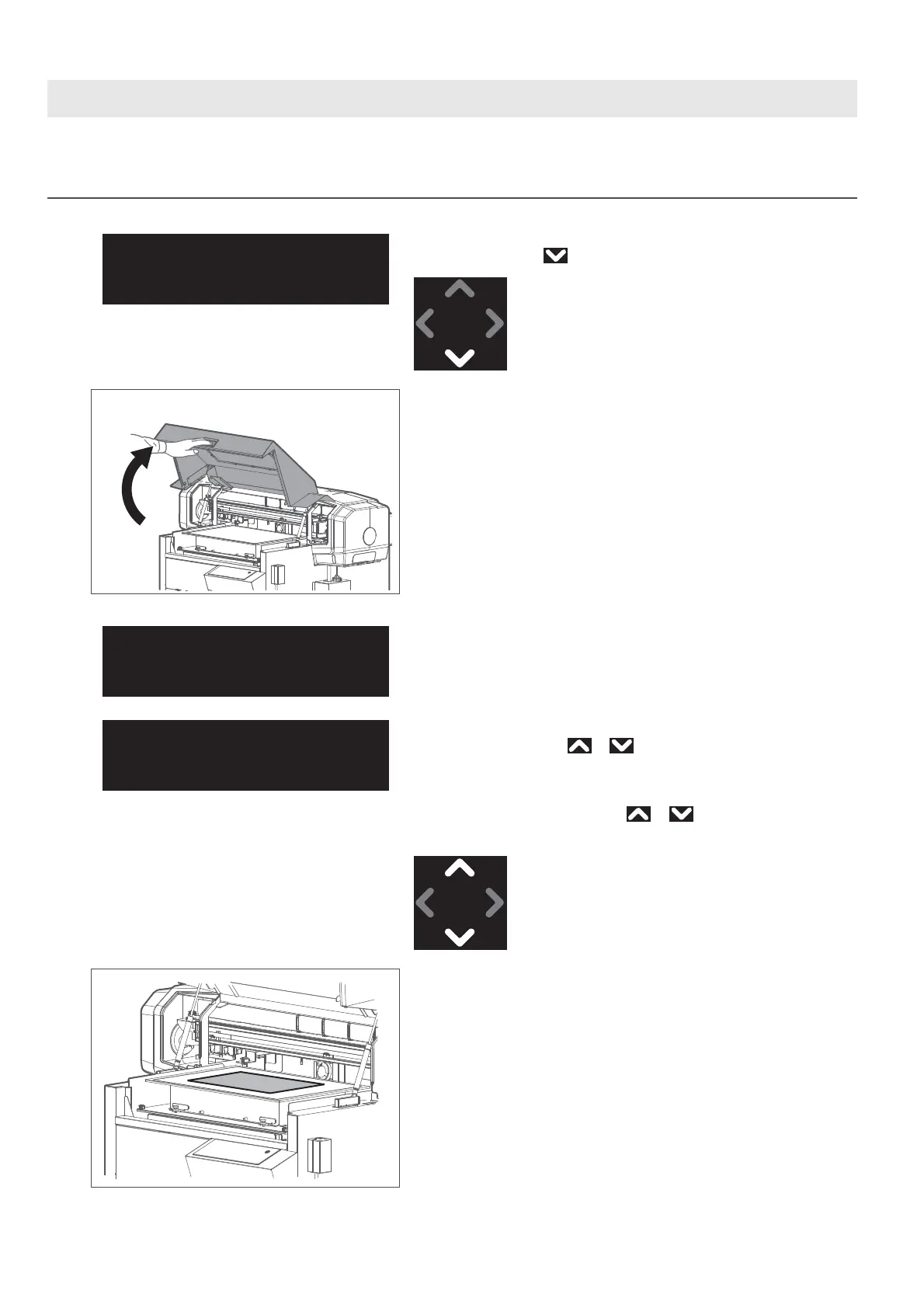
1. Placing the media on the table
[1]
Check that the message on the left is displayed.
If not displayed, tap .
[2]
Hold the handle on the front cover to gently open it.
The message on the left will appear.
When using the optional vacuum table, you can change the vacuum power of
the current job by tapping or while the message on the left appears
on the panel. The vacuum power can be selected between 0 and 4 (0: turn the
vacuum fan off).
The vacuum fan turns on by tapping or .
The change made will be saved in the user type currently selected.
[3]
Place the media on the table.
Setmedia,then
Tap[∧]key.
Set media, then
close cover.
2
Set media, then
close cover.














 To Next Page