Checking the printing area 49
To avoid printing on an unwanted area on your media, the Show Edges function helps to check the printing area of the print
date before printing. By specifying this setting before printing, LED pointer shows where the image will be printed on the media.
This helps to avoid misprinting especially when printing on an object that you do not have more than one pieces.
With this function, you can check the following:
• Whether an image can be printed on the intended area on the media.
• Whether the print data can be fitted on the media.
Operation
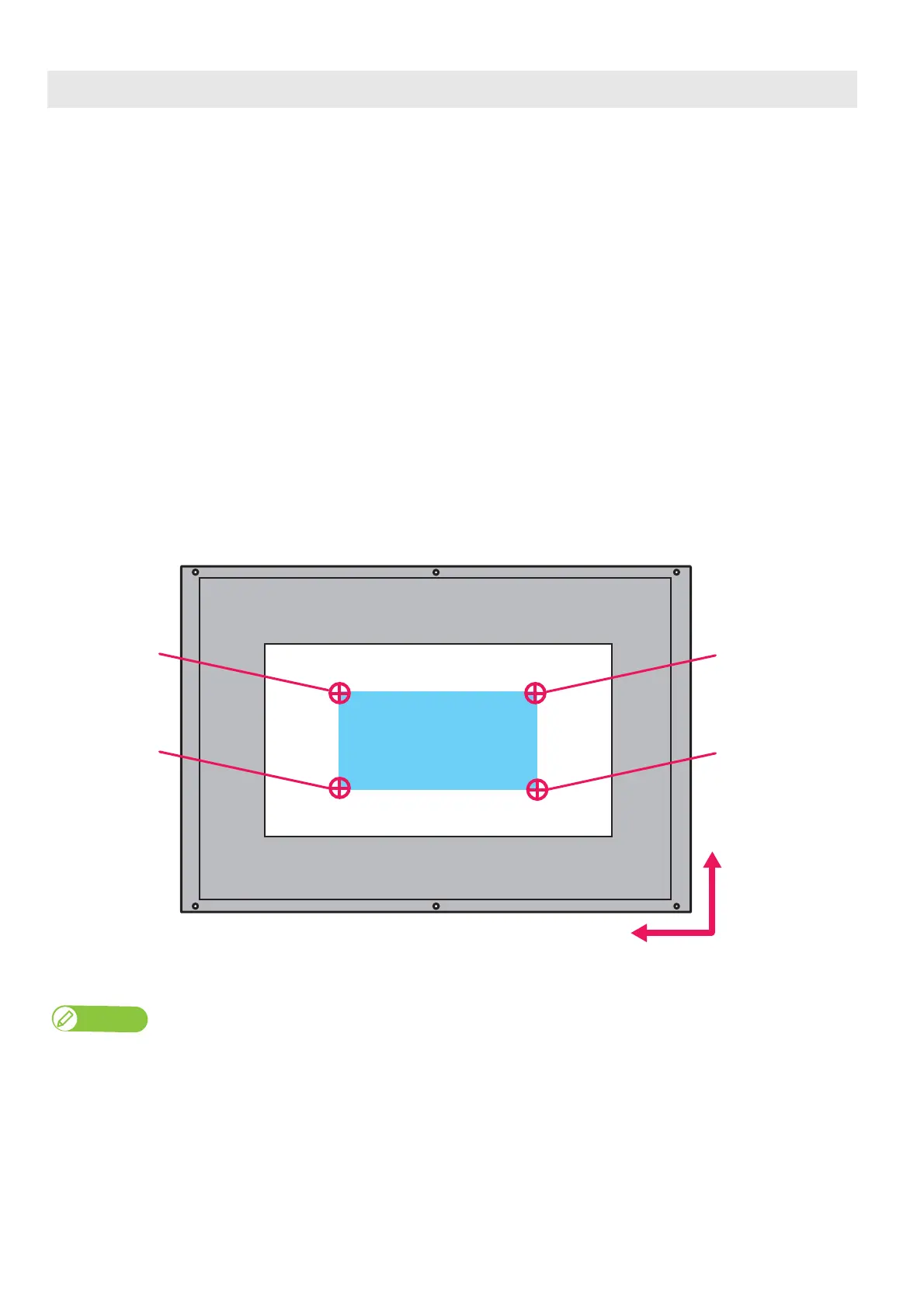
• Locate the four corners of the printing area by the LED pointer.
• The LED pointer flashes (every second) on the point.
• The LED pointer lights up when moving from point to point.
• If the print data is too big for the media, the LED pointer flashes fast (twice a second) on the point.
• Move the LED pointer from the “position1” to “position4” in order in the following illustration.
Checking the printing area
When the print data does not have the length information (PF length), the LED pointer does not move from Position3 and 4.
Print range
PF-direction
CR-direction
Media
Position1
Position4
Position2
Position3
(Front side of the table)














 To Next Page