Layer printing 55
This printer has the capability for layer printing.
• To perform layer printing using Layout and Print Tool 2 or MUTOH Layer Editor, see Layout and Print Tool 2 Operation
Manual or MUTOH Layer Editor Operation Manual.
"Displaying Help" P. 17
• See the following related sections of Panel Setting Menus (Chapter 2 below):
"Advanced Settings 1: Multi Strike" P. 75
"Advanced Settings 9: Multi Layer" P. 80
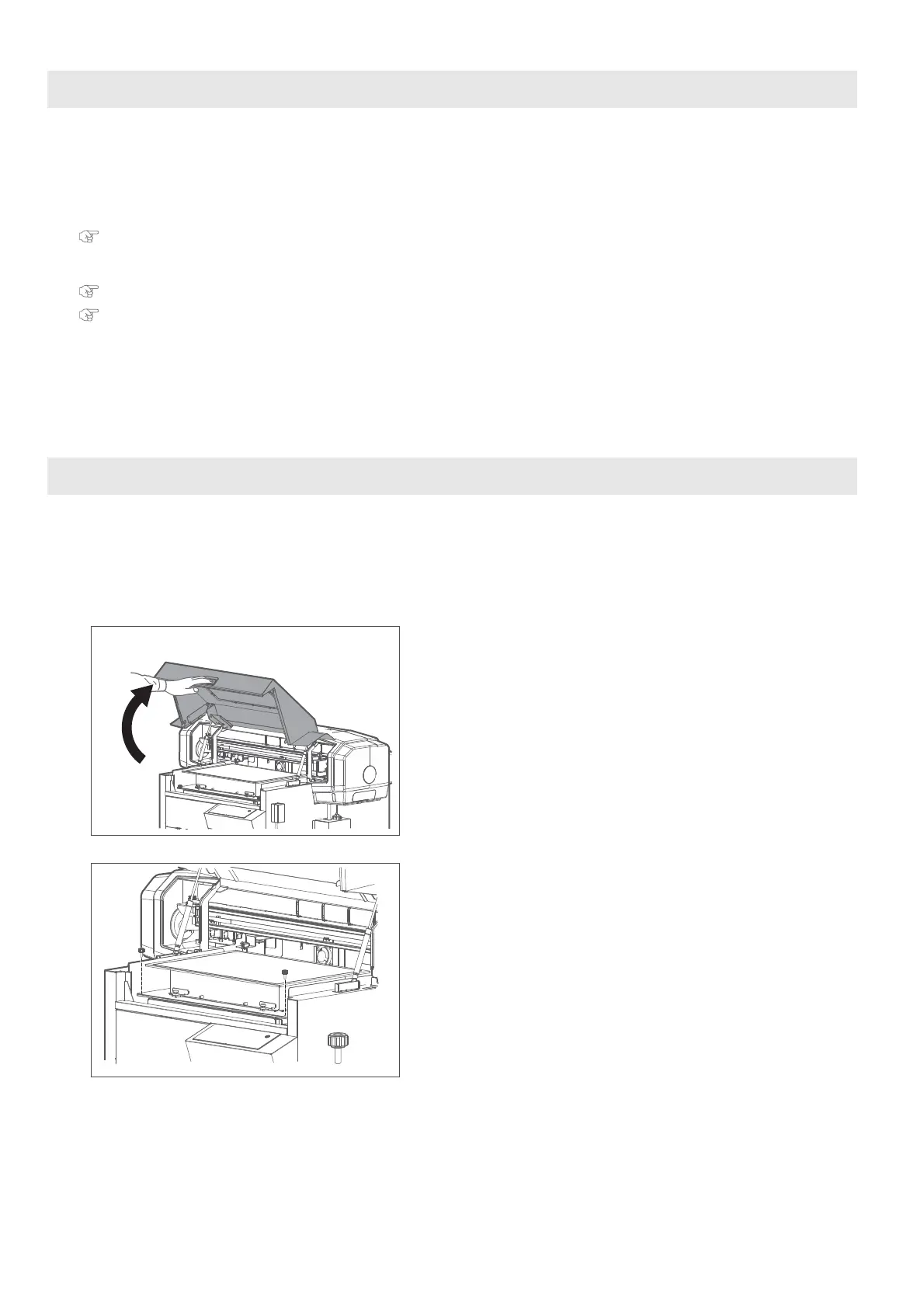
To remove the standard table from the printer, follow these steps.
Layer printing
Removing the standard table from the printer
[1]
Power off the printer.
[2]
Unplug the printer from wall outlet.
[3]
Hold the handle on the front cover to gently open it.
[4]
Remove two screws securing the table.














 To Next Page