6 Common Functions
108 IDA-3106 Narda
Marker Settings
Press the Marker Settings softkey.
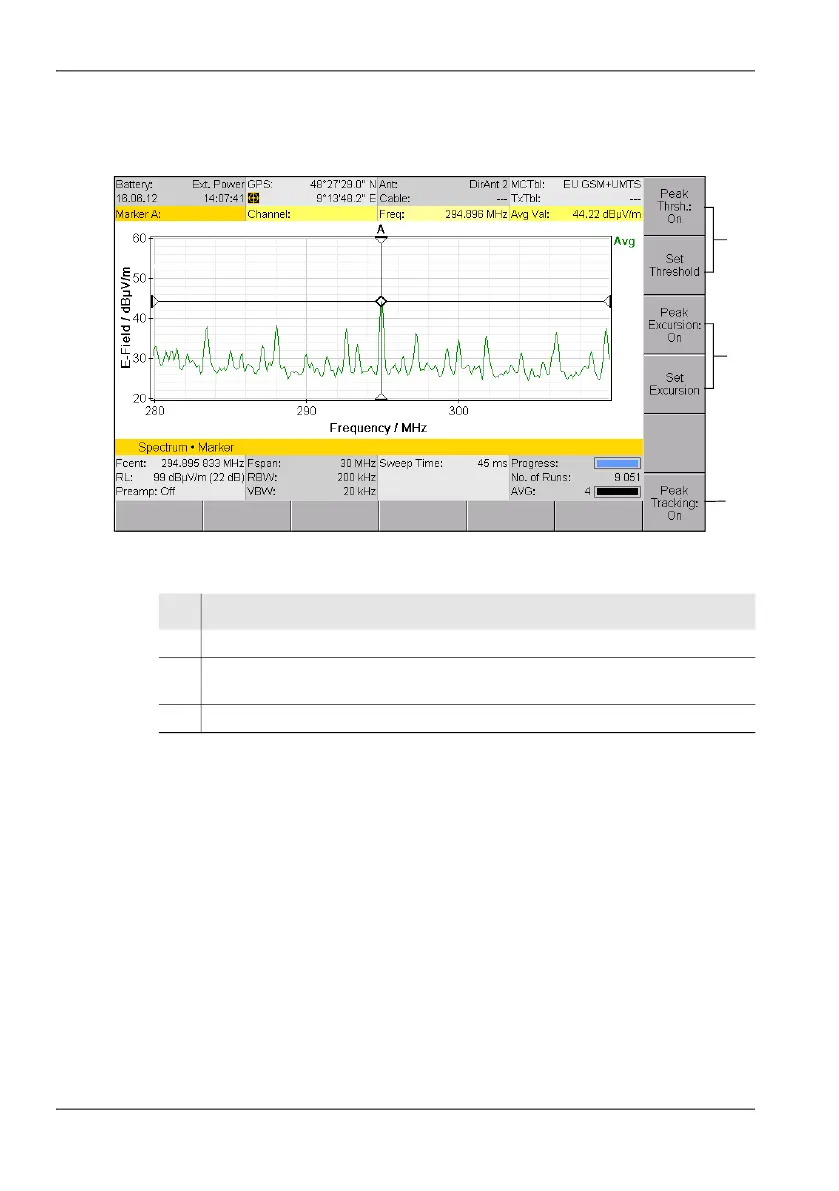
Figure 20: Marker Settings (display with one marker)
Changing the marker evaluation settings
You can find information about setting a threshold or a minimum peak
excursion or peak tracking value under Changing the marker evaluation
settings (Marker Settings) on page 113.
3
1
2
No. Function / Explanation
1 Peak Threshold: Specifies a threshold for evaluating the peaks
2 Peak Excursion: Specifies a minimum peak excursion for evaluating the
peaks
3 Peak Tracking: Activates / deactivates peak tracking or highest level tracked



 To Next Page