7.7 The Map menu
Narda IDA-3106 145
7.7.3 Loading saved localizations and adding
bearings
Localizations that have already been completed can be recalled from the
memory and displayed. After you have opened a saved localization, you can
add further bearings to it. You can also add a localization to a bearing that
you have already made.
Loading a localization from the memory
1. Press the MENU key to open the main menu.
2. Press the Memory softkey, then press the Data Viewer softkey.
3. Select the desired data set using the rotary control knob and open it by
pressing the Recall Data Set softkey.
Localization data sets are indicated by LOC.
The screen switches to Direction Finding mode.
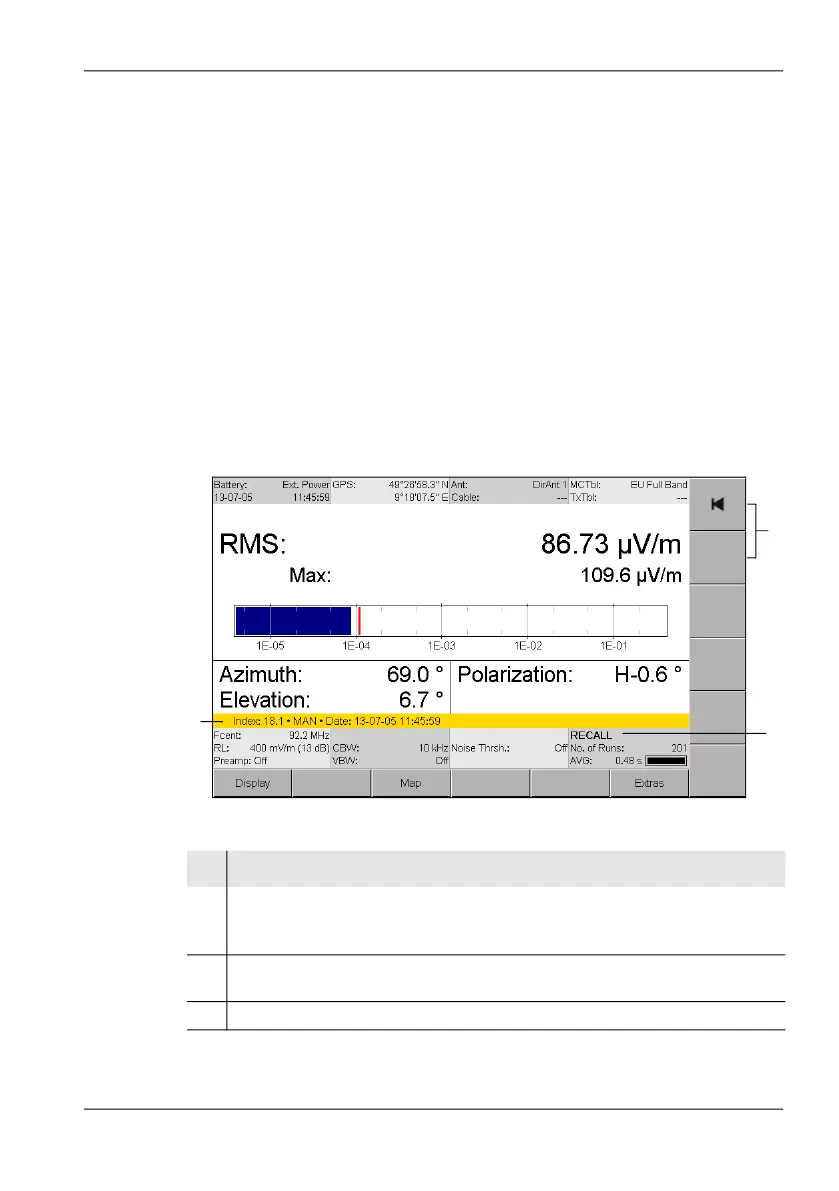
Figure 27: Screen display after recalling a data set.
No. Function / Explanation
1 • Index 11.1: consecutive index number
• LOC: data type: Localization
• Date: Date and time when measurement was made
2 Page forwards or backwards in the data memory without switching to the
Memory menu
3 Display is in recall mode
1
2
3



 To Next Page