7 Direction Finding Mode
152 IDA-3106 Narda
7.7.10 Excluding bearings from the calculation
automatically (Auto Disable Bearings)
Direction Finding • Map • Marker
Auto Disable Bearings allows you to automatically exclude bearings from
the calculation that do not make any useful contribution to the result. This
exclusion can be used to reduce the size of the location circle around the
signal location to improve the measurement result. The Bearing Uncertainty
setting (see page 153) has an effect on which of the bearing results are
excluded. A more stringent selection is made when higher accuracy is set.
To exclude bearings automatically:
Press the Auto Disable Bearings softkey.
7.7.11 Displaying your own location
Direction Finding • Map • Display
Your own location can be shown on the map (only possible with GPS
reception). This speeds up orientation.
To show your own location:
1. Press the Display softkey.
2. Press the Point of View softkey until On appears.
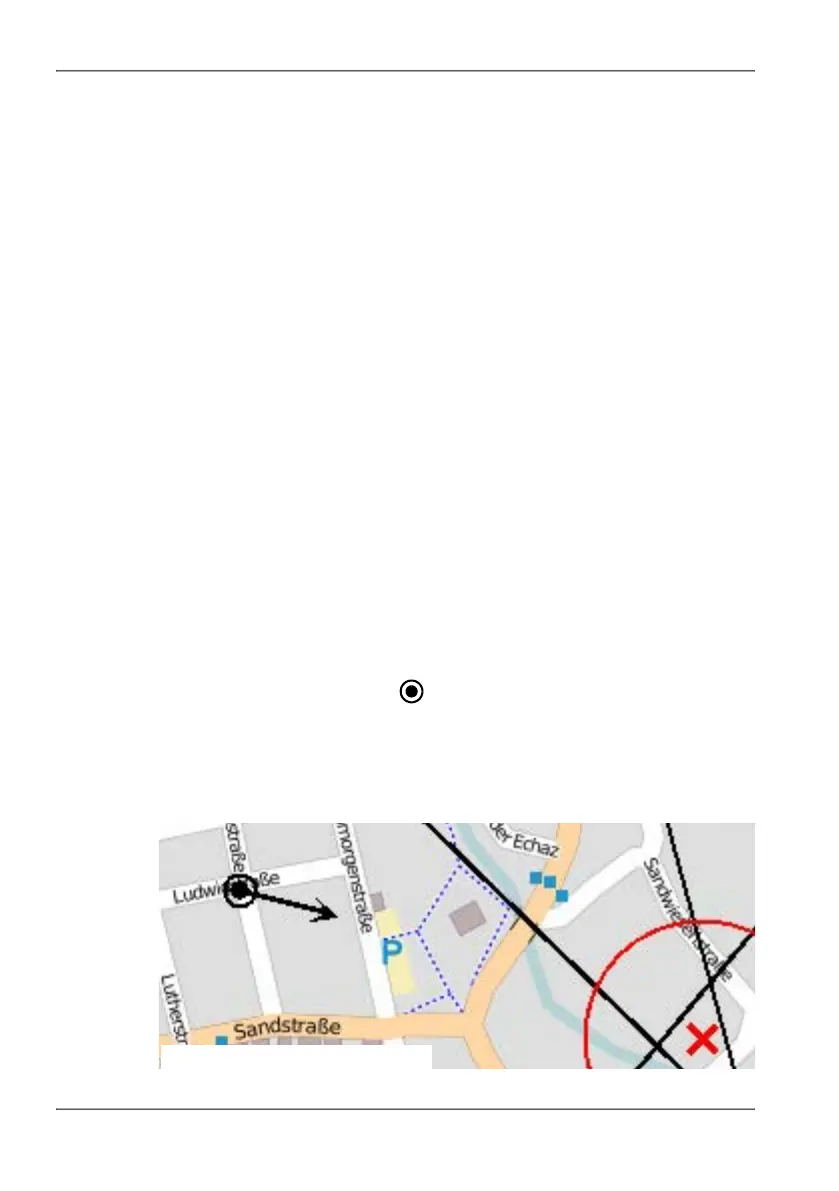
Your own location is shown as a black circle
with a black center dot:
3. To hide your own location again, press the Point of View softkey again
until Off is displayed.
NOTE: An arrow in the black dot indicates the direction in which you are holding the
handle (and antenna) when the antenna handle is plugged in.
© OpenStreetMap contributors, CC BY-SA



 To Next Page