
 Need help?
Do you have a question about the Navico Simrad RS100 and is the answer not in the manual?
Legal disclaimers regarding product use and liability.
Specifies the official language version of the documentation.
Copyright information for the manual.
Information about the product's warranty.
Describes the manual's purpose and scope.
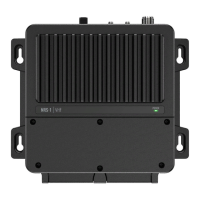
Lists the products and components covered by the manual.
Notice regarding RF exposure limits for fixed mount VHF devices.
FCC rules compliance for device operation.
Information on RF emissions and installation requirements.
Device compliance with Canadian ICES and RSS standards.
RF exposure limits compliance with ISED regulations.
Explains the benefits and functionality of DSC.
Details ATIS requirements for inland waterways.
Information on Marine Mobile Service Identity and ATIS ID numbers.
Safety warning regarding the use of AIS as a navigation aid.
Lists features of the RS100/V100 system.
Highlights features specific to the RS100-B/V100-B model.
Explains how to navigate the radio's menu system.
Defines icons displayed on the radio's LCD screen.
Details the various symbols and their functions on the display.
Details functions of Distress, 16/9, and channel keys.
Explains the X/POWER and OK/HL keys for navigation.
Explains channel selection and volume/squelch adjustment.
Details keys for menu access, scanning, and TRI watch.
Explains keys for Man Over Board and Voice Recorder.
Refers to the display and the alphanumeric input method.
Details key functions based on radio mode (Normal, Data Input, Intercom).
Outlines the available menus and submenus.
Describes different scan modes like All Scan and My Channels.
Details Dual Watch, Tri Watch, and setting watch channels.
Explains how to use the voice recorder feature.
Settings for Time, Position, and COG/SOG displays.
Adjusting backlight and synchronizing with NMEA 2000 network.
Adjusting receiver sensitivity and selecting channel banks.
Settings for transmission power and key beep volume.
Setting units (speed, course) and configuring speakers.
Procedure for manually entering GPS position data.
Choosing between Networked or Internal GPS sources.
Configuring COM port for NMEA data and setting baud rate.
Setting time offset, format, and vessel call sign.
Enabling DSC or ATIS functions based on region.
Configuring auto-acknowledgements and channel switching for DSC calls.
Setting inactivity timeouts for DSC calls.
Configuring AIS function, silent mode, and display.
Overview of audible and visual alerts for critical functions.
How to view saved AIS static data.
Configuring GPS, WX, and DSC alarm volumes and screen flashes.
Settings for Time to Closest Point of Approach alarms.
Details on fixed and wireless handsets, and pairing process.
Steps to pair, remove, and locate wireless handsets.
Options for repeating audio between handset and host.
Displays status of the internal GPS system.
Views radio, DSC, and handset system diagnostics.
Displays NMEA2000 network status and AIS diagnostics.
How to change the radio's region and country settings.
Restores radio settings to factory defaults.
Explains the purpose and types of DSC calls.
Procedures for making individual and distress calls.
Step-by-step guide for sending a distress call.
Procedures for group calls and non-distress announcements.
How to set up and use the Track Buddy feature.
Steps for initiating a DSC test call.
Creating, editing, and deleting contacts and groups.
Accessing and managing SENT, RECEIVED, and DISTRESS call logs.
Introduction to AIS and how the receiver works.
Configuring the AIS transmitter and displaying AIS information.
Explains symbols used on the AIS plotter screen.
Details on the TCPA approach screen and alerts.
How to activate and select fog horn sounds.
Instructions for using the intercom feature between handsets.
How to use the hailer for high-volume announcements.
How to make immediate announcements to all stations.
Creating custom channel lists for quick access.
Customizing the shortcuts menu.
How to activate and use the MOB function.
Lists all items included in the product package.
Details the items supplied with the Blackbox, Handset, and Speaker.
Recommendations for choosing mounting locations and avoiding interference.
Steps for flush mounting the speaker.
Guidance for mounting the GPS antenna on poles or surfaces.
Best practices and warnings for cable routing and connections.
Information on accessing and identifying Blackbox connectors.
Pin details for power, speaker, and ground connections.
Pin details for handset connections.
Pin assignments for NMEA 0183, Horn, and AIS Silent Switch.
Wiring details for the hailer speaker.
Summary of the Blackbox's plug-in connection ports.
Initial selection of country mode and entry of MMSI.
Configuring ATIS, call sign, and GPS source during startup.
Information on updating software and performing a factory reset.
Explains the meaning of power and AIS LED status lights.
Solutions for power-on problems and lack of sound.
Troubleshooting wiring, fuses, and voltage supply.
Resolving problems with transmitting, receiving, or squelch.
Addressing reduced transmit power and antenna-related problems.
Solutions for problems with AIS transmission.
Resolving issues related to DSC or ATIS function.
Overview of system features and general technical parameters.
Technical specifications for the VHF transmitter and receiver.
Detailed specifications for the AIS Class-B system.
Technical details for the GPS receiver and wireless communication.
Specifications for handsets and their charging cradle.
Channel assignments and frequencies for EU and international use.
Explanations and notes related to the channel chart data.
List of weather channels available in the USA.
Codes for Emergency Alert System events.
List of weather channels available in Canada.
Dimensions for the Blackbox and fixed handsets.
Table mapping regions to countries for radio settings.

 To Next Page
 General