AVIOR-24S ™ Appendix C
BINR Tool kit User’s Guide
136
NAVIOR-24S ™ Revision V1.00 20.05.2008
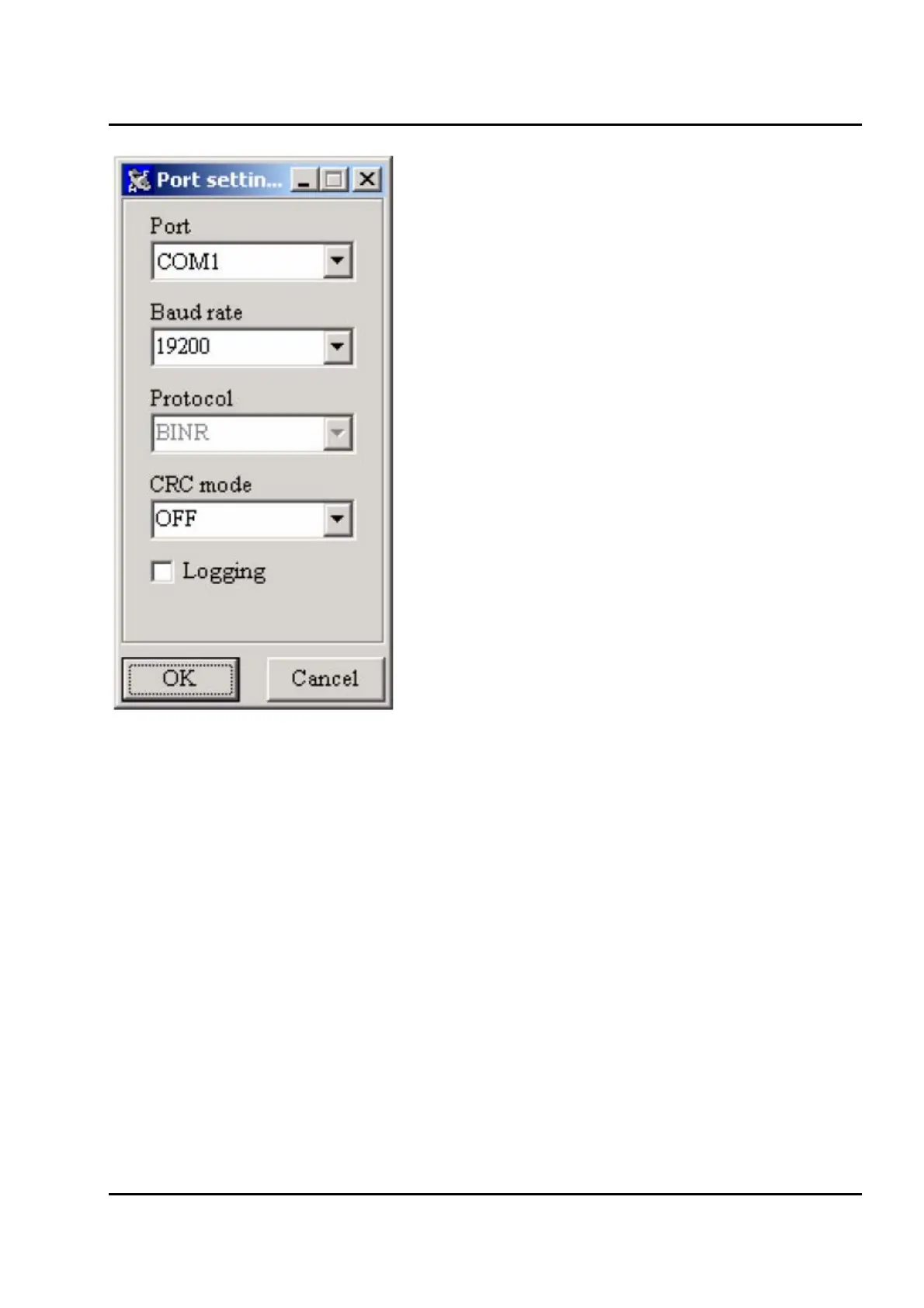
Figure IV-3. Initial serial port settings.
When the Settings button in the main window is clicked, a window with serial port settingspops up.
(
Figure IV-3) You may set serial port, baud rate, communication protocol. You may chose whether
to use checksum or not. Logging checkbox activates logging when checked. Click the OK button to
confirm your settings.
When the Start button in the Main Window is clicked, BM_Ctrl establishes a communication link
with the receiver using user's serial port setting. If the link has been successfully established,
information about current date and time, position, speed, software version, number of channels and
satellites used in calculating position solution appears in the upper of the main window.


 To Next Page