AVIOR-24S ™ Appendix C
BINR Tool kit User’s Guide
156
NAVIOR-24S ™ Revision V1.00 20.05.2008
SVs in View
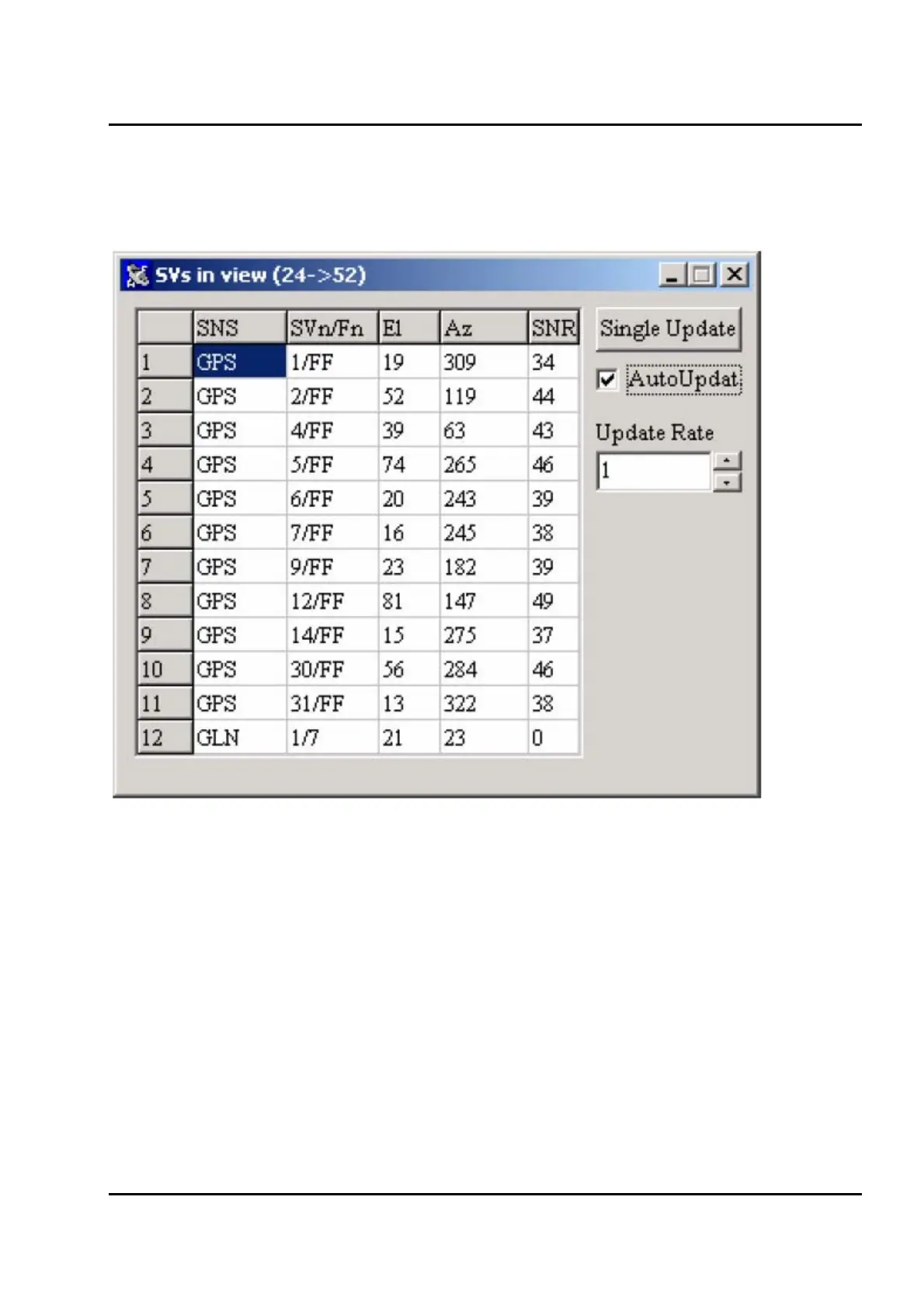
Figure IV-19 shows the SVs in view window.
Figure IV-19. SVs in view window.
The SV visibility table in the left part of the window contains the following information:
o SNS SNS the SV belongs to.
o SVn/Fn SV number and frequency number. Frequency number makes sense only in case of
GLONASS SV. Otherwise it's set to 0xFF value.
o El SV elevation angle
o Az SV azimuth
o SNR Signal Noise Ration in dB/Hz. A zero value in this column means that the corresponding SV
is not being tracked by the receiver.


 To Next Page