74Neural Capture
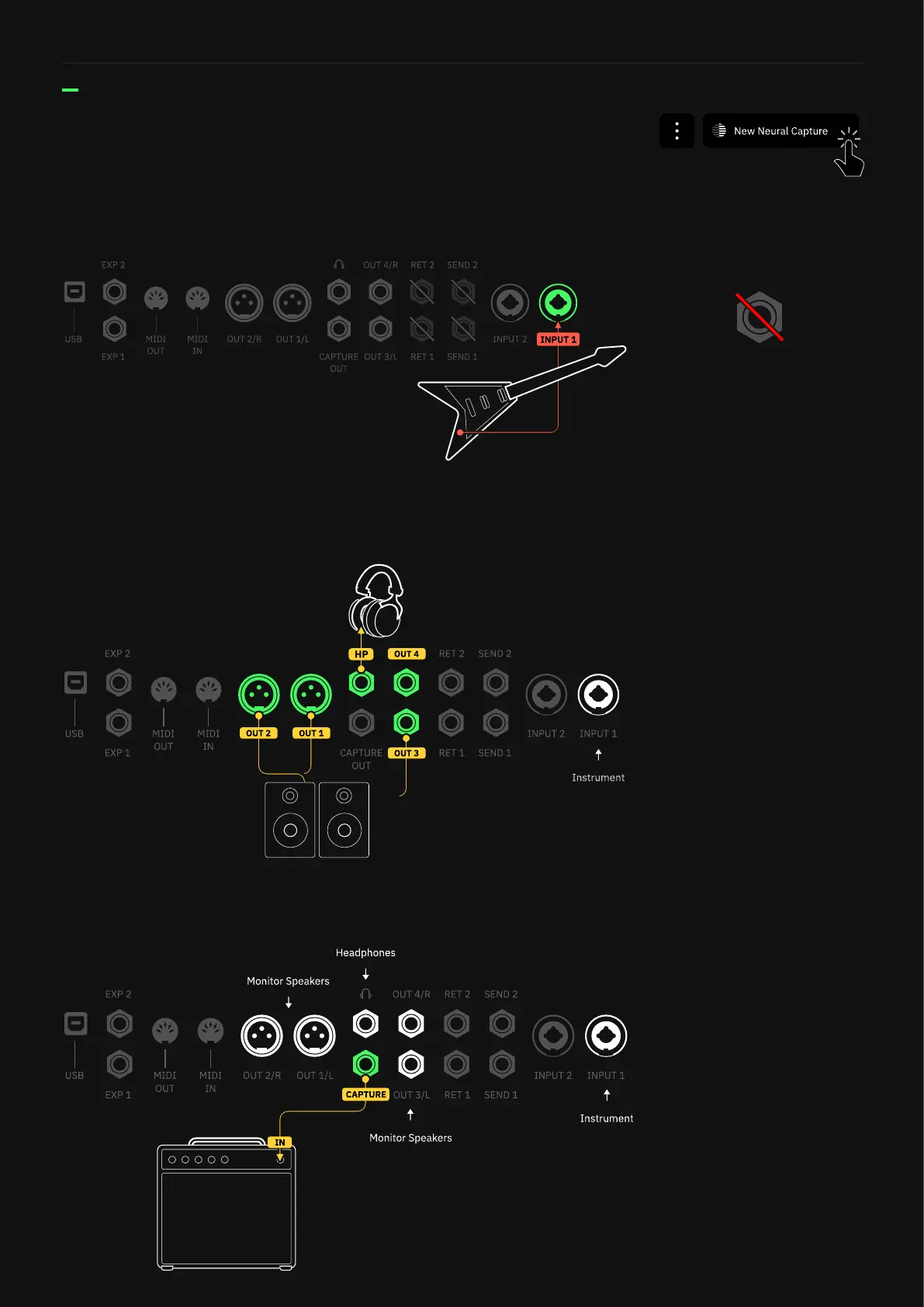
Open the Main Contextual Menu and click on “New Neural Capture” to
access the Connection Diagram.
01 REFERENCE INSTRUMENT
Plug your instrument into INPUT 1.
02 MONITORING DEVICES
Connect your headphones to the HEADPHONES OUTPUT or monitor
speakers to OUTPUT 1/2 or 3/4.
03 TARGET DEVICE
Connect the Quad Cortex’s CAPTURE OUTPUT to the INPUT of your
target device.
For best results, disconnect any
devices from SEND 1, SEND 2,
RETURN 1, and RETURN 2.
Connection Diagram



 To Next Page