83Computer Integration
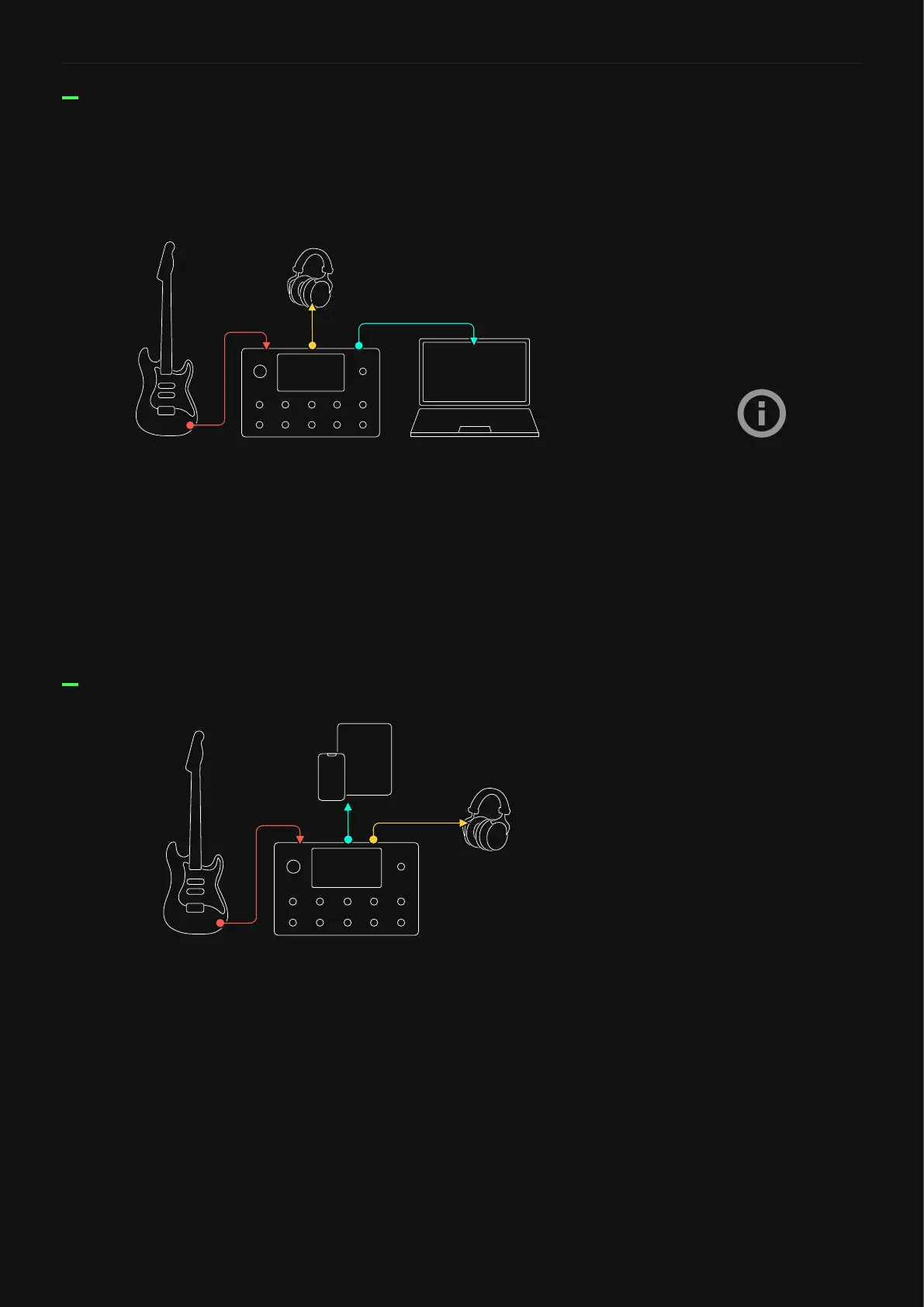
You can connect any class-compliant USB audio device or MIDI
controller to an iPhone® or iPad®. With those peripherals, Quad
Cortex can be used as an audio interface using the Apple® Lightning
to USB-3 Camera Adapter.
This feature allows using Quad Cortex with audio apps like
GarageBand® for recording purporses, or simply using Quad Cortex
as the main audio device for different apps.
Connecting Quad Cortex to an iPhone® or iPad®
D.I. and Processed signal Recording
Quad Cortex allows you to record direct and processed signals at
the same time effortlessly. Connect your instrument to INPUT 1 and
ensure Quad Cortex is selected as default audio interface on your
computer.
• Open your DAW and create a mono audio track and set its input
as Input 1 (Dry Input signal).
• Create a stereo audio track and set its input as Input 3/4
(Processed signal from The Grid).
• Arm both tracks for recording.
D.I. Reamp
Set the recorded D.I. track’s
output and Grid’s input as USB
INPUT 5 during DAW playback
and arm a stereo track (Input
3/4) for recording.



 To Next Page