18
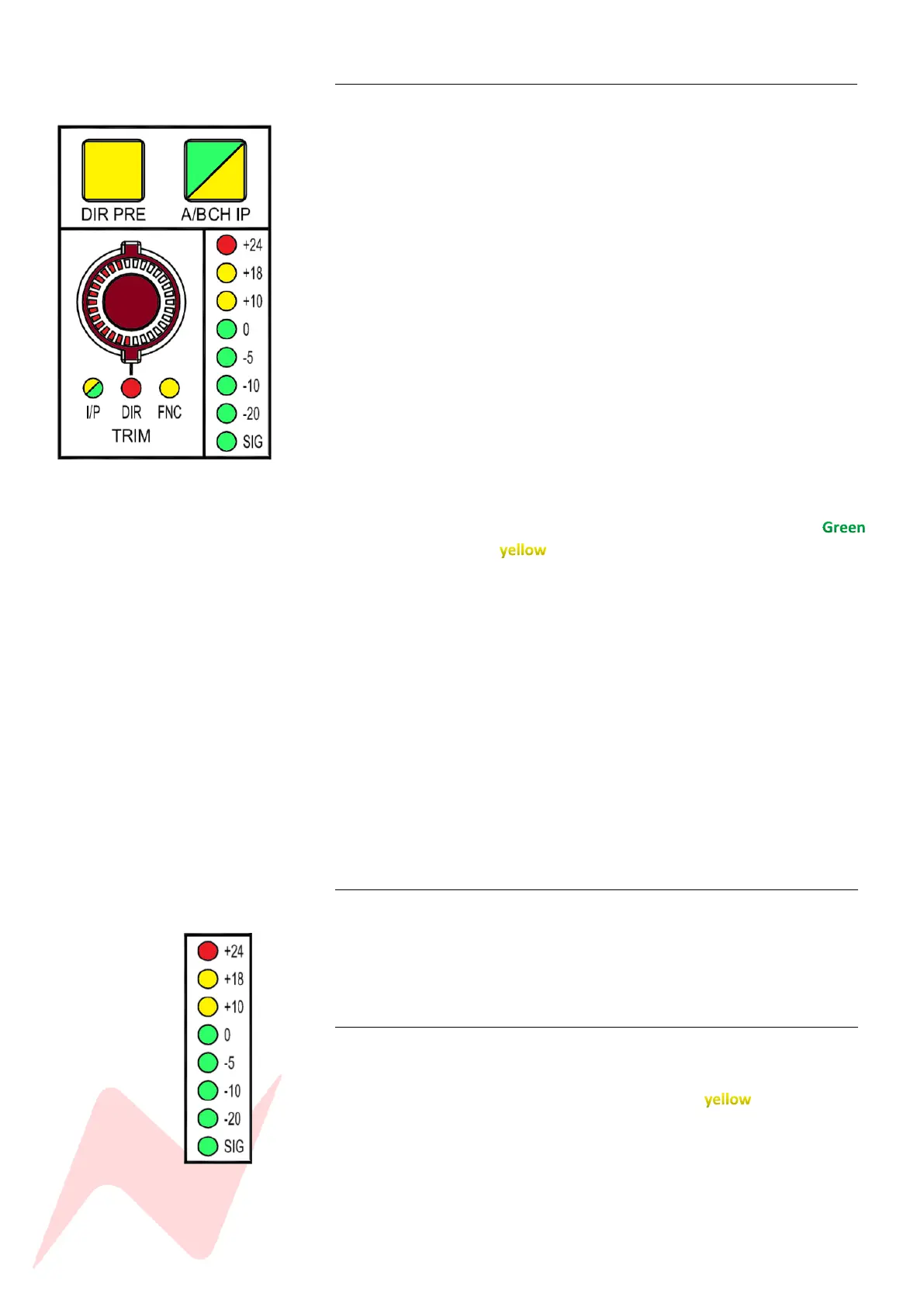
Input Trim Encoder 1
Each channel features a stepped +/-20dB trim pot. This is controlled by the
rotary encoder at the top of each channel (when in I/P mode).
The gain increments are-
+/- 1dB, 2dB, 3.5dB, 5dB, 6.5dB, 8dB, 9.5dB, 11dB, 12.5dB, 14dB. 15.5dB,
17dB, 18.5dB, 2 0dB.
The encoder LED will indicate the gain level for the selected A or B channel
input. When switching between A/B CH IP the LED will change to indicate
I/P A or I/P B trim gain. Following shutdown and restart of the console all
channel trim settings are reset to the default setting of 0dB. To save and
load the trim settings for your session, use the services screen in the centre
of the console and choose the SYSTEM SAVE or LOAD.
More information on SAVE/LOAD can be found on page 41.
Note: Loading a saved state will overwrite all Trim A/B/Direct out levels.
The input trim encoder is dual function and can be pressed to toggle
between three states of action-
• I/P sets the encoder to act as a +/- 20dB trim pot for all incoming
line levels. This functions for both Input A and Input B
independently and will toggle between both inputs displaying
for Input A and for Input B.
The Global A/B CH I/P switch can be found in the centre of the console.
• DIR sets the level of the direct output pre/post fade/cut for the
selected channel; the channel direct out has +10dB gain in hand
which can help to boost the input level of any low gain signals into
your DAW interface. By default, direct outputs are set to channel
Input B. Input A can be sent to the Direct Output, via the services
screen in the centre of the console by selecting
MASTER>IPA>DIR:[Y]
• FNC is reserved for future console Firmware upgrades.
Direct out level will always be retained regardless of channel input
selection A or B.
Global Input Trim Reset 1
Channel Input A and B Trim levels can both be globally reset to zero from
the console services screen. To globally reset Input B trim levels from the
services screen, select MAST>ZERO IP B. To globally reset DAW returns
Input A select MAST>ZERO IP A.
Channel Meter 1
Each Channel on the 8424 has its own 8 stage PPM input level meter which
displays input signal levels from -30dB through to +24dB. Levels below 0dB
illuminate green and levels above 0dB will illuminate . The Red LED
will indicate clipping at +24dB.



 To Next Page