35
Stereo Mix Processing 1
Overview 1
The 8424 Stereo Mix bus features two Neve classic Marinair® transformers
for high-headroom, voltage mixing. Two XLR outputs labelled MIX O/P on
the rear of the console allow for recording the consoles final Stereo Mix by
patching into the DAW, tape machine or external recording device.
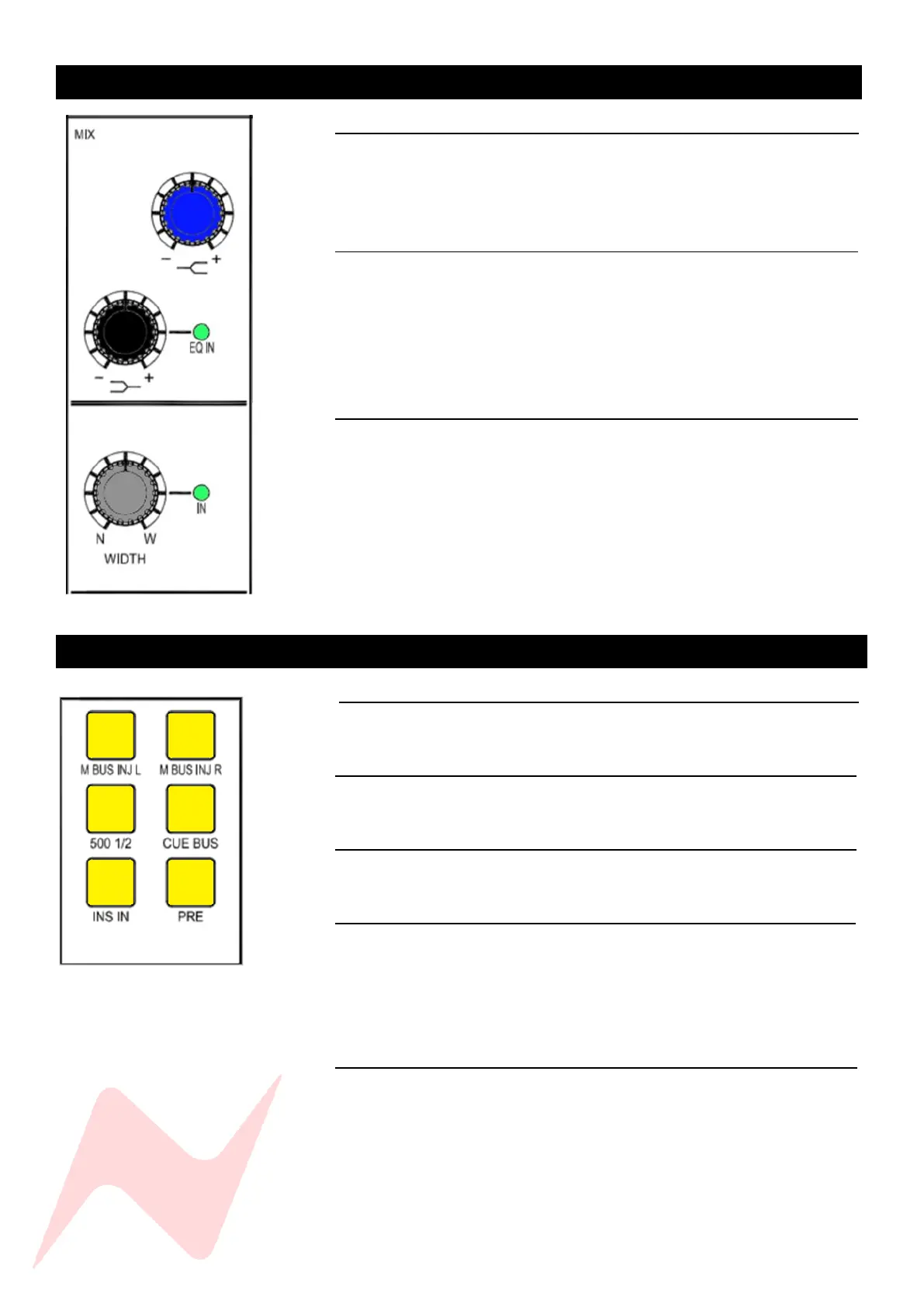
E.Q 1
The Stereo Mix fader has its own 2 band shelving EQ. The high shelf centre
frequency of 10kHz and low shelf centre frequency of 220Hz can both be
boosted or cut by + or – 12dB. The low shelf push-activation knob can be
pressed to activate the EQ circuitry onto the Stereo Mix bus. EQ IN will
illuminate when the EQ is active.
Stereo Width 1
The 8424 console features Neve’s proprietary stereo width control function
on the Stereo Mix bus. This function uses phase to widen the stereo image.
This push-activation pot can be pressed to activate the stereo width function
and the IN light will illuminate to indicate if the circuitry is active.
The pot will select between a narrow mono image when turned fully
counter-clockwise, stereo at the 11 o-clock position and a wide, enhanced
stereo image when turned fully clockwise. This feature is very useful to
enhance and add width to minimal, acoustic mixes with limited signal
sources.
Stereo Mix Routing 1
Overview 1
The Stereo Mix routing buttons activate insert points and routing paths for
the Stereo Mix bus.
M BUS INJ L/R 1
Allows an external signal to be independently blended into the master Left
and right bus via XLR connectors on the rear of the console.
500 1/2 1
This function routes the 500 series modules as pre-fade, pre-processing
inserts into the Stereo Mix Bus.
CUE BUS 1
Routes the cue bus into the Stereo Mix bus. This function allows for 48
inputs to be mixed simultaneously into the Stereo Mix output. (1-24 channel
Inputs A/B and 24-48 Input C to ST Cue bus). This button is automatically
activated when 48 MIX is pressed.
More information on 48 mix mode can be found on Page 53.
INS IN 1
Activates the Stereo Mix insert circuit, the stereo insert is routed via two XLR
sockets on the rear of the console labelled MIX INS SEND and MIS INS RET.
Note – The Mix insert send is always active, this can be used as a second
pre-fade (if PRE is selected) or post-fade (is PRE is not selected) Stereo Mix
output from the 8424.



 To Next Page