52
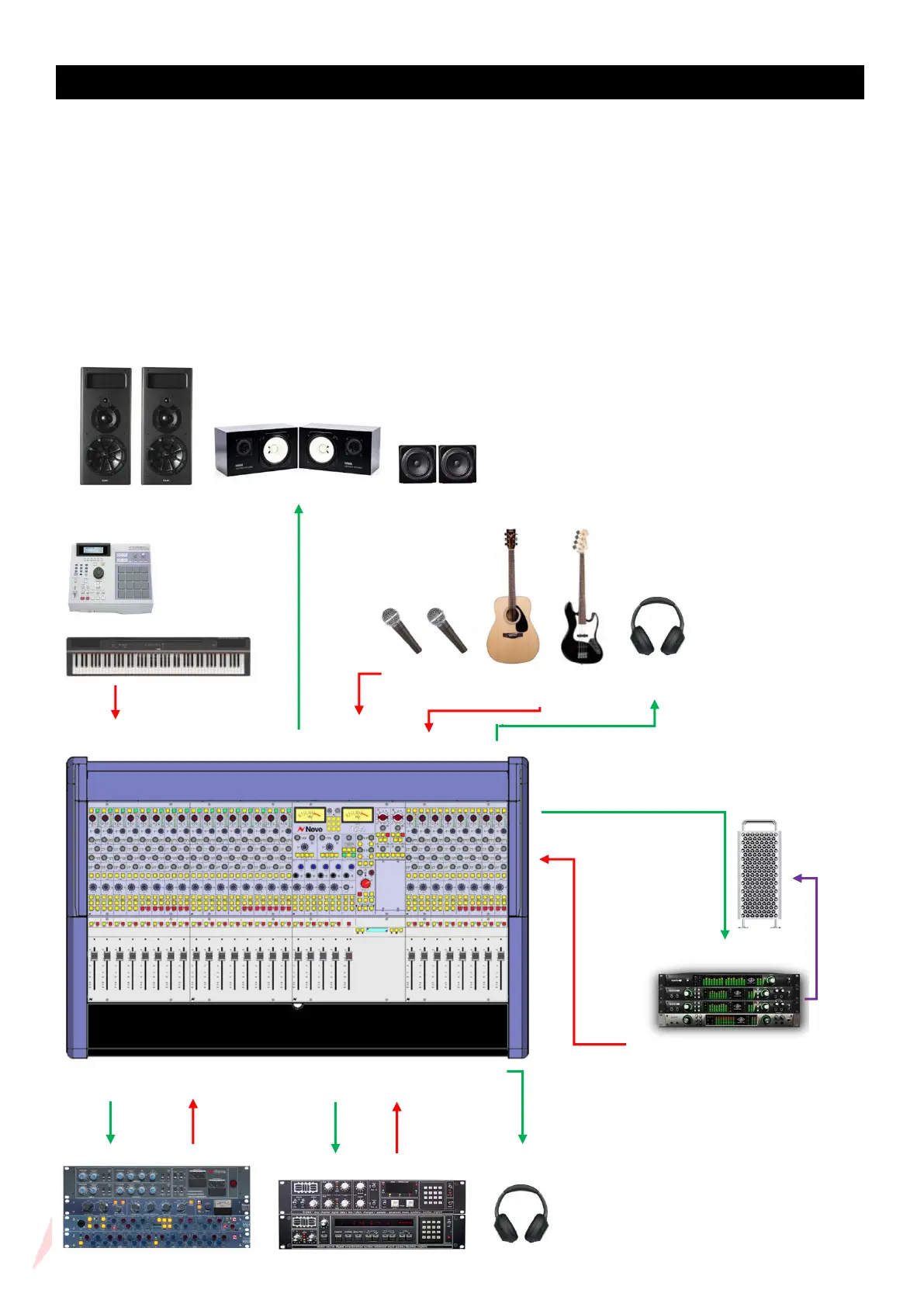
Example Application – Overdubbing 1
The channel IPA/IPB button enables fast input selection for individual channels, allowing for overdubs to be quickly
performed and recorded alongside DAW return channels. Globally select Input A to return your previously recorded
DAW tracks back through the 8424’s 24 channels. Overdubs can be recorded on any chosen channel 1 to 24 by
selecting Input B as its channel input source. The selected channel will be setup to feed the channel Direct output
into the DAW ready to record an overdub track. DAW return and live overdub tracks can be monitored in the control
room at the same time through the Stereo mix bus and can both be sent to the ST CUE output to feed performer
headphones. The recorded track can be monitored In-line on the same channel strip by activating ILM mode or
manually applying IP/A to the selected channels ST CUE bus. This allows you to check your overdub in the mix
without sacrificing channels or switching from your recording Input B. In-Line mode also allows you to record with
DAW plugins active, simply deselect MIX on the selected overdub channel and monitor the recorded signal coming
back from the DAW through the ST CUE Input A. More information on ILM found on page 54



 To Next Page