30
Talkback 11
Overview 1
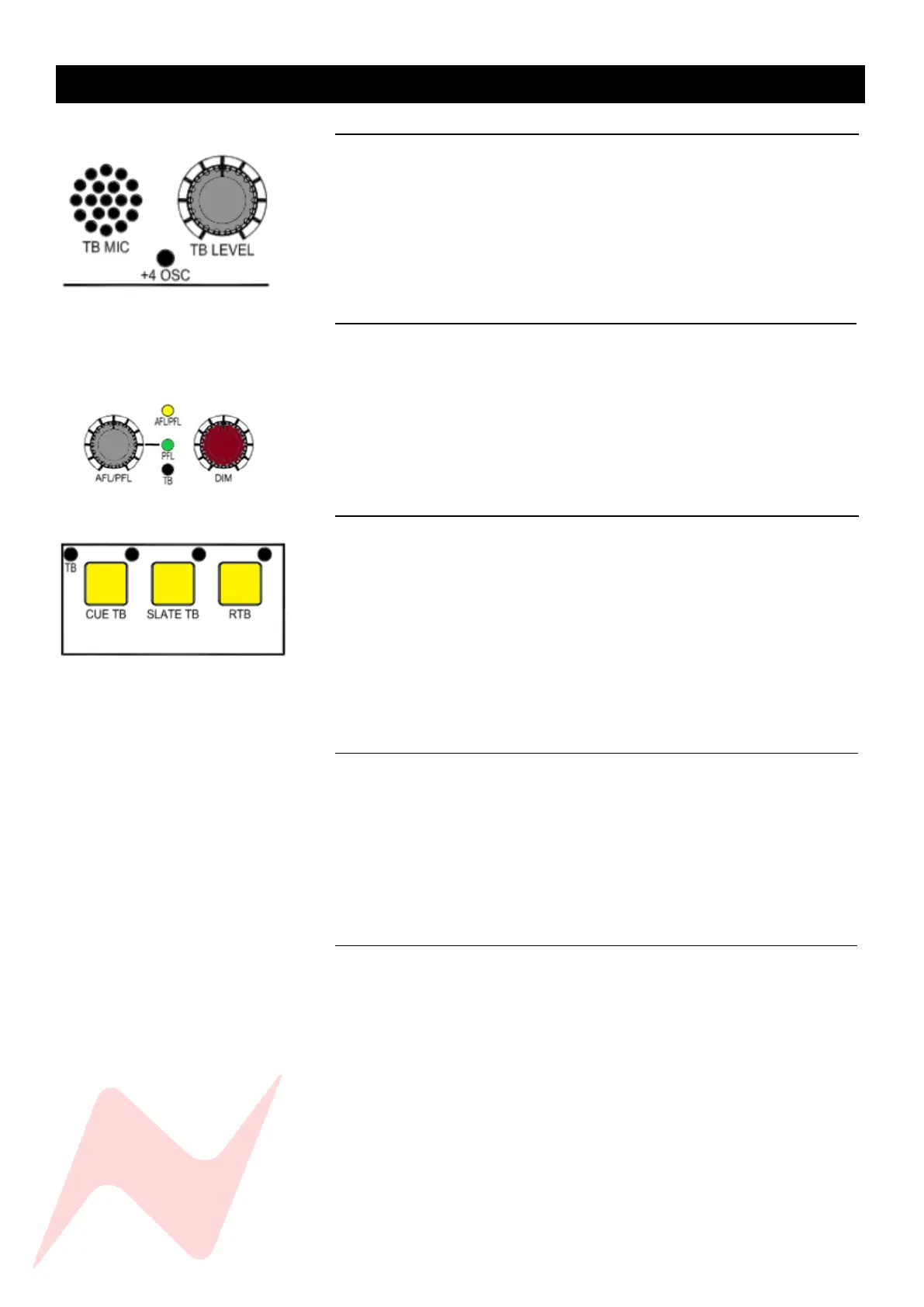
The talkback function on the 8424 enables three-way communication
between the engineer, producer and the performers. The 8424-talkback
microphone and talkback master level control are located at the top of the
console, in between the two VU meters. When talkback is engaged, the
monitors in the control room are dimmed to allow for clear communication.
The DIM level is set by the TB DIM control above the Control Room Monitor
Level controller.
Talkback controls 1
The talkback buttons are located beneath the control room monitor section
of the console. The CUE TB and SLATE TB switches are momentary and must
be held to enable talkback. RTB is latching and must be switched on or off.
Talkback dim is controlled by the TB DIM trim pot in-between the AFL/PFL
and DIM pots. This trim pot runs from 0 to -35dB and will affect the CUE bus
level when talkback is engaged, similarly it will affect the AUX 2 and AUX 3
bus if talkback to AUX 2 and AUX 3 is engaged via the services screen.
Talkback Trim Pots 1
Talkback level to all destinations can be adjusted by using the TB trim level
pots with a small flat-head screwdriver. The top left hole labelled TB adjusts
the external talkback feed to the XLR at the rear of the console. This
connection can be used to feed external talkback systems, if signal into the
external system is too hot, the TB trim can reduce talkback output
accordingly. The next hole adjusts the talkback level to the cue bus followed
by the slate talkback level trim. The final hole to the far right-hand side is
used to trim the return talkback signal. The trim pots are the final level
attenuators for talkback to the associated destination Post TB LEVEL master.
CUE Talkback 1
The CUE TB Routes the talkback microphone signal into the cue mix bus.
When engaged, the ST CUE mix level will be dimmed by -21db to enable
clear communication between the engineer and the performers. This
Talkback dim level can be adjusted by using the TB DIM trim pot next to the
master DIM pot. The DIM button will flash to indicate TB DIM active. The
cue talkback level can be adjusted with the trim level control to the top right
of the CUE TB button and the talkback master control.
Slate Talkback 1
SLATE TB can route the talkback microphone signal to channel Direct
Outputs, Group 1-4 Direct outs and Stereo Mix bus outputs depending on
which services screen option is selected. This function can be used to
identify takes by recording the engineers voice directly to tape/DAW. The
slate talkback level can be adjusted with the trim level control to the top
right of the SLATE TB button and the talkback master control. Slate to Direct
outputs, Group outputs and Mix outputs must be activated independently
from the services screen in TB>SL DIR OP: [Y], SL GRP OP: [Y] and SL MIX
OP: [Y]



 To Next Page