20
AUX Sends 1-3 1
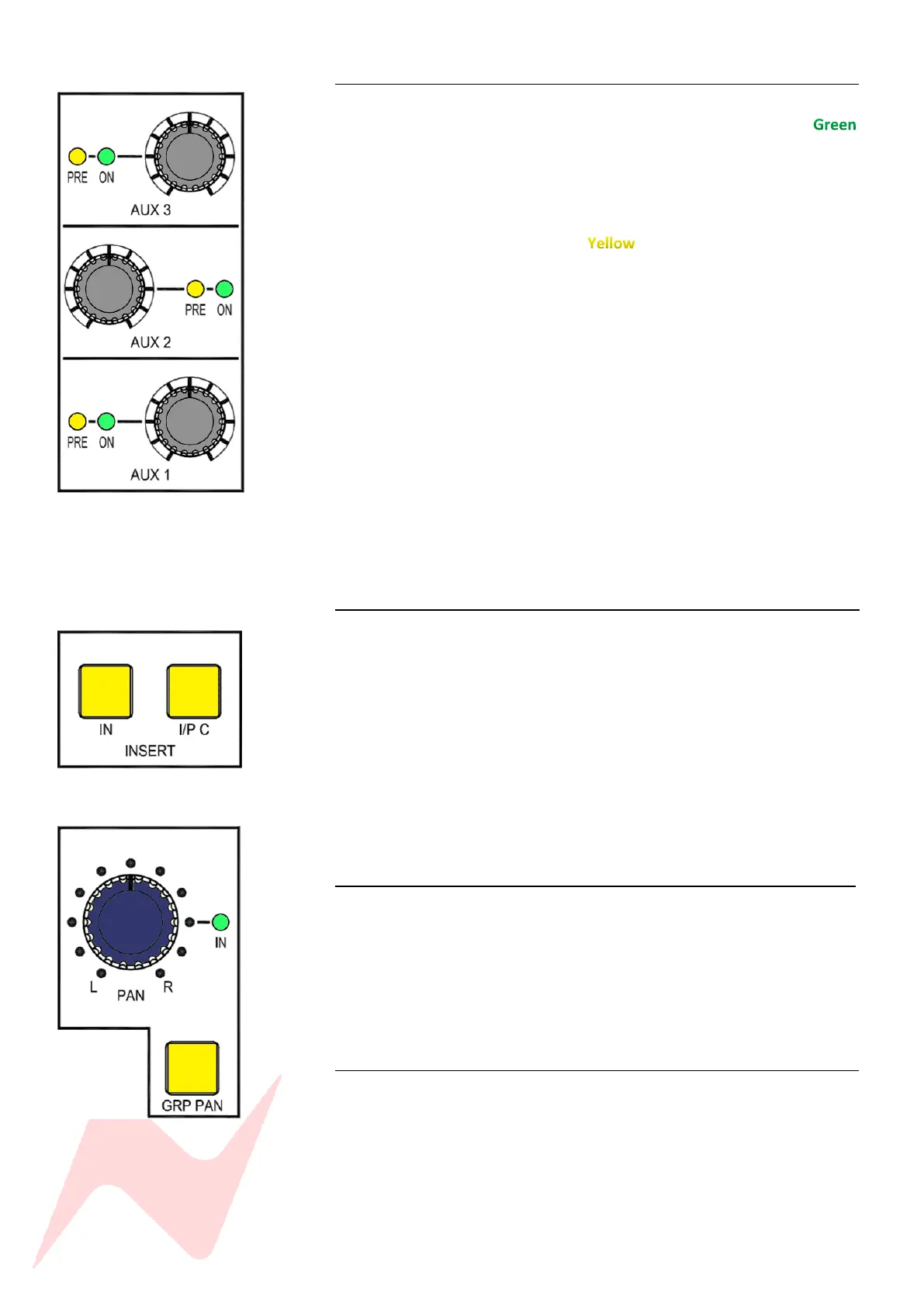
There are three mono aux sends per channel. Each rotary control sends level
from -inf to 0dB and has push activation. The ON light will illuminate
once the send is active. Each Aux send 1-3 is set to Post-Fade by default.
To switch to PRE-Fade-
Press and hold the CUE PAN controller, then press the AUX
controller.
The PRE light will illuminate to indicate pre-fader state.
AUX 2 and AUX 3 can also be used as a second stereo cue. AUX 2 becomes
the right signal and AUX 3 becomes the left signal of the second stereo cue
mix.
Further information on additional stereo cue mixes can be found on page
28.
The aux send pre-fade option will function differently depending on which
channel input A/B is selected. This is to ensure that when recording or
overdubbing, the channel cut does not affect the aux send and when mixing,
the channel cut will also cut the aux send appropriately.
If channel Input B is selected – AUX sends are pre-fade pre-cut.
If channel Input A or C is selected – AUX sends are pre-fade post-cut.
Global Aux On/Pre fade state can be set by interlocking the Aux On/Pre
button and Aux master knobs in the centre of the console. More
information on page 28.
Insert/Input C 1
Just below the aux sends on the channel are the Insert IN and Insert to
Input (I/P C) switches. When illuminated, the insert IN switch will activate
the channels insert signal path from the Insert send and Insert return ¼’’ TRS
connector at the rear of the console. When I/P C is selected and illuminated,
the channel insert will be assigned to the signal path for the third channel
input (Input C) DAW interface outputs 24-48 and fed to the ST CUE input.
Further information about inputs 25-48 can be found on Page 52
Global INSERT IN and INSERT I/P C can be activated from the services
screen in MAST>INS IN and MAST>INS IP C
Note: Channel insert sends are always active. This allows a second pre-fade
direct out from each channel.
Pan 1
The 8424 pan-pot runs from 0dBu hard left, - 4.5dBu centre to 0dBu hard
right positions. The channel Pan-Pot functions for both Input A or Input B
depending on the selected channel input.
The Pan-Pot has push-activation and is switched on when the IN light is
illuminated.
All channel pans can be activated globally from the services screen in
MAST>MIX PAN.
GRP PAN 1
GRP Pan or ‘channel pan to group’ assigns the channel pan position to the
group routing. When selected, the position of the Pan control is reflected in
the channels group assignments. I.E when the channel is routed to groups 1
and 2, panning hard left will send the channel signal to group 1 only,
panning hard right will send the signal to group 2 only and centre panning
will send the signal in equal amounts to both groups 1 & 2.
Global GRP PAN can be activated from the services screen in MAST>GRP
PAN.



 To Next Page