41
Recall Store System 1
Overview 1
One of the main drawbacks of analogue console workflow is the long and
arduous process of recalling console settings, fader positions and pot
positions. On larger consoles, this process can take a very long time and can
slow down the creative process. The 8424’s internal Recall feature allows
operators to save and load console switch settings, fader positions and hard
pots within the 8424 internal memory. 8424 settings can be saved and
recalled on a session-by-session basis enabling a fast, analogue console
workflow that takes advantage of all features while remaining creative,
efficient and productive.
Save 1
The console save option scans all console settings and stores them in the
8424’s internal memory. There are 99 available console stores that can be
used to save console settings for different projects. Each store is numbered
[1] to [99]. A quick way to associate a recall store with a DAW project
session is to include the Recall store number in the saved DAW project
name.
Example–
ProTools mix – Recall Store [90]
Logic session – Recall Store [2]
Vocal overdub session – Recall Store [1]
To save a Recall Store –
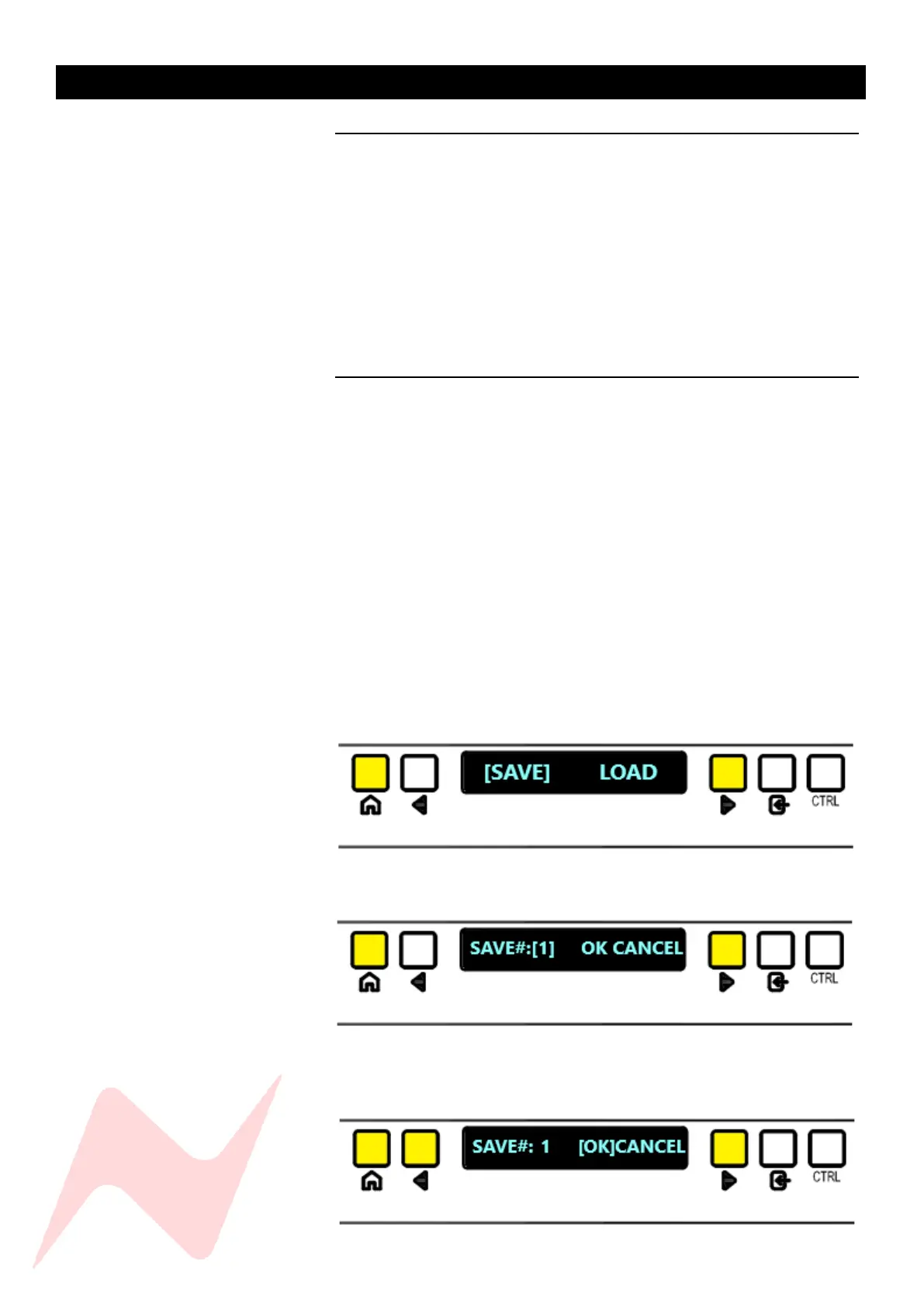
Enter SYSTEM menu and select [SAVE]
The following window will appear –
Choose a Console store [1] to [99] clicking ENTER or to toggle 10 at
a time press CTRL + ENTER.
Use the navigation arrows to select [OK]



 To Next Page