38
M2/RTB - routes the control room monitor audio path to the M2 LS O/P
speaker output XLRs on the rear of the console. M2 has the added feature of
having Return Talkback capability, the RTB signal from the live room can be
routed through the console into the M2 XLR outputs. When RTB is engaged,
the signal is fed directly into M2 monitors, this allows for quick
communication between the live and control room.
TB DIM - Trim calibration point allows for setting attenuation of the cue
mixes when talkback is engaged. It runs from 0 to - 35dB. If DIM is also
engaged, the attenuation levels are multiplied together.
VU Meters 1
Overview 1
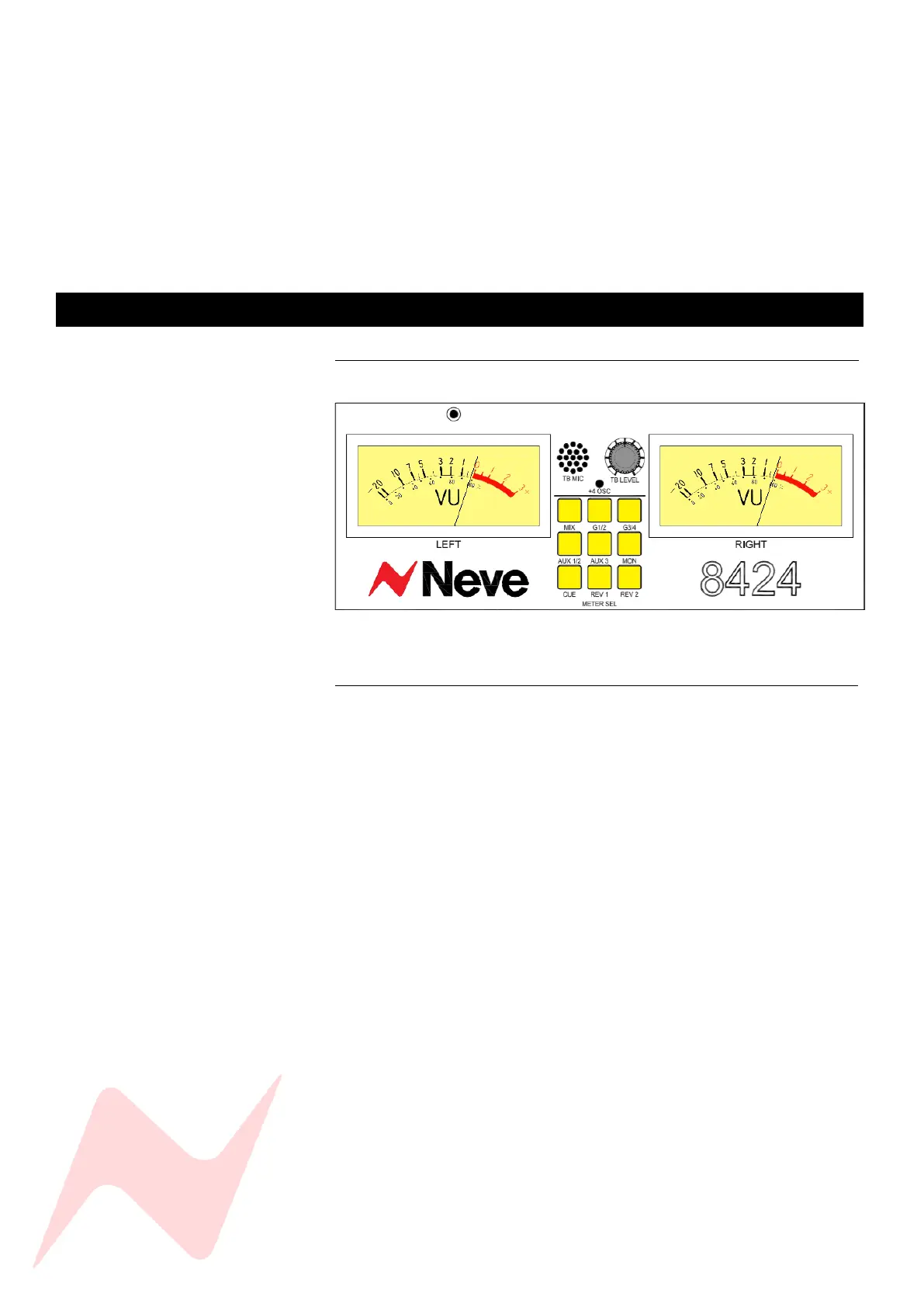
The 8424 console features 2 large backlit VU meters which display level in
Volume Units. The VU meters can be used to monitor a number of different
console signal sources.
Meter Select 1
MIX - Selects the Stereo Mix output as the VU meter signal.
G1/2 - Selects Group 1 (Left) and 2 output (Right) as the VU meter signal.
G3/4 - Selects Group 3 (Left) and 4 output (Right) as the VU meter signal.
AUX 1/2 - Selects AUX 1 (Left) and Aux 2 (right) bus as the VU meter signal.
AUX 3 - Selects AUX 3 (Left) mix bus as the VU meter signal
Aux 1/2 and AUX 3 - together shows the Left (AUX 3) and right (AUX 2) Cue
Mix 2 signal.
MON - Selects the control room monitor Left and Right output as the VU
Meter signal.
CUE - Selects the Left and Right cue Mix bus output as the VU Meter signal.
REV 1 - Selects stereo reverb return 1 as the VU Meter signal.
REV 2 - Selects stereo reverb return 2 as the VU Meter signal.



 To Next Page