37
Control Room Monitor 1
Overview 1
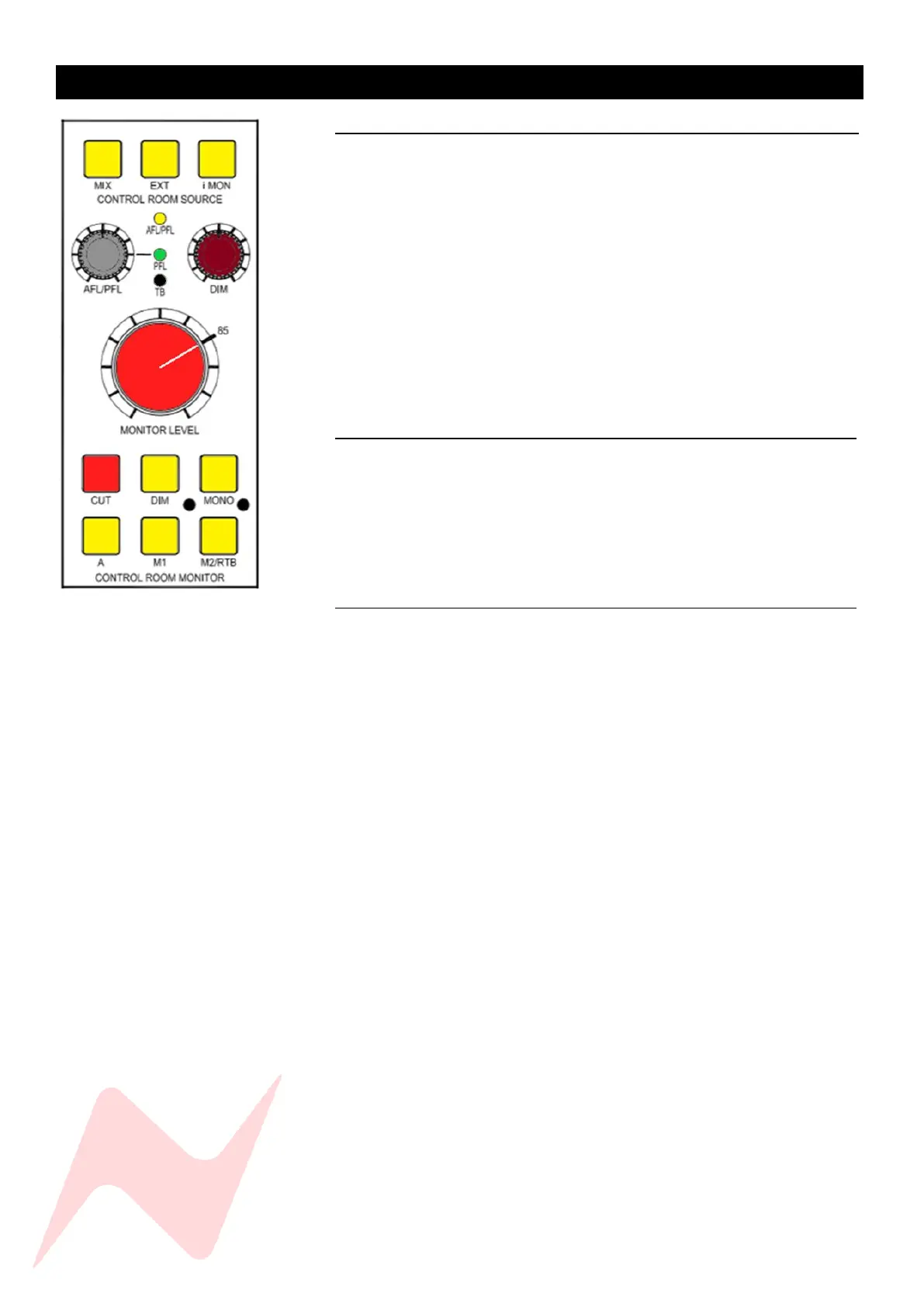
The Control Room Monitor section of the 8424 gives total control of the
Stereo Mix monitoring outputs and is the loudspeaker output attenuation
control for the 8424 console. The monitor section of the console is
positioned in the centre to allow easy access to the essential controls.
Monitor source selection buttons can be found at the top of the control
room source section. AFL/PFL solo level control, DIM level and monitor level
knobs are also located here along with monitor output selectors, CUT, DIM
and MONO buttons.
There are three possible stereo loudspeaker outputs from the console; A,
M1 and M2. The M1 and M2 monitor output levels can be independently
calibrated to match the A LS output level by using the trim screw points next
to M1 and M2 speaker selection buttons.
Control Room Source 1
MIX selects the main Stereo Mix bus, post-master fader as the control room
audio source.
EXT selects the external stereo input as the control room audio source, used
for listening to reference tracks or monitoring any external audio sources.
i-MON selects the 3.5mm Jack input as the control room audio source. The
minijack can be found underneath the console armrest, next to DI I/P 1.
Monitor Level Controls 1
MONITOR LEVEL - A precision rotary controller to attenuate the console
loudspeaker outputs. Perfectly tracks the stereo image at any listening level.
AFL/PFL - Uses Marinair® Transformers to give accurate AFL voltage soloing
and can be boosted by 10dB. ALF/PFL sets the level for the non-destructive
solo bus of the console. Both AFL and PFL solo modes are activated either on
a channel by channel basis by Isolating selected channels or by pressing the
SOLO SAFE global function. Once pressed, any channel solo button will now
be AFL, unless the AFL/PFL pot is pressed and the PFL light is lit. Reverb
returns and AUX masters are AFL by default.
TB DIM - Sets the amount that the CUE bus and optional AUX 2 & 3 busses
are reduced by when CUE TB or producer return talkback is active.
DIM POT - Sets the amount the Control Room Monitor level is reduced by
when the DIM button is pressed.
CUT -Mutes the console LS outputs.
DIM - Reduces the loudspeaker output of the console by the amount set by
the DIM POT, displays as a solid light when dim is pressed, flashes if CUE TB,
Producer RTB or the talkback footswitch is pressed.
MONO - Sums the left and right loudspeaker outputs of the console into a
mono signal which is then fed to both the Left and Right speaker outputs
equally.
A - Routes the control room monitor audio path to the speaker output A LS
O/P XLRs on the rear of the console.
M1 - routes the control room monitor audio path to the speaker output M1
LS O/P XLRs on the rear of the console.



 To Next Page