46
Manual Recall 1
At any point during the auto scan process users can enter manual recall
mode. This mode of operation allows users to manually recall individual
channel settings or master section settings without having to auto scan and
recall the entire console.
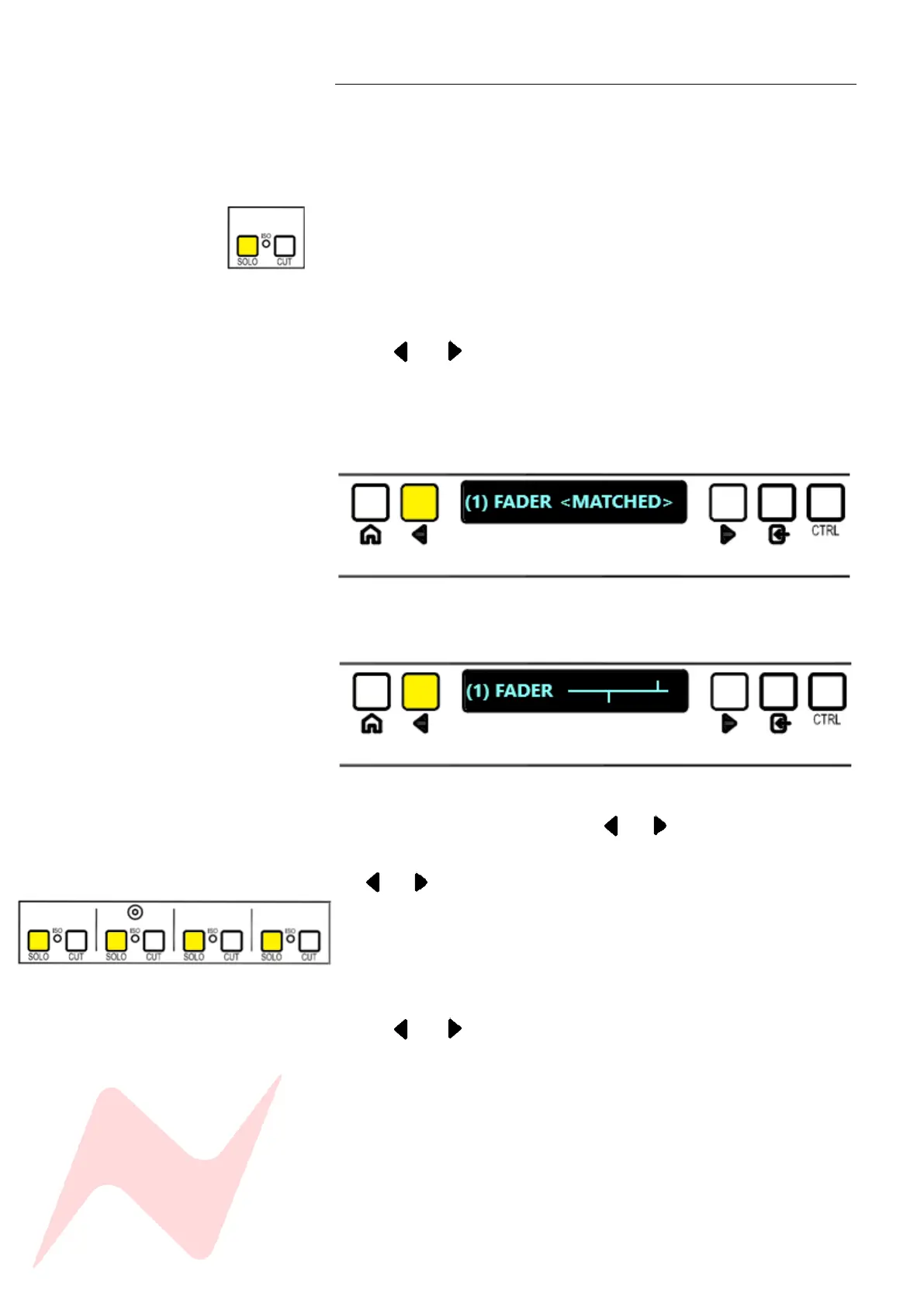
To manually recall a selected channel, simply press the channel SOLO button
during the auto scan process. When pressed, the auto scan is stopped, and
the recall program is focused only on the selected channel.
The display will now show and remain focused on the topmost channel
setting (ST CUE PAN)
Use the and to toggle through settings in the following order –
ST Cue Pan> ST Cue Level> AUX 3 > AUX 2 > AUX 1 > PAN > Fader
If settings match, the saved setting from the console store <MATCHED> will
show on the display.
if the setting does not match, the horizontal line will appear until the
pot/fader has been reset.
In Manual mode, the operator must toggle through each selected channel
strip setting manually by pressing the and keys.
To select adjacent channels in manual mode press and hold CTRL and press
the and or press the adjacent channel solo button.
To manually recall a master section setting, press any of the 4 group solo
buttons.
The display will now show and remain focused on the topmost master
section setting (REV RETURN 1 LEVEL).
Use the and to toggle through master section settings and adjust as
required. Settings will appear as <MATCHED> or the horizontal line will
appear if settings do not match the Console Store.
To exit manual mode press CTRL and ENTER. This will return the recall
procedure to auto scan mode.
Press HOME at any time to stop the auto scan and exit recall.



 To Next Page