22
Groups 1-4 1
Overview 1
The 8424 features 4 mono Groups with 100mm Faders located in the centre
of the console. These groups can be used for a variety of functions such as
sub-mixing instrument groups, using group processing on selected
instruments, balancing large amounts of instruments or as separate masters
for the cue mix bus when using the consoles in-line mixing mode.
Further information on Page 54.
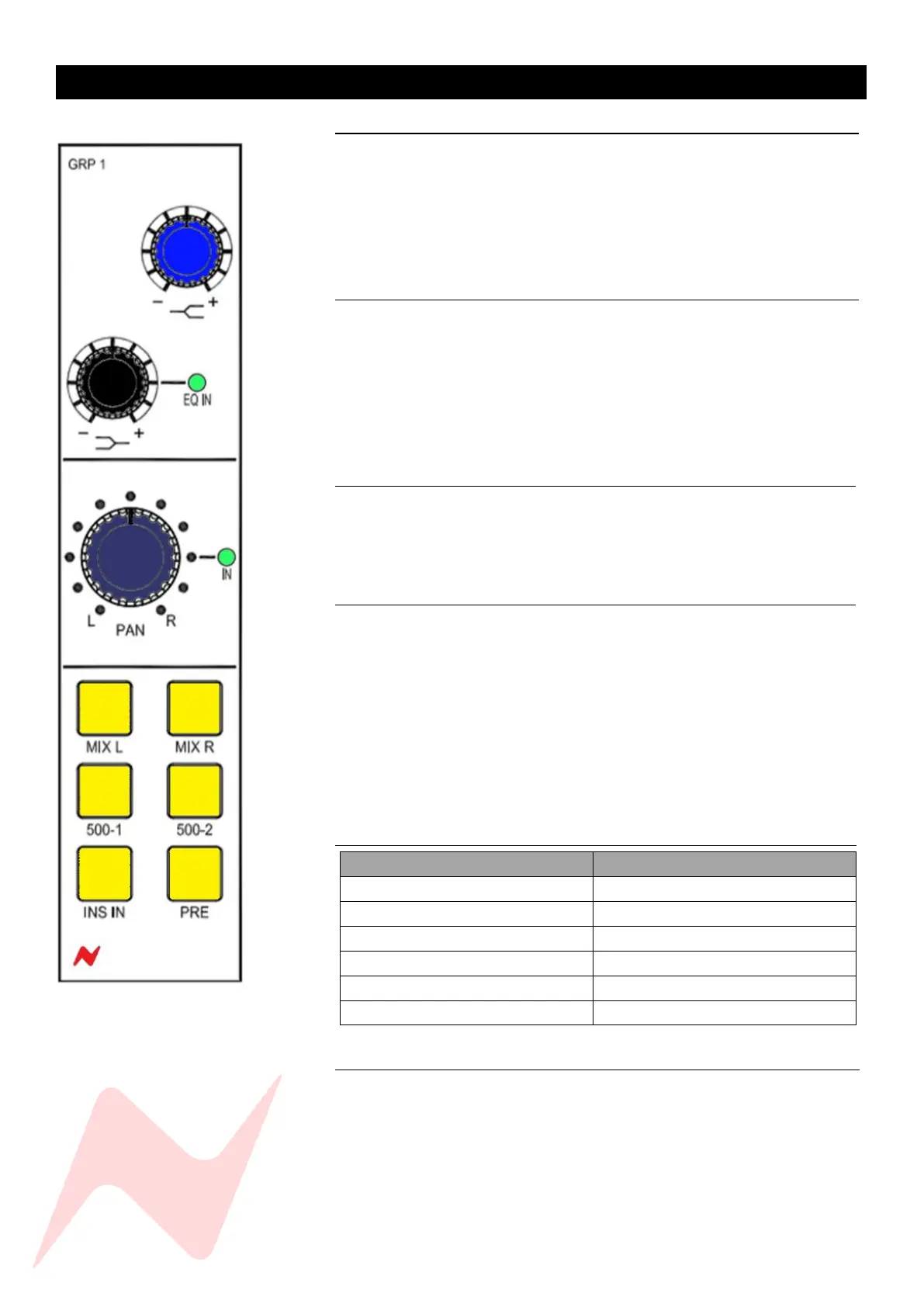
Group EQ 1
Each mono group has its own analogue 2-band shelving EQ that can be used
to treat groups of instruments or individual instruments depending on which
channels are assigned the group. The high shelf centre frequency of 10kHz
can both be boosted or cut by + or – 15dB. and low shelf centre frequency
of 220Hz can both be boosted or cut by + or – 12dB. The low shelf knob has
push-activation. When pressed, the Group EQ is active and the EQ IN LED
will illuminate.
Pan 1
Each mono group has its own pan control which has push-activation. This
allows the mono groups to be accurately positioned in the Stereo Mix, with
individual channels being assigned to either the left or right depending on
the stereo image.
Group Routing 1
The Group routing buttons above the fader can be used to send the group
output to the Stereo Mix bus by pressing MIX L or MIX R (or both). The 500-
1 & 500-2 buttons will activate the 500 series slots as group inserts. The
routing buttons will illuminate to indicate the current routing setup.
Beneath the routing buttons, the INS IN switch activates the groups insert
post EQ/Pre-Fade.
Note: Group insert sends are always active. This allows a second pre-fade
direct out from each Group.
PRE- sets the Group hardware insertion point to pre fader (see table below).
Group Output Signal Path 1
Group 1-4 Direct Output Pre 1
Each mono group has its own direct output on the rear of the console which
can be used to feed into the DAW or external recorder. Direct outs are Post-
Fade by default, the service screen option MAST>GRP 1-4 PRE will set the
direct outs to Pre-Fade.



 To Next Page