40
Talkback options 1
TB AUX2 [Y]/[N] – Routes Talkback into AUX 2 buss.
TB AUX3 [Y]/[N] – Routes Talkback into AUX 3 buss.
RTB COMP [Y]/[N] – Activates the Return Talkback Compressor.
RTB +48 [Y]/[N] – Activates the Return Talkback Phantom power.
RTB ENABLE [Y]/[N] - Activates Return Talkback.
SL DIR OP [Y]/[N] – Routes Slate to all Channel Direct Outputs.
SL GRP OP [Y]/[N] – Routes Slate to all Group Direct Outputs.
SL MIX OP [Y]/[N] – Routes Slate to the Stereo Mix Output.
Oscillator Functions 1
OSC DIR [Y]/[N] – Routes the Oscillator to the Channel Direct Outputs.
OSC GP [Y]/[N] – Routes the Oscillator to the Group Outputs.
OSC MIX [Y]/[N] – Routes the Oscillator to the Stereo Mix Output.
OSC SL TB [Y]/[N] – Routes the Oscillator to the Slate TB Output.
System 1
SAVE –Saves current console state to the 8424 internal memory See Page 41
LOAD – Loads a console store from the 8424 internal memory See page 42
DHCP: [Y/N] – for use when preforming firmware updates from the Neve
Updater App. DHCP [Y/N] Sets an automatically assigned IP address for
when connecting the 8424 to the computer via a network switch. Selecting
[Y] will allow a connected network DHCP server to assign an automatic IP
address to the 8424 that will be recognised by the Neve Updater app.
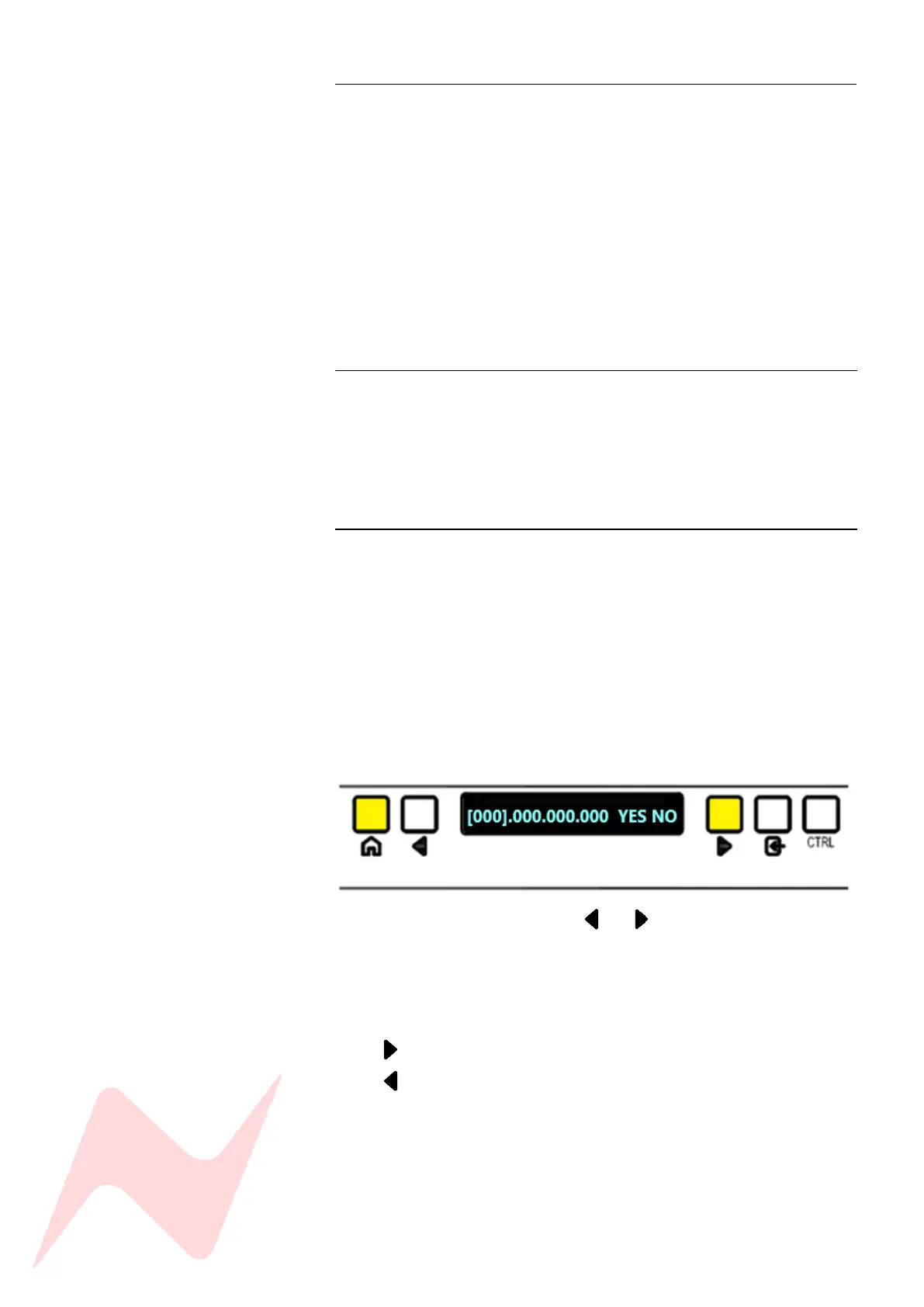
SET IP: Sets a manual IP address when connecting directly from 8424 to
computer using CAT5/6 cable.
Manual address is set my using the and , ENTER and CTRL buttons.
Select each triple digit Section of the IP address until the desired IP address
number is reached.
ENTER toggles through plus 1 digit at a time
ENTER + CTRL toggles through minus 1 digit at a time
CTRL+ toggles through plus 10 digits at a time
CTRL + toggles through minus 10 digits at a time
Once the entire address has been entered, select YES to enter the Manual IP
address. This IP address will be recognised by the Neve Updater App.
RESET DESK CONFIRM [OK] – resets the console back to its factory default
start up setting, wiping any solo, routing and input trim setting. This option
gives a five second countdown before reset is enacted. Pressing any key
during this countdown will cancel the reset procedure.



 To Next Page