28
Aux & Cue Masters 1
Overview 1
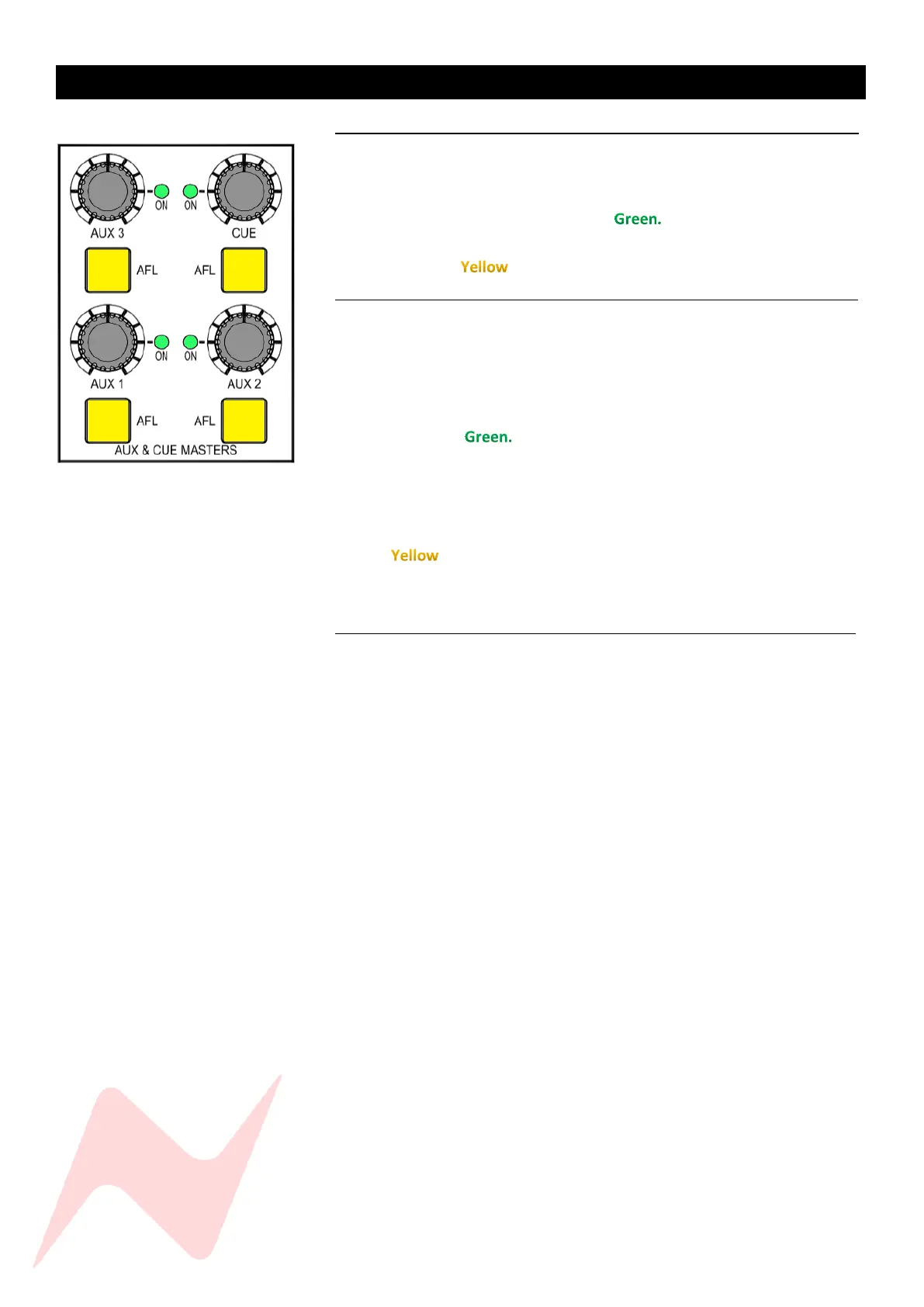
The Three mono AUX master and stereo CUE master controls are located
above the control room monitor section of the console. Each pot runs from
inf to 0dB and has push-activation. When pressed, the AUX/CUE master bus
is active and the ON light will illuminate
Each aux master and cue master can be soloed by pressing the AFL button
which illuminates when active.
Global Aux Controls 1
The AUX and CUE masters have several global functions that are accessed by
pressing the AUX ON/PRE button and then pressing the AUX/CUE master
pot.
To switch all associated channel AUX/CUE sends ON/OFF-
Press the master AUX/CUE ON/PRE button once, this will now
illuminate
Press the master AUX/CUE pot. The associated channel 1-24
AUX/CUE sends will now toggle between ON/OFF status.
To switch all associated channel AUX/CUE sends to PRE/POST fade
Press the AUX/CUE ON/PRE button twice, this will now illuminate
Press the master Aux pot. The associated channel 1-24 AUX/CUE
sends will now toggle between PRE/POST status.
AUX 2&3 as CUE mix 2 1
An additional cue mix can be created by using AUX2 and AUX3 bus sends. In
this mode, AUX 2 becomes the Right stereo cue mix signal, and AUX 3
becomes the Left stereo signal.
The cabling into the second artist foldback system must reflect the
AUX 3=Left and AUX 2=Right signal path.
To monitor the second foldback mix through the solo bus-
Press AUX 2 Master AFL
Press AUX 3 Master AFL
By default, Aux busses will monitor in MONO unless both AUX 2 and AUX 3
AFL are illuminated.
To display the second foldback mix on the VU meters-
Press the AUX 1/2 meter select button
Press the AUX 3 meter select button
Talkback can be routed to AUX2/3 via the Services screen TB>TB AUX 2[Y]
and TB AUX3 [Y]
VU Meters will display AUX busses in MONO unless both AUX 1/2 and AUX
3 meter select buttons are illuminated, Second Cue mix right signal will
appear on the left VU, the second cue mix left signal will appear on the
Right VU.



 To Next Page